
Participant
October 23, 2017
Answered

Unable to import Character Animator to After Effects (2018)

  • October 23, 2017
  • 3 replies
  • 12672 views

Each and every time an Adobe update goes into effect I become extremely worried because inevitably it does nothing but cause me a great deal of headache and loss of productivity. This time, it seems I can no longer import a Character Animator recording into After Effects 2018 (CC) because that functionality appears to have vanished (script) and any apparent help in rectifying the matter seems to be unavailable. I was not in need of an update and wish that updates were optional or at least come with the ability to be reverted to previous versions without further issue.

Now that I have voiced my complaint: I have uninstalled/installed the latest versions of both AE and CA but I am still unable to create a dynamic link between the two and the script that used to allow me to import CA to AE is no longer present. It seems I am now left with performing a standard import of CA .png sequences along with the import of the associated .wav files then painstakingly matching them together in AE. If there is a better way to accomplish getting CA (CC) into AE (2018 CC), I am eager to know.

Thanks. 
This topic has been closed for replies.
Correct answer Jeff Almasol

Hello Jim,

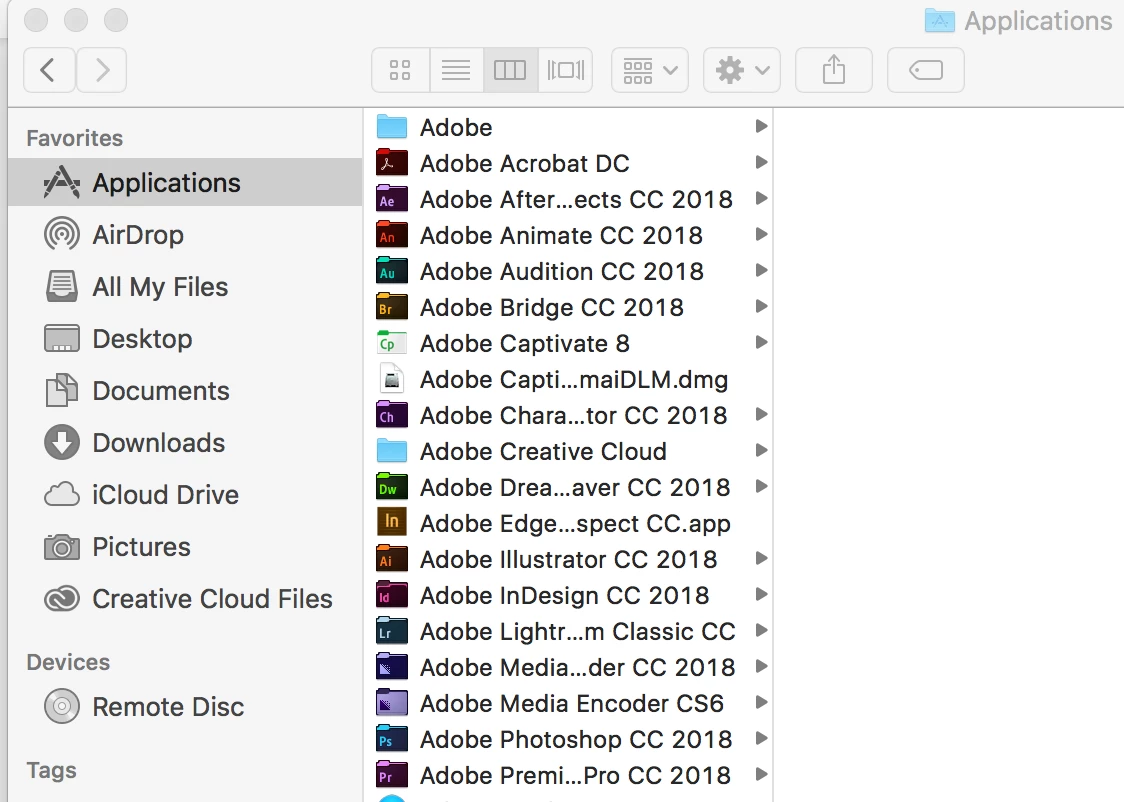
I installed in my Applications folder. (Is this what you were asking?) Thanks!


OK, with no Adobe apps currently running, launch Character Animator and wait for it to start up, launch After Effects, then try the import. Still the same issue?

I'm assuming the .chproj was created in the latest Character Animator CC 2018 and not from an earlier beta version, correct?

3 replies

IanD101
Inspiring
May 28, 2018

When I try to import my file from After Effects I get this message. If I just drag the scene it will show but it does not include the recordings.

This library folder doesnt exist at all on my computer.

Can anyone help?

IanD101
Inspiring
May 28, 2018

Now this one

Jeff Almasol
Adobe Employee
Adobe Employee
May 29, 2018

That "com~apple~CloudDocs" might be iCloud? Are you creating your CH project folder in your iCloud folder? Can you try creating it in a folder that's not continually being synced? A CH project folder contains several files, and the continual syncing/scanning of files might cause some issue.

I'm surprised just dragging the scene from CH's Project panel into AE's Project panel didn't include the recordings. Trying with a project whose folder isn't in iCloud would hopefully help diagnose/isolate what might be going on.

Jeff Almasol
Adobe Employee
Adobe Employee
October 25, 2017

We're still trying to reproduce the error condition, but have been unsuccessful. Anyone have specific steps (starting with no Adobe apps running) that reproduces the issue?

If you have a repro scenario, can you provide specific OS version information, which apps are running, the order that they were launched, and if you were importing via drag-and-drop (using the mouse, or stylus?) or AE's Import File dialog box.

Thanks!

nlemonc
Known Participant
November 1, 2017

I believe I was in Character Animator beta first, but even when I closed it and opened Character Animator 2018, there was a bit of a snafu. Only after I closed everything and then tried opening Character Animator 2018 and then After Effects did Dynamic Link work. (And I dragged from Ch project panel to Ae project panel. I had tried both importing and dragging the first couple of times.)

As to what other apps were running at the time...possibly Photoshop and Illustrator. (I can't remember the order in which these were opened.) I'm in OS Sierra version 10.12.6

Hope this helps in some way!

Jeff Almasol
Adobe Employee
Adobe Employee
November 2, 2017

If the time between when you quit the Beta version and when you launched the 2018 version was less than 30 seconds, the older dynamiclinkmanager process (from the Beta version) might've been in play and AE CC 2018 might've been trying to use that. Dynamic Link is compatible between equivalent releases (e.g., CH Beta and AE CC 2017, or CH CC 2018 and AE CC 2018). Just a guess.

Thanks for that info.

oksamurai
Community Manager
Community Manager
October 24, 2017

Dynamic link is the preferred (and most common) way people are linking CH & AE/PR currently - if it's not working for you, that's a bug we need to know about. What happens if you try to import a .chproj into AE? If you get an error message please let us know.

You could also import the PNG/WAV xml file into Premiere and dynamic link that to AE.

bruceb9981
Inspiring
October 25, 2017

How do you import to after effects now that the New Comp from Character Animator Recording.jsx is gone from file>scripts. I can get the video to play, but the audio has to be imported separate and is a pain to line up with animation. The adobe help forums are obsolete on this.