
IanD101
Inspiring
April 20, 2018
Question

Unusual behaviour of Eyes

  • April 20, 2018
  • 2 replies
  • 729 views

Hi,

I have a problem with both of my eyes matching up. You can see that the setup is different for both views but I don't know why and how to change them. Is this the reason why on each view, one eye tracks correctly and the other eye has limited movement around the eye and is slower.
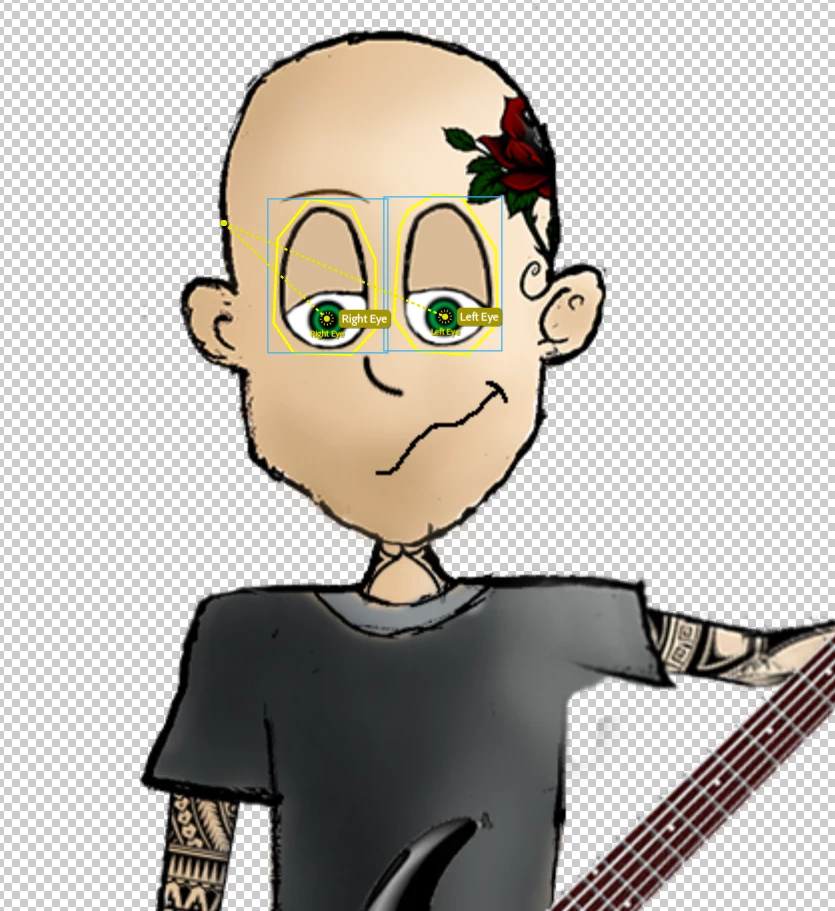
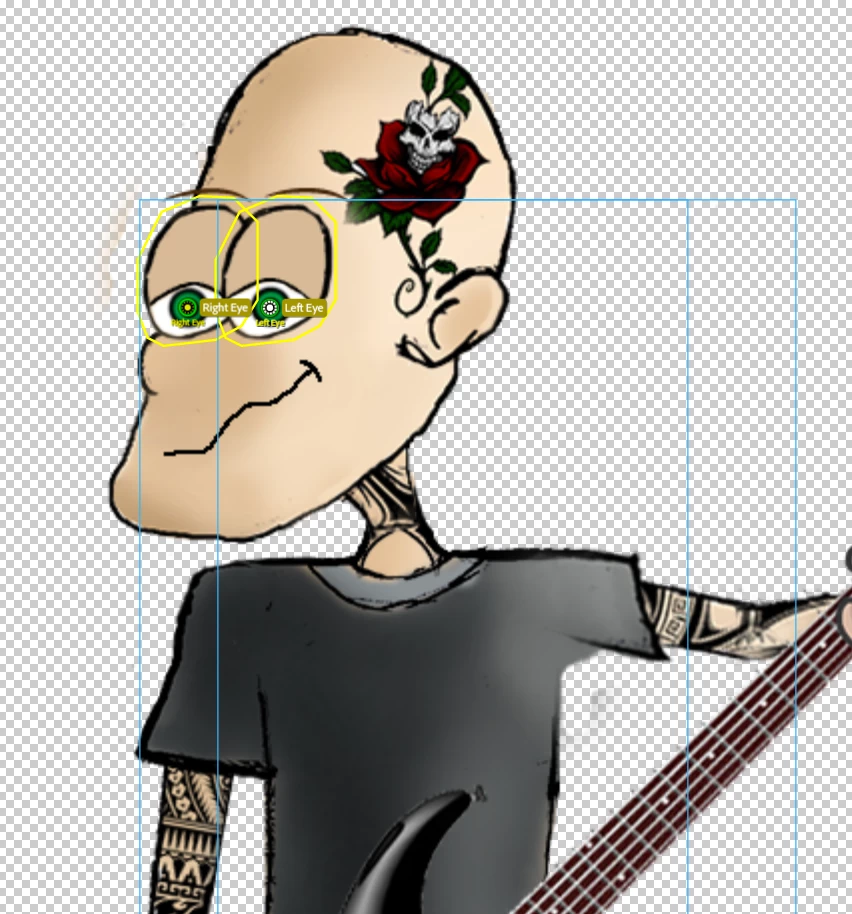
                                                 Good Right Eye                                                                                               Good Left Eye

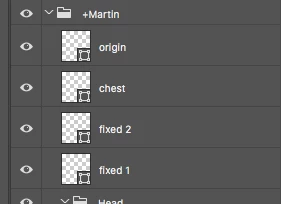
Also why does the eyebrow not show up? Yesterday it was the other eyebrow missing! This started happening when I copy and paste 4 layer from Wendigo template to make the head turn correctly. I don't know how to build these layers from scratch, if anyone can help?
Many thanks,

Ian

This topic has been closed for replies.

2 replies

IanD101
IanD101Author
Inspiring
April 20, 2018

Sure thing. What is the process in sharing it, I'm very new to the forum.

ID

alank99101739
Legend
April 20, 2018

A screenshot of the puppet hierarchy is a good start, such as: https://i.graphicmama.com/blog/wp-content/uploads/2017/09/25064930/022.jpg  - expand as much of the relevant hierarchy as possible. The tree structure here matters a lot.  Yours screen shot of the PSD layers is a good start, but the puppet hierarchy is more useful as its exactly how CH understands the puppet.

The other thing that matters is the tagging, but that is harder to share via a screen shot. The Puppet hierarchy is a good start.

The other thing you can do is use the “Export/Puppet” from the character animator menu and upload the .puppet file (its a ZIP file with a .puppet extension instead of .zip) to Dropbox/Google Drive/etc and share a public link in the forums if you are willing for you puppet to be public, or send a direct message to someone willing to have a look. (I am happy to have a quick look to see if something obvious.)

alank99101739
Legend
April 21, 2018

Well, that took longer than I planned! In case useful, my notes on how to debug eyes for Character Animator puppets.

https://wordpress.com/post/extra-ordinary.tv/134

IanD101
IanD101Author
Inspiring
April 20, 2018

Sorry the post appearance changed when I posted it.

UPDATE:

Top image - Good Right Eye

Middle Image - Good Left Eye

alank99101739
Legend
April 20, 2018

Could you share the puppet hierarchy in CH? That is what matters, and tagging.

(Or export the puppet and share it)

Eyes are a common source of problems. There are quite a few posts in these forums with examples if you can find them.