

Answered
What Is this little blue arrow
Hi, I attached a screen shot can you please tell me how to add this little arrow in the timeline which says help red monster at the top of all layers.
Thank you
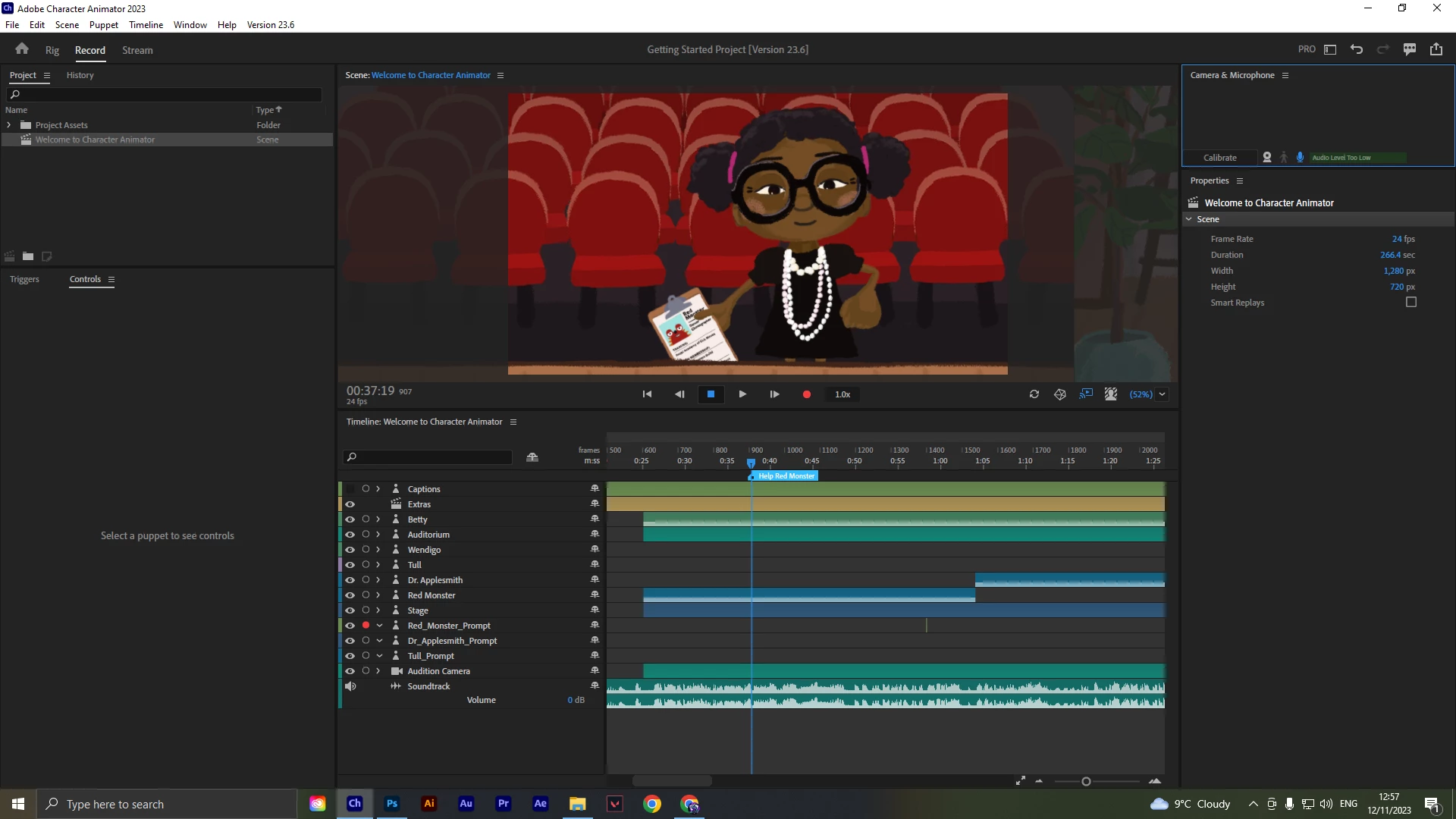

Hi, I attached a screen shot can you please tell me how to add this little arrow in the timeline which says help red monster at the top of all layers.
Thank you
Use the Timeline > Add Marker or Timeline > Add Stop Marker menu command. A stop marker allows playback to stop when the playhead reaches it.
To rename a marker, double-click it.
Already have an account? Login
Enter your E-mail address. We'll send you an e-mail with instructions to reset your password.
 AdChoices