


Exit
  • Global community
    • Language:
      • Deutsch
      • English
      • Español
      • Français
      • Português
  • 日本語コミュニティ
  • 한국 커뮤니티
0

How to fix missing files problem? (warning message)

Community Beginner ,
Mar 23, 2020 Mar 23, 2020

I've done a lot of work on my puppet in Ch project to make it move naturally but all my works had suddenly disappeared sometimes then I reworked again and again. 

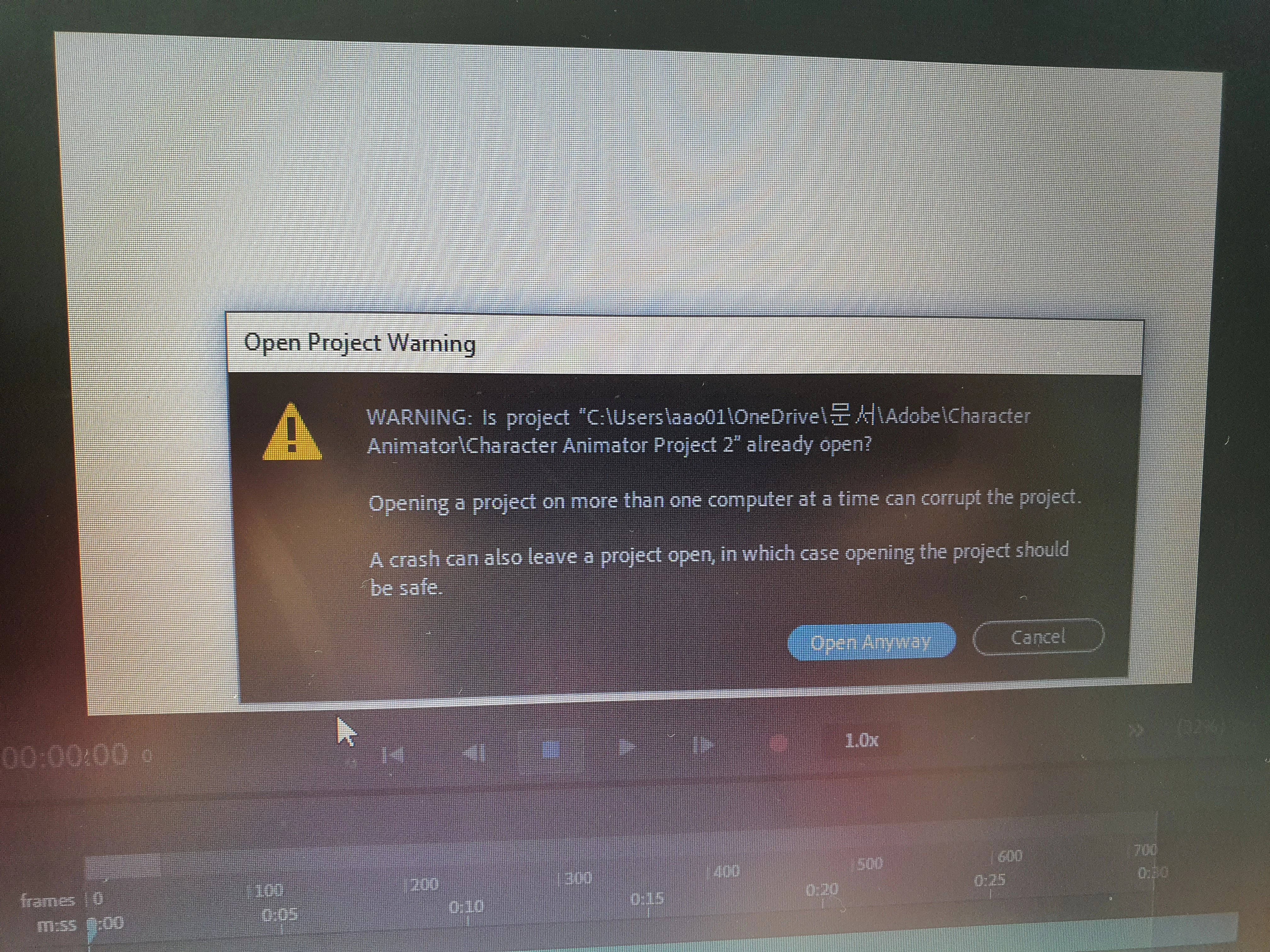
So again today, the error message pops up and it seems like I'm gonna lose all my works in my project. Does anybody know what I have to do in order not to lose my works in the project I'm working on? It happens very frequently which I never experienced other adobe programs like photoshop or illustrator


The error message below is one of the example of missing my files. Once I click "open anyway," my work disappears or another error message comes out and says "libgit2 error-1(4/corrupted loose referent file..)
 

20200324_122511.jpg


TOPICS
Bugs , Crash , FAQ , How to
1.7K
Translate
Report
Community guidelines
Be kind and respectful, give credit to the original source of content, and search for duplicates before posting. Learn more
community guidelines
Adobe Employee ,
Mar 24, 2020 Mar 24, 2020

This issue tends to pop up the most when working with cloud drives - which it looks like your path does include a "OneDrive" link. Because CH generates so many files in its Ch Data folder to help with the realtime animation stuff, if one of those gets out of sync it can start to cause issues like this. I recommend moving your project into a local folder and seeing if that solves the problem. You can always zip up a version and put it on OneDrive for backup later, but I don't recommend keeping your project and all the reference files there.

Translate
Report
Community guidelines
Be kind and respectful, give credit to the original source of content, and search for duplicates before posting. Learn more
community guidelines
Community Beginner ,
Mar 26, 2020 Mar 26, 2020
LATEST

Thanks a lot! I just turned off one drive so I'm able to prevent the same problem in the future. But my project didn't come back and still shows the error message as the picture after moving it as you wrote. Is there anyway I can get them back? 


Untitled-1.jpg

Translate
Report
Community guidelines
Be kind and respectful, give credit to the original source of content, and search for duplicates before posting. Learn more
community guidelines