


January 6, 2010
Question

AJAX, but how?

  • January 6, 2010
  • 5 replies
  • 1700 views

Hello people. I'm trying to learn this concept but something just don't want to work.

I have tried some Ajax-codes like <cfgrid> or <cfinput type="datefield"...> but it did'nt work.

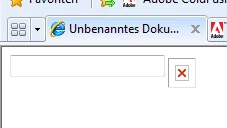
The calender, that should be shown is simply not there.

I've read that is no need to install some plug-in. Is that correct?

Please, what I am doing wrong.

Thank you.

Cristiano

<cfform>
     <cfinput type="datefield" name="Date" />
</cfform>
This topic has been closed for replies.

5 replies

January 27, 2010

Thank you everyone that helps me.

regards

Cristiano

Inspiring
January 13, 2010

There are, as usual, "several ways to do it."  The first thing to do is to figure out ... from the browser's point of view ... what's going on.

Either by viewing the page-source or with FireBug (or IE's Developer Toolbar), look at what is being sent to you by the host.  Then, notice the <script> tags and, in a separate browser window or tab, see if each of them actually lead somewhere.  (FireBug will take a lot of the work for you, because if a script-tag could be followed, the script will show up in the "scripts" pulldown.)

You can also look at the headers of the HTTP reply to see, definitively, which web-server actually responded to you.

Armed with this information, and a good pencil and pad-o-paper, you can sleuth this problem pretty completely.  The user's browser obviously needs to have received a coherent HTTP response, and it needs to succeed in retrieving all of the JavaScript content referenced in all of the script-tags.

Once you can clearly see what you're actually dealing with, the resolution should be straightforward.

Inspiring
January 12, 2010

It might be an idea to use Firefox for your development browser rather than IE, as it has more functionality for developers and better error reporting.  Are you getting any JavaScript errors as well?  The broken image icon will be looking for /CFIDE/scripts/ajax/resources/cf/images/DateChooser.png.  Can you browse to that file?

In your website in IIS do you have a /CFIDE virtual dir pointing to C:\inetpub\wwwroot\CFIDE?

/localhost:8300/CFIDE/scripts/ajax/resources/cf/images/DateChooser.png

--

Adam

BKBK
Adobe Expert
January 12, 2010
localhost:8300


Shouldn't that be localhost:80?

Inspiring
January 12, 2010

More to the point, it should not be in there at all.  I'm not sure how that got into my post.  Will remove.

[update: Hmmm... cannot edit posts after someone's replied ot them, it seems :-( ]

--

Adam

Message was edited by: A Cameron

BKBK
Adobe Expert
January 9, 2010

Coldfusion needs its Javascript library to do AJAX. Your Coldfusion installation might be missing that library. On my installation, the location of the scripts is C:\ColdFusion8\wwwroot\CFIDE\scripts\. What is it on yours?

January 11, 2010

You're right. I don't have this on my computer installed. But waht can I do now? It's possible to install this and where can I find this library?

Thank your for the helpfull reply.

Cristiano

January 12, 2010

It is an in-built library that is installed automatically when you install Coldfusion. Have you in your Coldfusion installation searched for the directory named scripts?


HI BKBK, thanks for your help. I found the directory in my HD. But it is in another directory.

What can I do now, that I have found this? Should I copy this into the correct directory.

I found the directory in: C:\Inetpub\wwwroot\CFIDE\scripts

No idea why that's there.

regards

Inspiring
January 6, 2010

What version of coldfusion are you running?

January 6, 2010

I'm running the version CF 8.

And I use Dreamweaver CS4 to developp my pages.

Is there a problem with my version?

Thank for your help.

Cristiano