Inspiring
April 3, 2024
Question

Cannot get ColdFusion 2023 Administrator to run after install

  • April 3, 2024
  • 2 replies
  • 2010 views

I am trying to install ColdFusion 2023 on a new Windows virtual machine.

I set it up as Development Type - Development with CF Server Profile - Development Profile.  

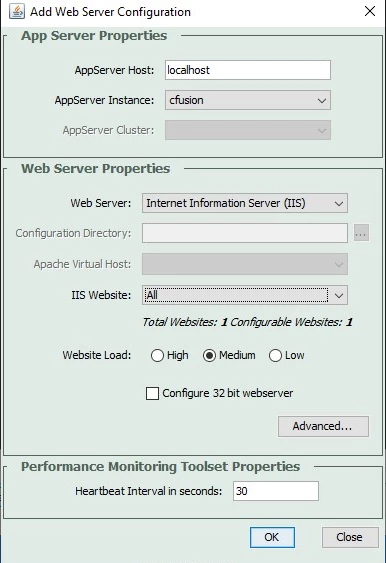
After installation I ran the Web Server Config tool and added the IIS website/all
 

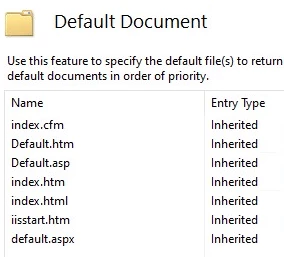
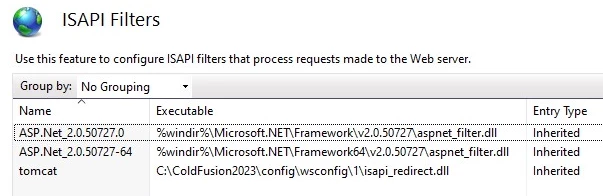
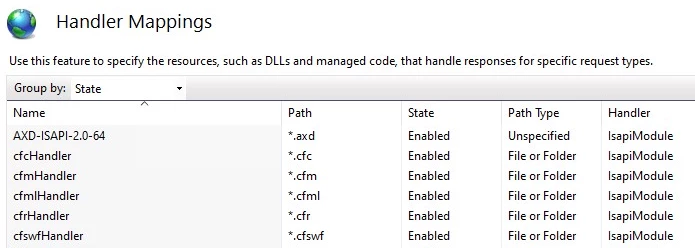
Here is what IIS has after installation & web config
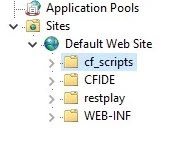


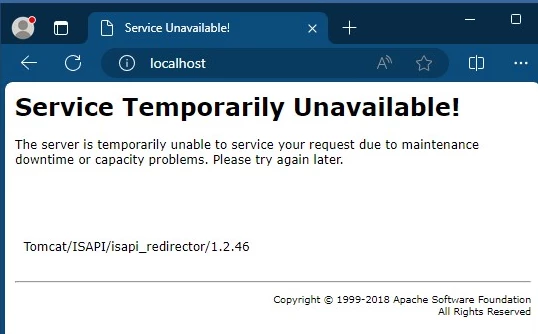
After this I tried to access the localhost and receive this error message
 

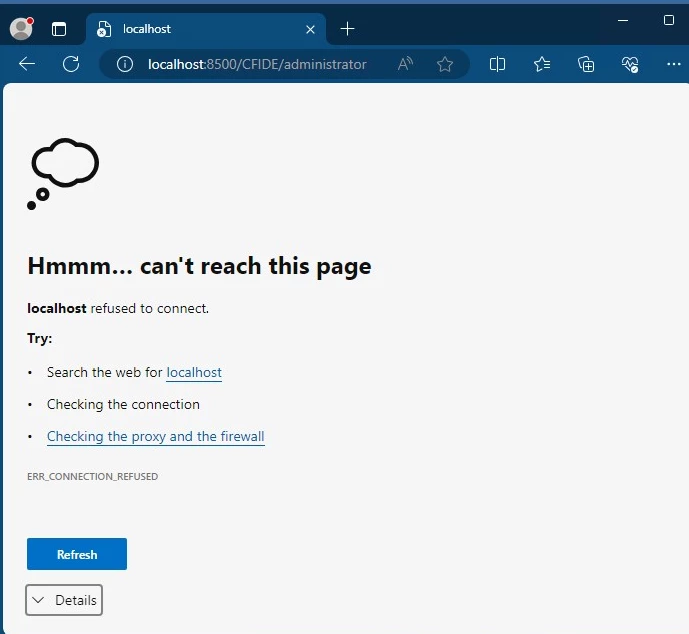
The ColdFusion administration doesn't load either
 

Windows Virtual Machine

Microsoft Windows Server 2022 Standard64-bit

VMware 7,1

CPU: Dual 3.10 GHz Intel Xeon(r) Gold 6254@, Memory: 32768 MB

C: 79.62 GB (43.86 GB free)


Any help is greatly appreciated.  Thank you!

    This topic has been closed for replies.

    2 replies

    Charlie Arehart
    Community Expert
    April 4, 2024

    Jen, as you discovered, the errors you should would have suggested cf is not running. Glad you sorted that out. 


    As for the rest you offer in that comment, there's more to consider that may be helpful (some relating to your original post). If you have a couple minutes, you might find an answer or at least better help us help you. 


    1) As for your next problem of being "unable to access my site via another computer", you're probably right how that would not be a cf problem. Here are some questions to guide you/us. 


    What is such a page request showing? Is it hanging before failing? Would it fail or hang the same way if you DID stop cf? If so that would exonerate cf. Perhaps it's an iis setting, such as a limit in its optional "ip address and domain" feature, though I doubt it. 


    Instead, what if you even stop iis: does the request (from "another computer") still fail or hang the same way? If, so that exonerates iis. It could be a firewall issue, or a proxy issue. 


    2) One more question about this failing request from "another computer": was that your trying to access the cf admin? Via its port (like 8500)? If so, that's different. First, cf does by default limit access to that to be accessed only from the computer running cf itself (by default which can be changed). 


    Second, your firewall (on the cf machine, and/or in your network) would also by default be blocking any non-standard port such as that 8500. You definitely need to open that port (carefully) to be able to access that from off the cf machine...and you'd need to tell the cf admin to allow in such an ip address, as mentioned above. 


    3) Finally, as for your showing a CFIDE virtual directory in  iis, that would not have been done by the cf wsconfig tool...at least it's not been done (a CFIDE vd added) since cf2016, which is when they switched to the cf_scripts (for serving js and other files needed for some lesser-used cf tags). As for admin access, that version started enabling the built-in web server defaulting to 8500.


    If you look at that CFIDE vd in iis, you will likely find it points at some folder other than your current cf's cfusion/wwwroot/CFIDE folder, and as such it should be removed.


    And FWIW, a cf (and wsconfig) update last year now even explicitly prevents the connector from passing into cf any CFIDE request. (I suspect BKBK wasn't thinking of that and the previous point when he proposed you try that CFIDE url.)


    I realize you may have already known some or all of the above. We can't tell from what you shared. As I help people with such problems almost daily, I've tried to share the questions and possibilities that seem most appropriate here. Some confuse that for arrogance and condescension, which are never my intent. (I also try to write in a way that might help others who find this thread, now or in the future.)


    Let us know how things go on this next aspect you've presented. 

    /Charlie (troubleshooter, carehart. org)
    BKBK
    Community Expert
    April 4, 2024

    Charlie, I suggested testing with http://localhost/CFIDE/administrator/index.cfm for one simple reason: CF_Jen reported to have tested with http://localhost:8500/CFIDE/administrator/  . 

    Charlie Arehart
    Community Expert
    April 4, 2024

    Indeed, you did. And it doesn't change at all why I said what I did. 

    /Charlie (troubleshooter, carehart. org)
    BKBK
    Community Expert
    April 4, 2024
    CF_JenAuthor
    Inspiring
    April 4, 2024

    Hello BKBK,

    Turns out the ColdFusion Application Service was not started.  Once I started it I was able to access the CF Admin.  

    Now i'm running into issues where I am unable to access my site via another computer.  I believe this is an IIS issue and not a ColdFusion issue. 


    Thank you for your help.

    Jen

    BKBK
    Community Expert
    April 4, 2024

    Hi Jen,

    Like you, I too am inclined to believe it is now an IIS issue. On which URL were you able to access the ColdFusion Administrator?