


New Participant
March 24, 2025
Question

ColdFusion 2025 | Unable to install on Mac

  • March 24, 2025
  • 2 replies
  • 1182 views

Hi All,

I am trying to install ColdFusion 2025 on Mac. I am new to Mac so any help is appreciated. 

During installation, I am getting the following error: 
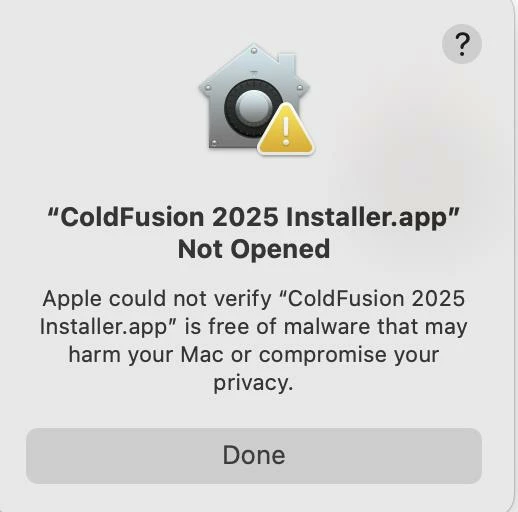
I resolved this error by going to System Settings > Privacy and Security > Security and allowed Adobe CF2025 using Allow Anyway button. 

But after that I am getting following error: 
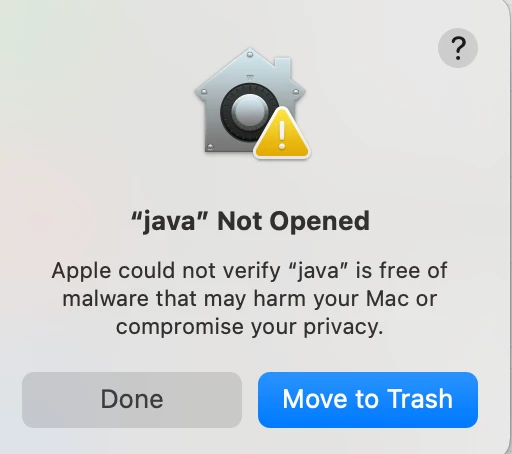
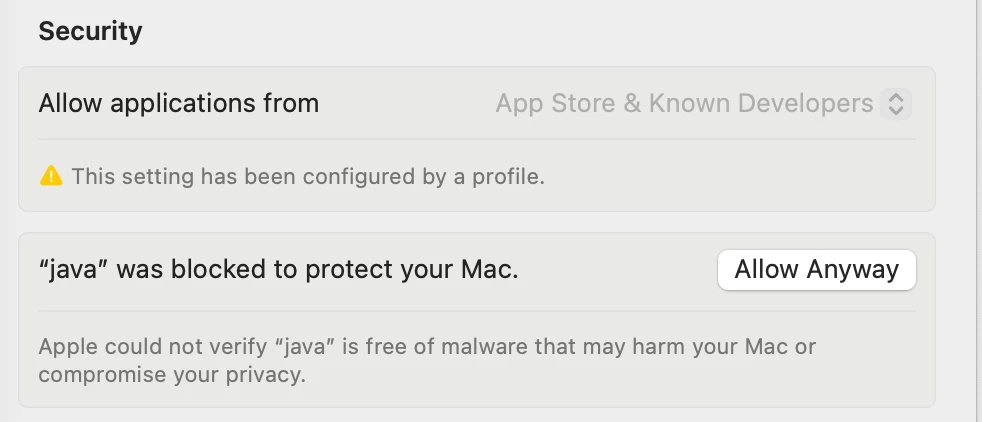
and even after using allow anyway as shown below, CF2025 doesn't install. Process get aborted here itself. 

Mac Details:
OS: Mac OS Sequoia 15.3.2
Chip: Apple M3 Pro
Ram: 36 GB

    2 replies

    New Participant
    April 4, 2025

    Hi,

    We need to eject the ColdFusion instance created during the first launch, and then you can try launching it again. It should work that way. Please refer to the attached screenshot for more details.


    New Participant
    April 19, 2025

    I am running a Mac Pro (2023) under macOS 15.4.1.  I am trying to install ColdFusion 2025 using the file ColdFusion_2025_GUI_WWEJ_macos.dmg that was downloadced today. I ran the command "sudo xattr -rc 'ColdFusion 2025 Installer.app' " after downloading the dmg file.


    When I double click "ColdFusion 2025 Installer",  the following window appears:


    I click on "Done" and in "System Settings:Privacy & Security" the following message appears: "java" was blocked to protect your Mac. I clicked "Allow Anyway" . The above window appears again along with the blocked message. This repeats over and over.

    What must I do to install ColdFusion 2025?


    BKBK
    Community Expert
    April 19, 2025

    Hi @RichardKenn , Contact the Adobe people who know the most about it, by sending an e-mail to: cfinstal[at]adobe.com

    New Participant
    March 26, 2025

    Hi Tushar,

    Please execute the following command for the installer file: sudo xattr -rc <installer_dmg_file>. If ColdFusion has already been created, eject it and try launching the installer again. Please let us know if you're still encountering any issues.


    New Participant
    March 26, 2025

    Hi Salonit,

    I am facing the same issue even after running the above command. 

    New Participant
    April 4, 2025

    I'm having the exact same issue before and after running the command above.