The solution is:
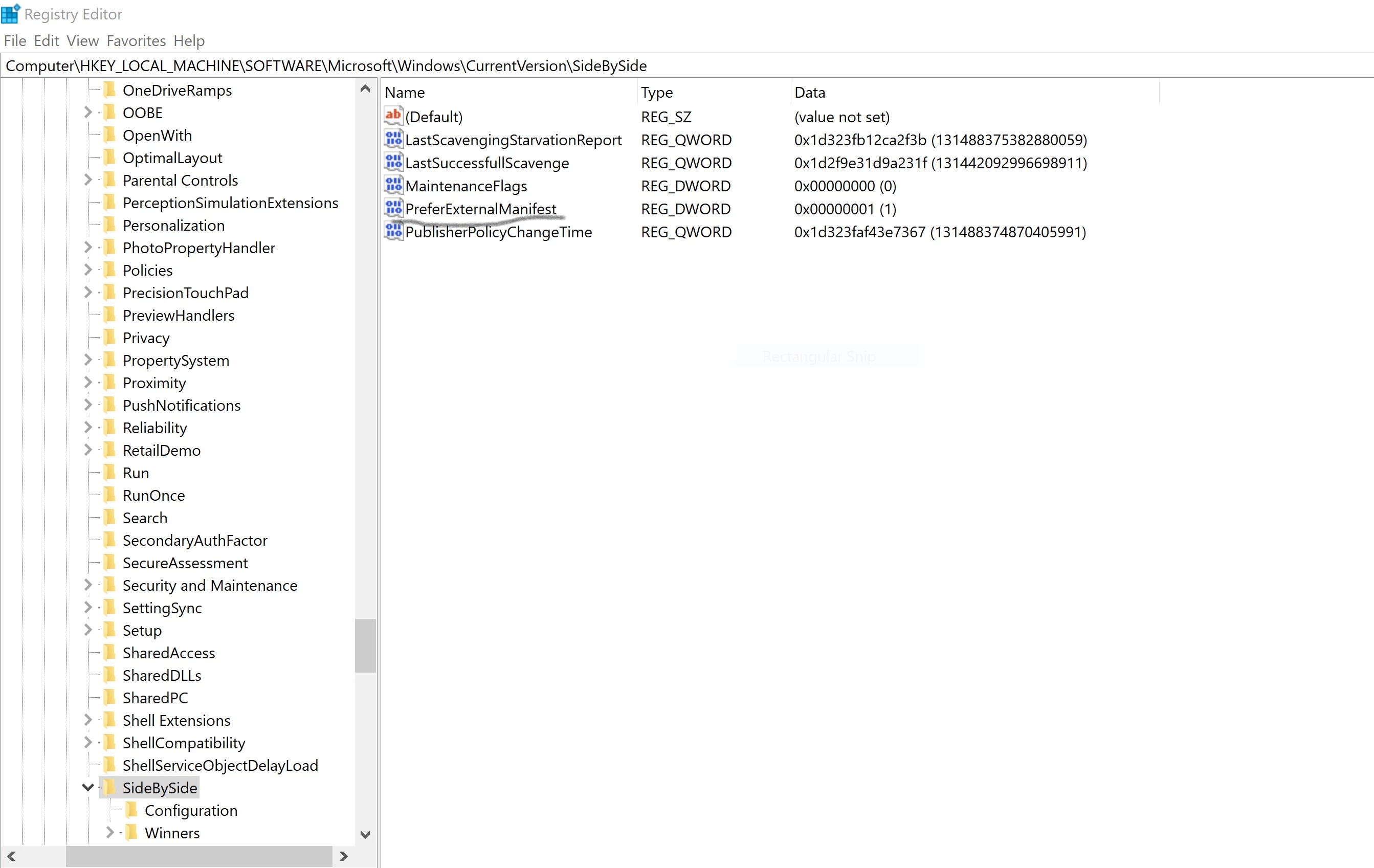
- Open the Registry and navigate to this path Computer\HKEY_LOCAL_MACHINE\SOFTWARE\Microsoft\Windows\CurrentVersion\SideBySide, add a new DWORD record named "PreferExternalManifest" with value "1"
- In the CF builder installation directory (C:\ColdFusionBuilder2016) create a file named CFBuilder.exe.manifest with this content
<?xml version="1.0" encoding="UTF-8" standalone="yes"?>
<assembly xmlns="urn:schemas-microsoft-com:asm.v1" manifestVersion="1.0" xmlns:asmv3="urn:schemas-microsoft-com:asm.v3">
<description>eclipse</description>
<trustInfo xmlns="urn:schemas-microsoft-com:asm.v2">
<security>
<requestedPrivileges>
<requestedExecutionLevel xmlns:ms_asmv3="urn:schemas-microsoft-com:asm.v3"
level="asInvoker"
ms_asmv3:uiAccess="false">
</requestedExecutionLevel>
</requestedPrivileges>
</security>
</trustInfo>
<asmv3:application>
<asmv3:windowsSettings xmlns="http://schemas.microsoft.com/SMI/2005/WindowsSettings">
<ms_windowsSettings:dpiAware xmlns:ms_windowsSettings="http://schemas.microsoft.com/SMI/2005/WindowsSettings">false</ms_windowsSettings:dpiAware>
</asmv3:windowsSettings>
</asmv3:application>
</assembly>
3. Restart.
*Note: Some windows updates will remove the PreferExternalManifest record from the registry so you only need to add the record again.



 AdChoices