


Inspiring
April 15, 2024
Answered

missing lax.main.class ... Java error when install on windows 11 -

  • April 15, 2024
  • 2 replies
  • 1283 views

Hi,


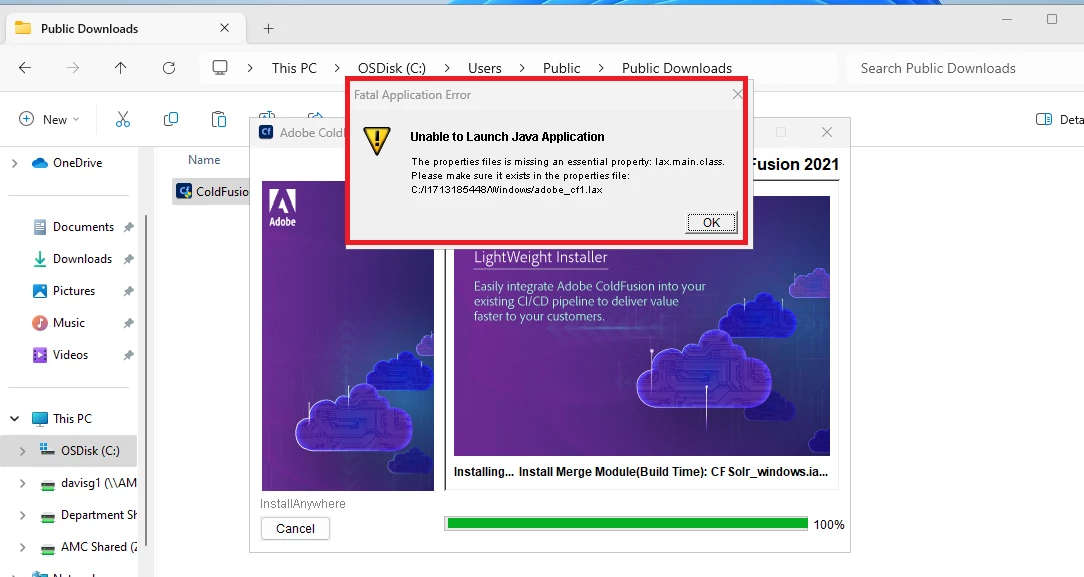
I am getting the error below when trying to install on windows 11


Unable to Launch Java Application

The properties files is missing an essentail property file: lax.main.class

Please make sure it exists in the properties file C:/1713185448/windows/adobe_cf1.lax


I do NOT see the file adobe_cf1.lax in the folder I unzipped to (see screenshot)


    This topic has been closed for replies.
    Correct answer gabrieldavis321

    Turning off anti-virus fixed the issue

    2 replies

    gabrieldavis321AuthorCorrect answer
    Inspiring
    April 15, 2024

    Turning off anti-virus fixed the issue

    Charlie Arehart
    Adobe Expert
    April 15, 2024

    Glad you solved it, and thanks for sharing what you did. But can you tell us what  a/v tool you were running? I've not heard of this error happening in hundreds of CF installs I've done or helped with.  There may be something unique to the specific a/v toold you were using (or maybe not).


    Also, when you say you could not find the adobe_cf1.lax "in the folder I unzipped to", do you mean you unzipped the installer exe...perhaps hoping to find in it that file appearing anywhere? Do beware that the extracted zip does itself have still more. You'd need to dig deep into the "Russian dolls" to confirm if some file existed ANYWHERE in the installer. But I'll say I used a tool that could dig through that all, and the file does not exiist at all. There IS in fact an adobe_cf.lax in the root folder of the installer, as perhaps you found. I suspect the problem that you had may have led the code (within the installer) to get confused about the file name it was seeking.


    Again, the good news is you solved your problem. I asked my quesiton above (and shared what I just did) for your sake and that of others who may find this thread in the future.

    /Charlie (troubleshooter, carehart. org)
    Priyank Shrivastava.
    Community Manager
    Community Manager
    April 15, 2024

    @gabrieldavis321  Could you please check if the installer file is correct? Please share the Checksum.

    Thanks,Priyank Shrivastava
    Inspiring
    April 15, 2024

    Hi Priyank,


    How do I find the checksum?  I have used the same installer to install on my local windows 10 and on 3 servers, so I am not sure if it would suddenly be corrupted or something