


New CF2023 Install on Linux Can't get CFLDAP to Work
I have a newly setup REHL 9.3-0.5.el9.x86_64 server. I have Apache 2.5.47 running on it. I installed CF2023 using the GUI installer and set it up with the Production Profile. I upgraded to Update 7 and then upgraded the Java to 17.0.11 and in the CF Admin I can see that it is running Tomcat version 9.0.85.0. In Apache I setup two virtual hosts and on my windows machine I edited my hosts file so that I can access both of those sites through a web browser on my local computer.
I can access the CFAdmin just fine and .cfm test pages work fine. I am having problems getting the cfldap tag to work. I have setup many CF servers over the years from CF2008 until the current version and to get LDAP to work all I ever had to do was install some LDAP security certs into my java key store, restart CF, and then it would work. I have done that for my new server as well but I get an error on my test page “One or more of the required attributes may be missing or incorrect or you do not have permissions to execute this operation on the server.” I have worked with the LDAP team and the Unix team and we can verify that LDAP call work using the command ldapsearch in the bash shell but we have tried deleting and reimporting the certs and trying different java installs with the certs imported. Everything we have tried so far we get the same error. The exact same ldap test page I am using on the new server works fine on my other servers so I know the code is correct.
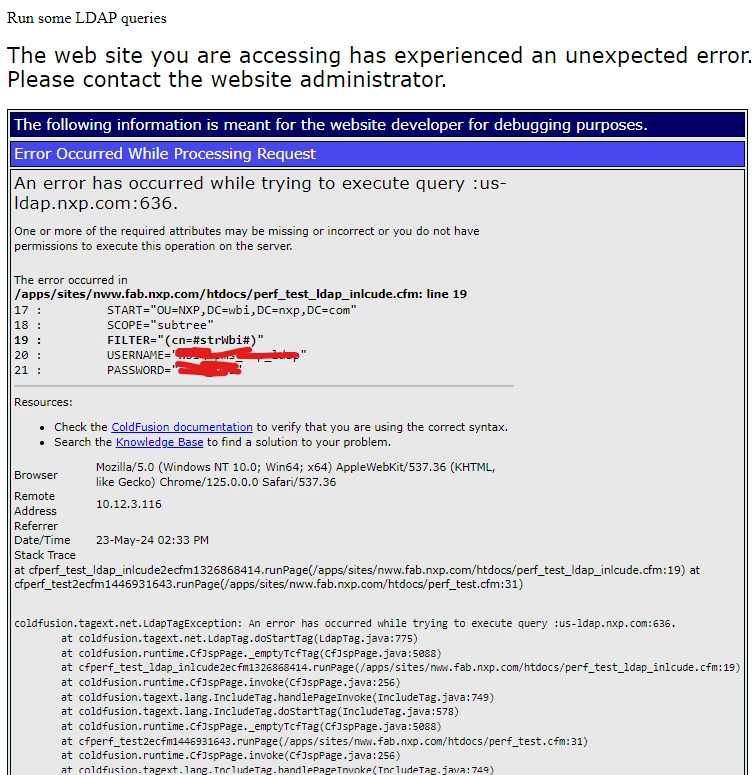
I can’t find anything helpful in the log files. It is basically the same error message:

I have installed the certs into the correct java that CF is using.
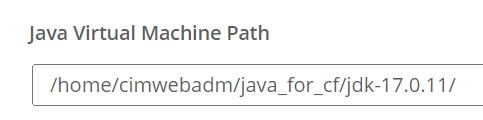
Does Java have log files that might give better debug info? Or does anyone have a suggestion?
 AdChoices