


Question
The table cells in a CKEditor 5 PDF Export have odd spacing between cells and using correct CSS
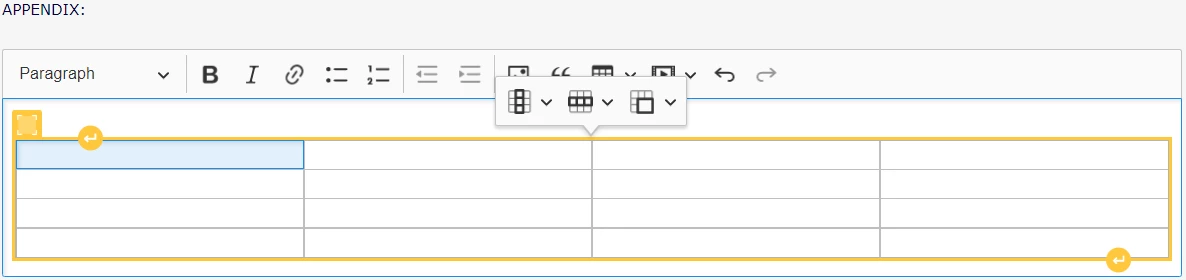
Here is a simple 4x4 empty table made in CKEditor 5 on a page I am working on:
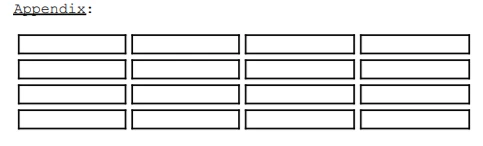
The screenshot below is what the user sees after using the page's PDF export. Even after multiple attempts at altering the CSS (scroll down to end for code), which you can see if you look at the end of this post, yielded no result with the intended outcome. Hoping for any advice possible. Thanks.
html, body, p, h1, h4, table, th, td {
font-family:'Courier New', monospace, Monaco, 'Lucida Console';
  font-size: 9pt;
}
html, body {
  margin: 0;
  padding: 0;
  border: 0;
}
h1 {
  text-align: center;
  font-size: 12pt;
  font-weight: bold;
}
h4 {
  text-align: center;
  font-size: 10pt;
  font-style: italic;
}
img {
  border: 1px solid #000000;
  display: block;
  margin-left: auto;
  margin-right: auto;
}
 th, td{
border: 1px solid black ;
text-align: center;
margin: 0;
padding: 0;
}
 table {
  border-width: thin;
  border-color: black;
  border: 1px;
  width: 50%;
}
.table{
border-collapse: collapse;
}
.footer {
  text-align: center;
  font-size: 10pt;
}
.aligncenter {
  text-align: center;
}
.alignleft {
text-align: left;
}
#box{
float: right;
width: 280px;
padding: 10px;
border: 1px solid black;
margin: 0;
border-style: solid;
}
.alignright {
  text-align:right;
}
.clear{
clear: right;
}
 AdChoices