I thought I did have it enabled in CF Admin.
I admit that I am a novice at JavaScript, C/C++/C## are my native languages. I forget that JavaScript is not strongly typed... Of course it is not, it is interpreted.
Thanks, I will work on it. I had checked my parentheses with the pair matching, but I will export it to Notepad++ where I can see it better.
As Tribule says, there are a lot of mistakes. You should have seen at least some.
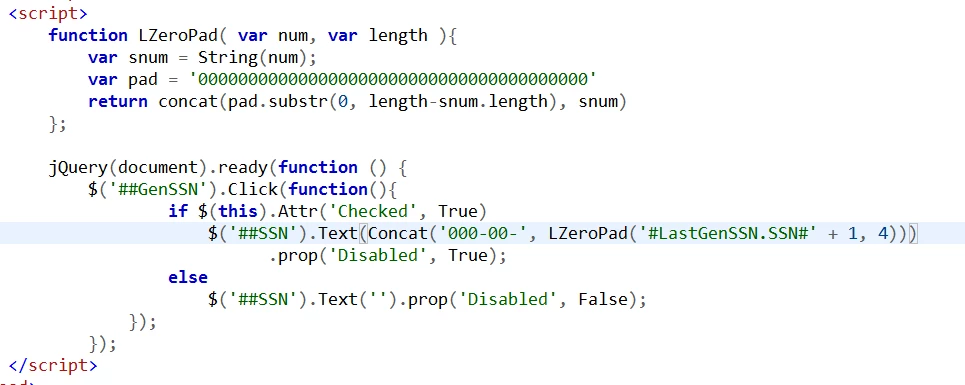
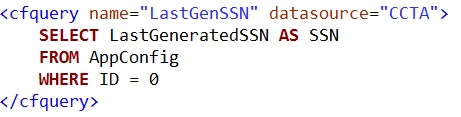
For example, Javascript is case-sensitive, and Concat, True, False, Click, Checked, Disabled, Text, and Attr should be in lower case. Furthermore, the functions, String() and concat, are incorrectly used here. LastGenSSN.SSN is a ColdFusion variable, yet it is used in Javascript. Even allowing for that, '#LastGenSSN.SSN#' + 1 attempts to add a string to a number. Elsewhere, the function val() should take the place of text().
Putting the corrections together:
<cfset lastGenSSN = LastGenSSN.SSN><!--- Coldfusion variable --->
<script>
function LZeroPad(num, len){
var snum = num.toString();
var pad = '000000000000000000000000000000000000000';
return pad.substr(0, len - snum.length).concat(snum);
};
$(document).ready(function () {
alert("In jQuery");
$('#GenSSN').click(function (){
alert("In Click function");
if (this.checked){
/* Conversion from Coldfusion variable to Javascript variable*/
<cfoutput>#toScript(lastGenSSN, "jsSSN")#</cfoutput>
$('#SSN').val('000-00-'.concat(LZeroPad(jsSSN+1, 4)));
$('#SSN').prop('disabled', true);
alert("Processed True");
}
else {
$('#SSN').val('');
$('#SSN').prop('disabled', false);
alert("processed false");
}
});
});
</script>





 AdChoices