


Participating Frequently
February 12, 2025
Question

Macos: Creative Cloud not able to install any app.

  • February 12, 2025
  • 2 replies
  • 3672 views

I have installed Creative Cloud on macOS 14. It's not able to install any app.  A proxy software installed on my mac, which i can't disable or stop temporary as per organisation policy.
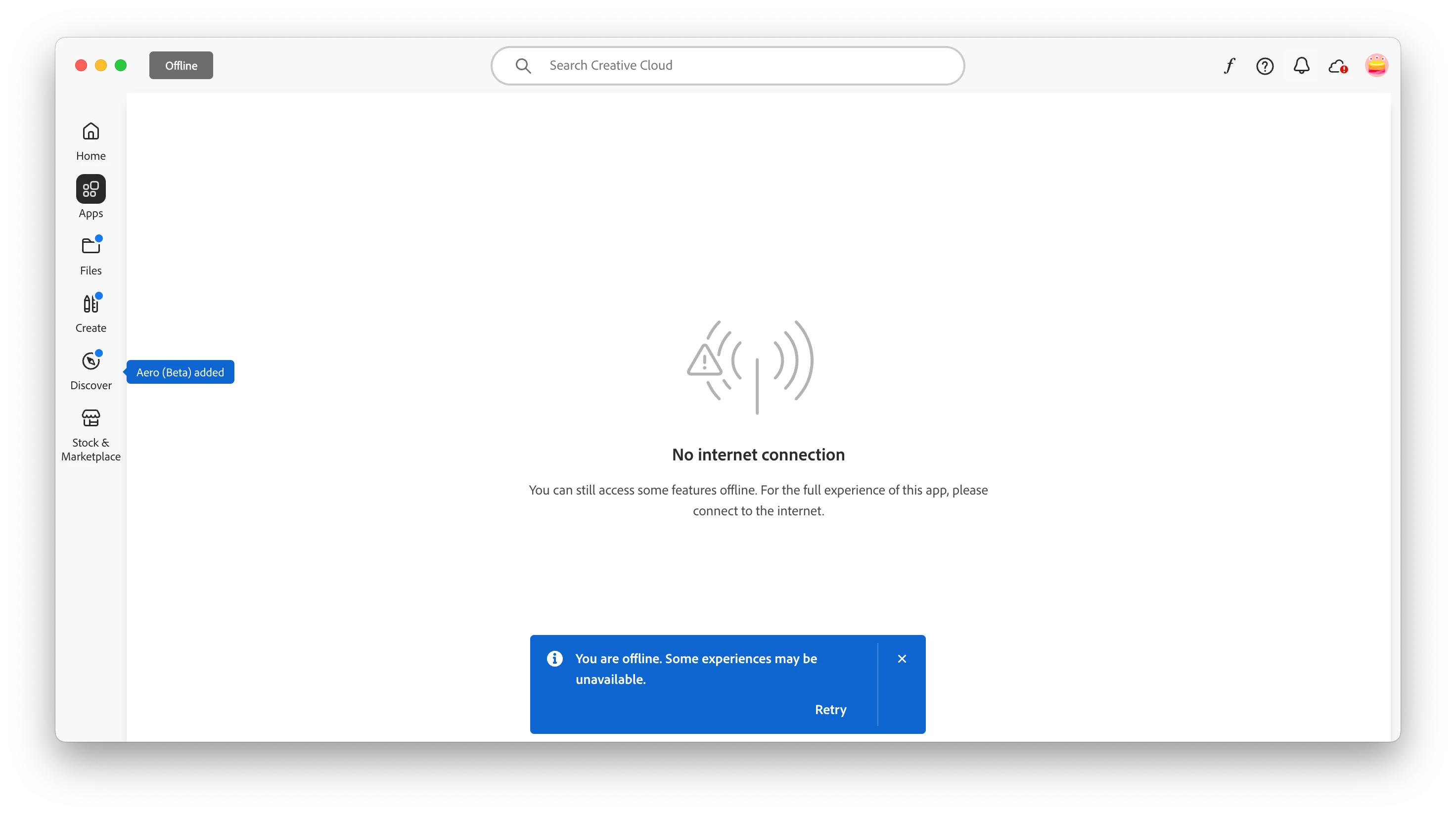
It shows this error only during install: "You are offline, Some experiences may be unavailable" as you can see in attached screen shot. 


I am also attaching: /Library/Logs/Adobe/Installers/Install.log


Some error log from logs file:

FATAL: Fatal Error '126' occurred while download
ERROR: Downloaded Size=1978329 of segmentID=7 does match Validator Size=2097152
ERROR: Downloaded Size=1959693 of segmentID=9 does match Validator Size=2097152
ERROR: Downloaded Size=1966080 of segmentID=10 does match Validator Size=2097152
ERROR: Retryable error '118' occurred while download
WARN: No open ZIP file to close
WARN: Failed to close the currently open file in the ZIP archive.
WARN: Failed to close the ZIP archive.
WARN: No open ZIP file to close
WARN: Failed to close the currently open file in the ZIP archive.
WARN: Failed to close the ZIP archive.
WARN: No open ZIP file to close
WARN: Failed to close the currently open file in the ZIP archive.
WARN: Failed to close the ZIP archive.


I contacted Proxy software team and adobe generate traffics are not blocked. On receiving traffic, Setup process is closing socket with proxy softwares.

Is there any known issue on mac for creative cloud with proxy?
Is there any configuration required for creative cloud to work with proxy?

2 replies

Participating Frequently
February 14, 2025

Attaching install log from device where adobe log says: "No default proxy present on machine"
Same problem here as well. how to tribleshoot this?

Tarun Saini
Community Manager
Community Manager
February 14, 2025

Hi 

@faisal_3066

,


Welcome to the community! We're sorry to hear about your difficulties. Thank you for sharing the logs, also, please make sure that the network endpoints listed on https://adobe.ly/42UmFEW are allowed.


Let us know if that helps.


Regards,

Tarun

kglad
Community Expert
Community Expert
May 5, 2025

@Tarun Saini @Ruchika28549622z4gt @Ruchika Wadhawan 
Is there any settings which can make creative cloud to use single stream download?


@faisal_3066 


no, there's no way to throttle the cc desktop app.  you can manually control when it updates apps  (or not) and you can eliminate file syncing (or not).  those are your controls.

kglad
Community Expert
Community Expert
February 12, 2025
Participating Frequently
February 12, 2025

Tried multiple things as below, still same issue.

https://www.adobe.com is opening in browser.

Computer data and time is correct

No proxy authentication prompt received. No system proxy configured. Only Proxy software installed(a security product)

Selected(checked) Exclude Simple Hostnames and Exclude simple hostname in system preferences.

kglad
Community Expert
Community Expert
February 12, 2025

what is your os (and version)?

what is your default browser (and version)?