
Participant
June 18, 2019
Question

Adobe Create Cloud doesn't show content in the web version

  • June 18, 2019
  • 3 replies
  • 770 views

Since a few days my Adobe Creative Cloud doesn't show the content when I choose "show in web".

I open the CC over the icon and go to the tab "files" (Dateien).

Then I can choose between "open the file" (Ordner öffnen) or "show in web" (im Web anzeigen).
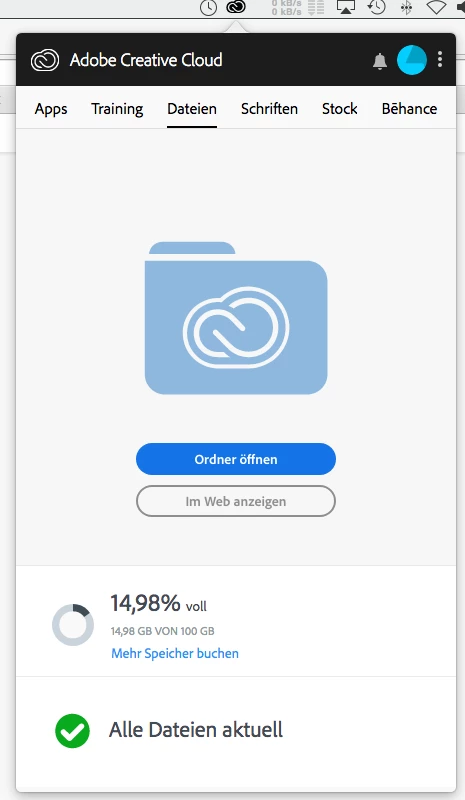
When I choose "show in web" the web files are empty although I know from checking the way "open file" that the files are there.

I have activated the synchronizing process:
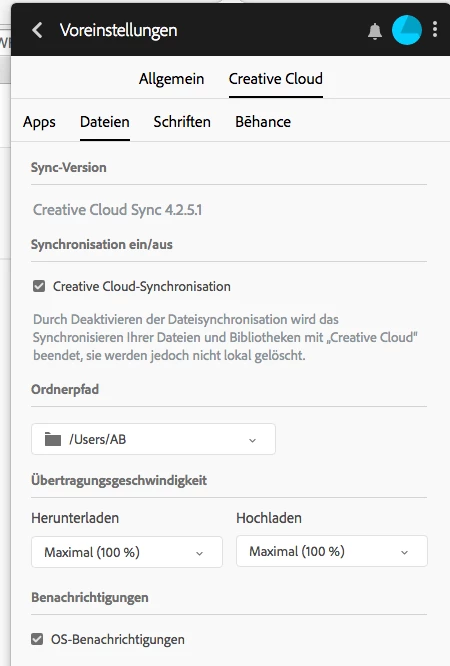
I signed out and in again, but nothing helps to see the files which should actually be in the Creative Cloud Web Version.

What can I do to fix this problem?

Thank you for your help and kind regards

Anke

This topic has been closed for replies.

3 replies

Adobe Employee
July 19, 2019

Hello Anke,

Sorry to hear you're not seeing your files on Assets Web. A few questions to help diagnose what's going on -

- What kind of files are these? What application did you create them in?

- Are you the owner of the files, or have they been shared with you? 

- Have you checked in the 'Deleted' (Gelöscht in German) tab of Assets Web? Files that are deleted will count against your quota (xy % of the storage is occupied) but will not appear in the main page of the website. You can choose to 'restore' or 'permanently delete' from the Deleted page from this view

-You can also check the Shared With You page, if there are files there, they also count against your quota.

Let me know if you can find your files in these other parts of the Assets Web website!

-Molly

Assets Web Engineer

Anki_AG_
Adobe Employee
Adobe Employee
June 20, 2019

Hi,

Could you please check if the account on web is same as the one in Creative Cloud Desktop application?

Thanks,

Ankit

Participant
June 25, 2019

Dear Ankit,

sorry for my late reply.

I checked the Adobe Desktop Applications and the web account of Adobe - both are the same using the same account.

But still the same result: no files visible although it says that xy% of the storage is occupied.

Abambo
Community Expert
Community Expert
June 18, 2019

Was zeigt denn https://assets.adobe.com/files​ an?

ABAMBO | Hard- and Software Engineer | Photographer
Participant
June 19, 2019

erst kommt die Anmeldeseite von Adobe CC und danach erscheint wieder die leere Übersicht

Abambo
Community Expert
Community Expert
June 19, 2019

Discussion successfully moved from Adobe Creative Cloud to File Hosting, Syncing, and Collaboration

May be there are qualified answers here.

ABAMBO | Hard- and Software Engineer | Photographer