Jon Skip
Participant
January 14, 2018
Question

Adobe Creative Cloud - Assets

  • January 14, 2018
  • 2 replies
  • 489 views

Hi, I had a collaboration folder with someone who I haven't spoken to in a while. She was still a collaborator until today or recent (I guess), I didn't really bother to check. We had a shared folder where we were supposed to make music together (professionally) but she kind of stopped (she's also no longer a collaborator, I just checked). However the folder was full of my files (audio, pdf, etc) and all of the sudden all files are missing except for the Logic Pro project files. Only Logic Pro project files remain literally everything else just disappeared. Also the missing files are not in the archived files area... PLEASE HELP!!

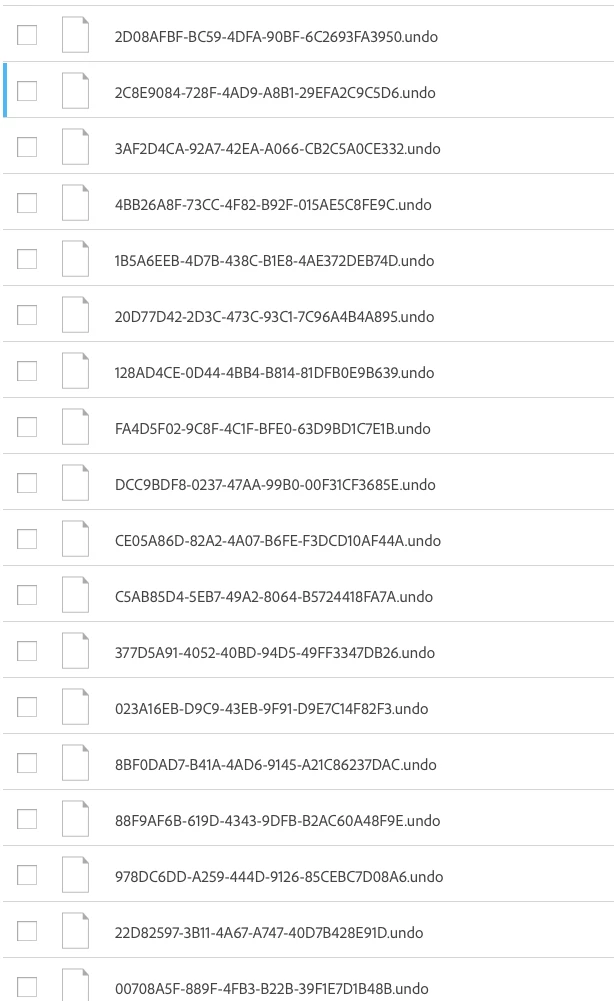
Also, in 'archived' I have thousands of files that end with '.undo' and have weird names. I have no idea what these are? Does someone know?

Thank you very much, I really hope someone can help!!!

This topic has been closed for replies.

2 replies

Participant
January 16, 2018

Are you on a Windows or Mac? If Windows, your files are probably in your Trash Can. I posted a similar question, but found my files there. Do you know when they were removed/deleted? Mine were 1/11 around 9:30 PM Pacific. I still need to know why it happened.

Jon Skip
Jon SkipAuthor
Participant
January 16, 2018

Hi! Thanks for answering. I’m using Mac. the files were just missing one day to the next. No notification, nothing. The weird thing is only my “Logic Pro X” project files remained, all others (jpg, pdf, audio files etc) just disappeared. And they are also not in ’archived‘. At the moment I’m really not comfortable with using adobe cloud if files just randomly disappear without any sign. Somebody from Adobe in the chat just said ”sorry, your files are gone, nothing we can do. Maybe keep a hard copy of your files“, which kind of surprised me. The whole point of cloud services are garantee that your files are safely backed up on servers...

David__B
Adobe Employee
Adobe Employee
January 17, 2018

Hi Jon Skip,

When you say you checked the archive you're referring to here correct?

Adobe Creative Cloud

Also, as J Hyry suggested, please check your recycle bin or trash on your computer

If you're still unable to find the files could you share the name and date for some of the files which disappeared and I'll see what I can find out.

Thanks,

- Dave

kglad
Community Expert
Community Expert
January 15, 2018