



macinjosh_
Participant
Sep 6, 2025 1:51 AM UTC
Question

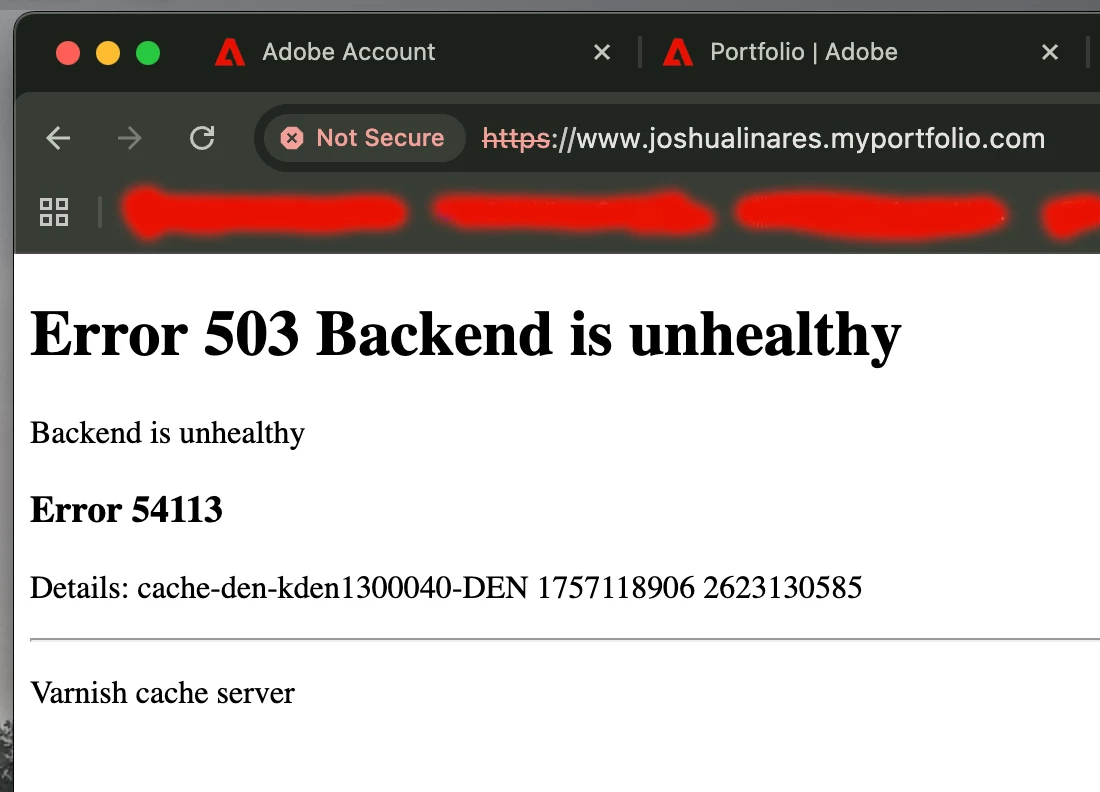
Adobe Portfolio - Error 503 Backend Unhealthy

I recently logged into Adobe Portfolio to make a few changes to my existing website and noticed the launch page has changed. Great, however where is my existing portfolio? It says, "Get Started" when I know that I already have an existing portfolio. I'm trying not to panic, but my portfolio is linked on my resume, LinkedIn page, and my instagram bio. I've sent  ______.myportfolio.com to multiple recruiters and HR reps and now I'm worried that this is hindering my candidacy. I also tried viewing my page from different internet browsers but the prompt I'm seeing is "Error 503 Backend Unhealthy". Just a few weeks ago I was in my portfolio page making changes and now it's gone. Is anyone else experiencing this? 


18 replies

Participant
Sep 6, 2025 9:20 AM UTC

hi, same problem with my portfolio page. there also seems to be an issue with other webpages within Adobe. I am trying to create a logo using Adobe Express and pages there are'nt  loading either. 

Translate
kglad
Community Expert
Community Expert
Sep 6, 2025 1:26 PM UTC

all should be working now.


Translate
cornelis_bos
Participant
Sep 6, 2025 8:24 PM UTC

Yay! Thanks

Translate
Participant
Sep 6, 2025 7:56 AM UTC

Same problem here, I was planning on adding new photos for 2 clients looking for content, and now I realise my portfolio isn't even working... I've ask blindly my clients to have a look on my website thinking they will be able to work on a selection of photos, no news since then, so thanks to Adobe I lost 2 potential clients... 😑

Translate
PhilRogersPhoto
Participant
Sep 6, 2025 9:13 AM UTC

I thought it was just me. I hope Adobe fix it soon. I've only tried on my phone but will try my PC when I get home 

Translate
Participant
Sep 6, 2025 7:53 AM UTC

Same problem here! 

Error 503 Backend is unhealthy

Backend is unhealthy

Translate
cornelis_bos
Participant
Sep 6, 2025 7:33 AM UTC

Same problem here. Let's upvote this issue en hope Adobe will fix it soon (if they are not already working on it) 🤞


Translate
Participant
Sep 6, 2025 6:49 AM UTC

I'm having the same exact problem too! I'm so worried! 

Translate
Participant
Sep 6, 2025 6:14 AM UTC

Mine too i think i have to plane now because i panicked and thought i let it cancel hopefully i get a refund

Translate
Participant
Sep 6, 2025 5:26 AM UTC

I am also having the same exact message. Does anyone know if this is a system error and how long this might take to get fixed? I have a lot of things linking to my portfolio that are time sensitive.

Translate
Participant
Sep 6, 2025 5:28 AM UTC

Yea it's everyone right now. 
mine is the same as well 

Translate
kglad
Community Expert
Community Expert
Sep 6, 2025 1:54 AM UTC

that's on adobe's end

Translate
macinjosh_
Participant
Sep 6, 2025 1:58 AM UTC

I contacted Adobe Portfolio support so hopefully they can get my site back on. Again, trying not to panic.

Translate
kglad
Community Expert
Community Expert
Sep 6, 2025 2:00 AM UTC

it's out of your control so try not to stress.

Translate