
Exit
  • Global community
    • Language:
      • Deutsch
      • English
      • Español
      • Français
      • Português
  • 日本語コミュニティ
  • 한국 커뮤니티
0

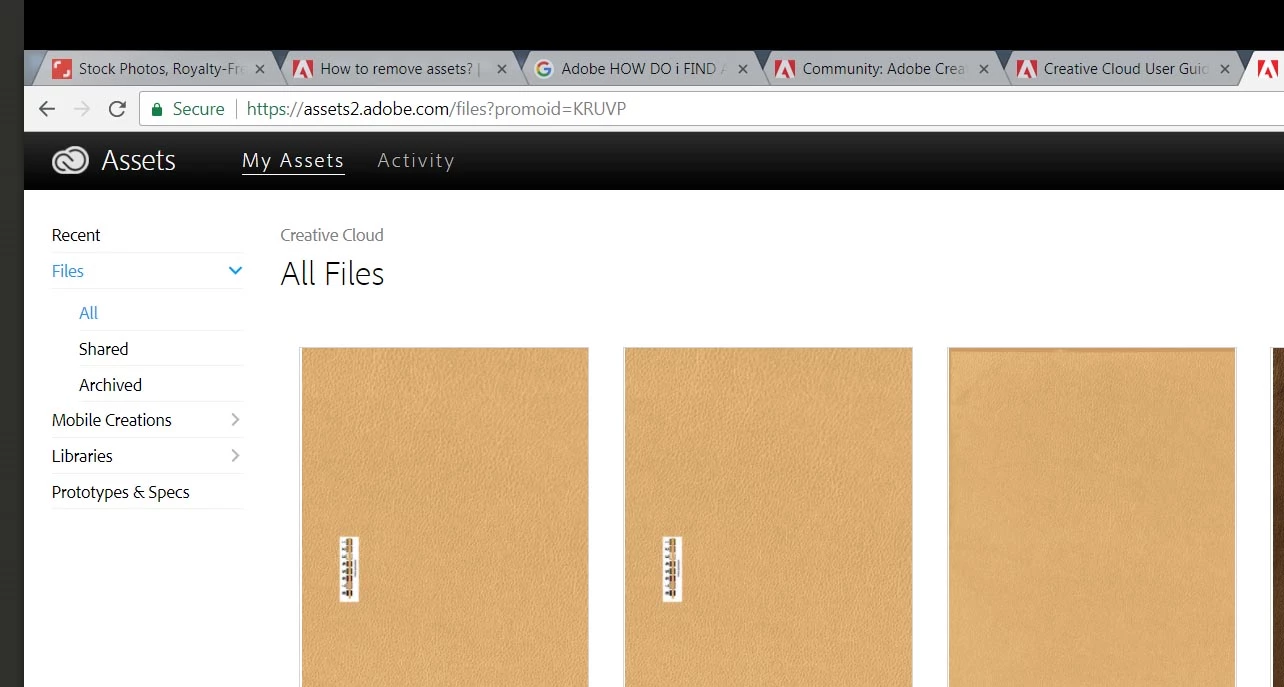
Assets and delete from layout what layout ?
Community Beginner ,
Mar 22, 2018 Mar 22, 2018

Assets2.jpg

these are large files.  I shared them now I want them to go away.   I don,t want to continually fill this space up. The files have been shared with the very nice link but now I want to remove them from here.   I searched this and they are telling me I have to delete it from my "layout"   WHAT ?  where is that ?   

TOPICS
File sync
324
Translate
Report
Community guidelines
Be kind and respectful, give credit to the original source of content, and search for duplicates before posting. Learn more
community guidelines
Community Expert ,
Mar 22, 2018 Mar 22, 2018
Translate
Report
Community guidelines
Be kind and respectful, give credit to the original source of content, and search for duplicates before posting. Learn more
community guidelines
Community Beginner ,
Mar 24, 2018 Mar 24, 2018
LATEST

REMOVETHEM.jpg

Right click on the creative cloud files and delete them from your computer and they will be deleted off the cloud.   I suppose if sync was off it would not work.   I am still baffled.    

Translate
Report
Community guidelines
Be kind and respectful, give credit to the original source of content, and search for duplicates before posting. Learn more
community guidelines