Inspiring
February 18, 2022
Answered

can I delete old editions from Adobe?

  • February 18, 2022
  • 1 reply
  • 9067 views

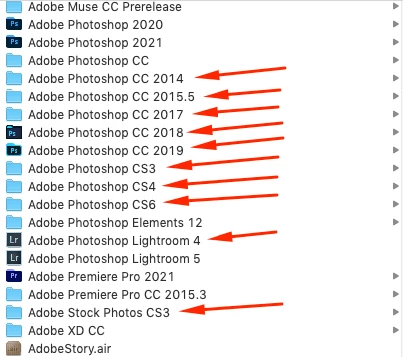
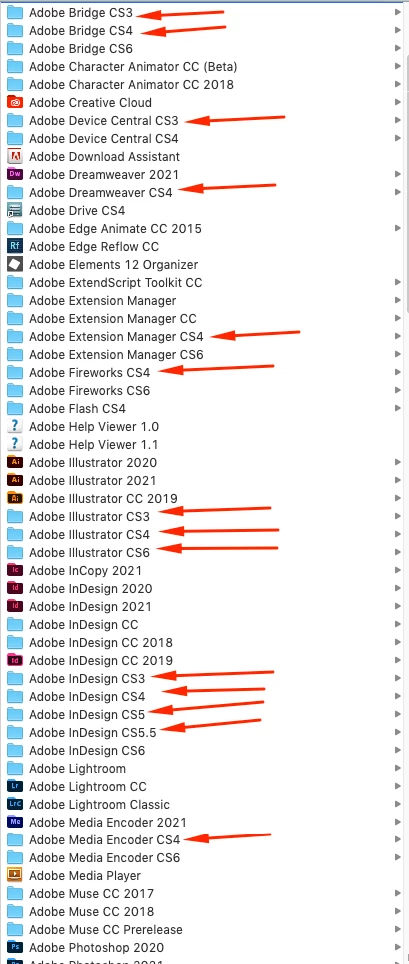
Hello there! I have some old versions of Adobe programs (see attached pictures), - and these old versions take up an incredible amount of space on my hard drive. Is it so that I can delete these old programs? Or?
Thank you so much for the answer!

This topic has been closed for replies.
Correct answer Manan Joshi

Hi again@Manan Joshi ,  is possible to see my video? it is only 24 seconds video. Thank you


Yeah, I looked at the video. What is the query here? You see the list of installed applications, start selecting the application you want to uninstall and click the clean button, that should do the trick. I remember this tool to work from the command line but anyhow this also look fine.

-Manan

1 reply

Adobe Expert
February 18, 2022

Yes please do uninstall these very old versions if you are not using them. But do remember that things like CS3 once uninstalled will be gone forever as the license servers are put down, so if you have any need for these versions take an informed decision.

-Manan

haneadinoAuthor
Inspiring
February 18, 2022

Thank you so much. Regarding the CS3,  - I could move over to my Icloud, because there I have a lot of space. What I have show above withe the images,  is on the hard drive itself.

haneadinoAuthor
Inspiring
February 18, 2022

Creative Cloud Cleaner tool :- Read about it and download it from here

Regarding moving the applicaton to iCloud, I have not done that personally and I am not hopeful that it would work as the installation places the file at many different location so I am not sure how those files would be moved.

-Manan


Ufff,  - it seems to be very difficult to use that cleaner tool?