
Known Participant
January 24, 2020
Answered

Can't find assets market

  • January 24, 2020
  • 2 replies
  • 735 views

Hi there,


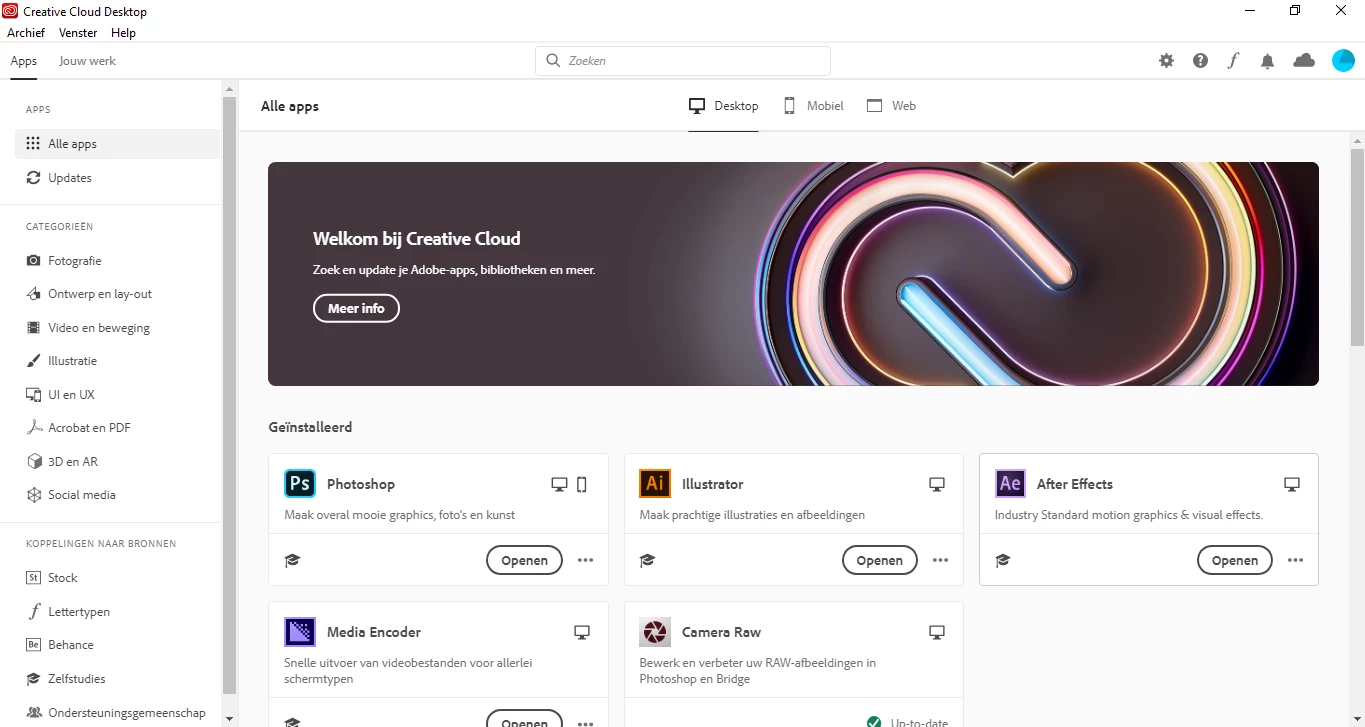
For the last 20 minutes, I've been trying to find the assets market in the creative cloud app, and it's nowhere to be found. It looks really different on macs than on my windows pc, but it's non-existent or totally hidden. Even the search function will not get me there.


Please help 🙂
This topic has been closed for replies.
Correct answer AxelMatt

The market is no more available in the Creative Cloud client since a year or more.

Everything that was in Market is now in Adobe Stock. Look for it there.

Stock photos, royalty-free images, graphics, vectors & videos | Adobe Stock

2 replies

pierrecd
Participant
February 13, 2020

The link does not work!

AxelMatt
Community Expert
Community Expert
February 13, 2020

Try this link: https://stock.adobe.com/


My System: Intel i7-8700K - 64GB RAM - NVidia Geforce RTX 3060 - Windows 11 Pro 25H2 -- LR-Classic 15 - Photoshop 27 - Nik Collection 8 - PureRAW 5 - Topaz Photo
AxelMatt
Community Expert
AxelMattCommunity ExpertCorrect answer
Community Expert
January 24, 2020

The market is no more available in the Creative Cloud client since a year or more.

Everything that was in Market is now in Adobe Stock. Look for it there.

Stock photos, royalty-free images, graphics, vectors & videos | Adobe Stock

My System: Intel i7-8700K - 64GB RAM - NVidia Geforce RTX 3060 - Windows 11 Pro 25H2 -- LR-Classic 15 - Photoshop 27 - Nik Collection 8 - PureRAW 5 - Topaz Photo
Known Participant
January 30, 2020

Aaahh, alright thanks! I guess the tutorial is outdated.