
Participant
August 23, 2021
Question

Can't permanently delete old files under "Deleted" files

  • August 23, 2021
  • 4 replies
  • 2237 views

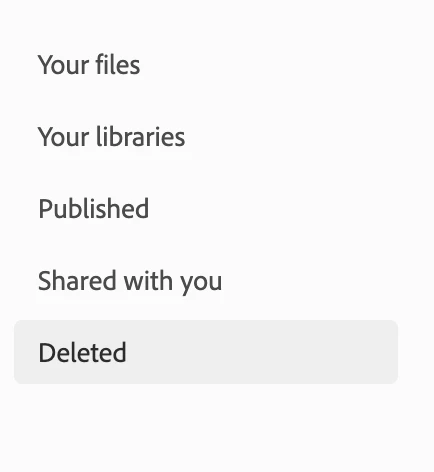
I exceeded my cloud space so I deleted all old files that I don't need anymore.  When I was trying to delete them under the "Deleted" tab on browser or Creative Cloud app on my iMac, I keep getting error "Could not delete asset permanently" or " File was restored and cannot be deleted". 


However, I have not restored any files as I only just deleted them for the sole purpose of freeing up space.

I tried reading other similar posts to this, but nothing suggested helped me with this error. Please help me.

This topic has been closed for replies.

4 replies

carriestephens
Known Participant
November 27, 2021

Oh yeah, i am SUPER angry about not being able to delete files to clear up space, there are 1000's of files in there and every time i try to delete more than 100 at a time, it hangs.  I have been deleting files for hours because I don't want to spend time on tech support, because it is slow. I want to delete it all.   I'm about ready to move my files to another cloud back-up and cancel my extra storage.  I don't have time for this, ontop of my files using 16MB of ram just for opening  ONLY photoshop on my PC?  Something is really wrong.    

robbiel53825787
Participant
December 2, 2021

Has anyone had any success to this?>

Participant
December 2, 2021

Still no resolve to 'could not delete asset permanently' in Adobe Creative Cloud. 
Adobe keeps promising to look into it. Adobe Creative cloud is filling up and no way of deleting old files.


Jenna-HAuthor
Participant
August 31, 2021

Problem was not solved with any of the reply suggestions. What solved it was waiting a few days, logging out of everywhere with my login then reloggin in after the adobe xd update. Then I was able to delete files from the tab.


I don't know was this due to the new "business/personal" profile update that made them separate which is probably the cause for this errorr.

Participant
November 27, 2021

Has anyone managed to resolve this issue, 'Cant delete asset permanently' Error out of adobe creative file web browser. It only started happening about a month now, with some files, but now its every new file that has been deleted cannot be permanently deleted. I have been chatting with Adobe for the last couple of days and getting nothing resolved. Other than creative cloud starting to fill up.

kglad
Community Expert
Community Expert
August 23, 2021

@Jenna-H, you see that for every file in the deleted folder?

Jenna-HAuthor
Participant
August 25, 2021

Yes, I got that message for every file that I have in my "deleted" folder. 

kglad
Community Expert
Community Expert
August 25, 2021

using a browser that allows popups and cookies, contact adobe support during pst business hours by clicking here, https://helpx.adobe.com/contact.html

click contact us (= cryptic icon in the lower right)

in the chat field, type AGENT
be patient, it can take quite a while to reach a human

barbaraf68008533
Participant
August 23, 2021

I am having the same problem. I spent hours a few days ago on the Adobe chat help, just to wind up with the agent saying that they thought the problem was on their server, and that I should wait 24 hours and try again.  I did.  I still cannot delete any files permanently. I even tried deleting a new file, and I couldn't delete that one permanently either. 


I also had not intentionally restored any files.  I don't even know what that means.  True confession: I have not taken the time to figure out how Creative Cloud's storage systems are configured and interrelated.  Anything I work on with my laptop I store on a and external drive.  The stuff that is in my creative cloud online storage is primarily junk- files I made while playing around with apps on my ipad just to get a general idea how they work.


If anyone can point me to a very clear explanation of the storage options on Creative Cloud, I would be most grateful.

kglad
Community Expert
Community Expert
August 23, 2021
