
Participant
April 29, 2014
Question

Cannot Access Adobe Team Cloud Folders/Files

  • April 29, 2014
  • 2 replies
  • 1745 views

I am unable to access the folders and files that my team members have uploaded to the creative cloud.  When I go to my "files" tab on the creative cloud desktop and I see this:
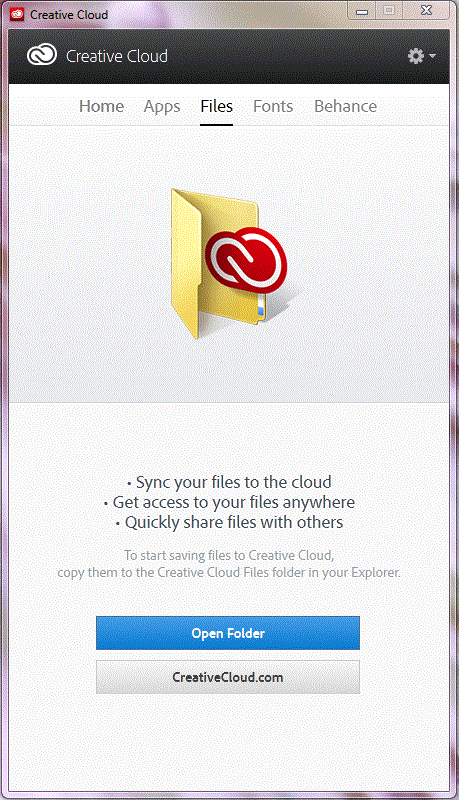
When I open the folder I see no files.  I also don't see any files online even though I know there are some there.  Two of our team members have been able to share files on the cloud but I am still unable to.  I have tried uninstalling and reinstalling the program (twice) and nothing changes.  I also tried uninstalling the program, changing the OOBE folder name in my adobe program files, and reinstalled the program.  This also didn't work. 

I need to be able to access these cloud files ASAP.  Any suggestions?

This topic has been closed for replies.

2 replies

lward343
Participant
May 6, 2014

Same problem. Would really appreciate an answer as this was one of the primary reasons for our purchase of CC.

wied2014Author
Participant
May 6, 2014

I've learned a little more since my first post.  I am able to upload documents to the cloud on my desktop and then download things onto my laptop.  However, nobody else in my team can see my files and I can't see theirs.  I also have the same amount of cloud space as if I were my own team. When the administrator looks at our team members I am listed as an active user.  I believe that somehow Adobe thinks I am my own team.  Since I can share documents "cloud desktop app" to "cloud desktop app" under my account, I do not believe that my issue is a software or firewall issue.

I did attempt to online chat with an adobe representative.  They were pretty much useless.  I got the impression that he didn't understand that the Adobe Team was different from an individual adobe creative cloud account.  He did a decent job explaining what I already knew about sharing work with other cloud members not in your team. I did try explaining the difference between individual cloud accounts and team accounts 3 times 3 different ways. 

lward343
Participant
May 7, 2014

Thanks for the response. I am actually the account administrator and am still not able to see anyone else's files. Working with the team to make sure it is not a sync issue on their end but it doesn't appear to be.

Jeffrey_A_Wright
Legend
April 29, 2014

Moving this discussion to the File Hosting and Syncing forum