
Participating Frequently
June 1, 2025
Question

Cant load PSDC Documents, and Creative Cloud Library and Sync Issues

  • June 1, 2025
  • 6 replies
  • 1007 views

I had a problem earlier that I ended up fixing, but also created even worse problems

 

My cloud starts like this, but doesnt really do anything.. I have a bunch of cloud PSDC documents that I cannot preview, or open or download.. 

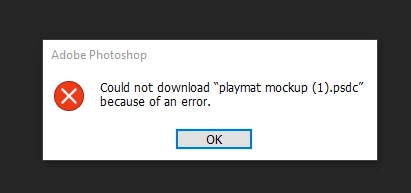
If I attempt to open it from creative cloud, It does this, attempting to open and load them on the web browser yields the same results 
 

Eventually the creative cloud turns into this.. and hitting the reload button does nothing


I have a bunch of different documents that are available, and a bunch that arent 
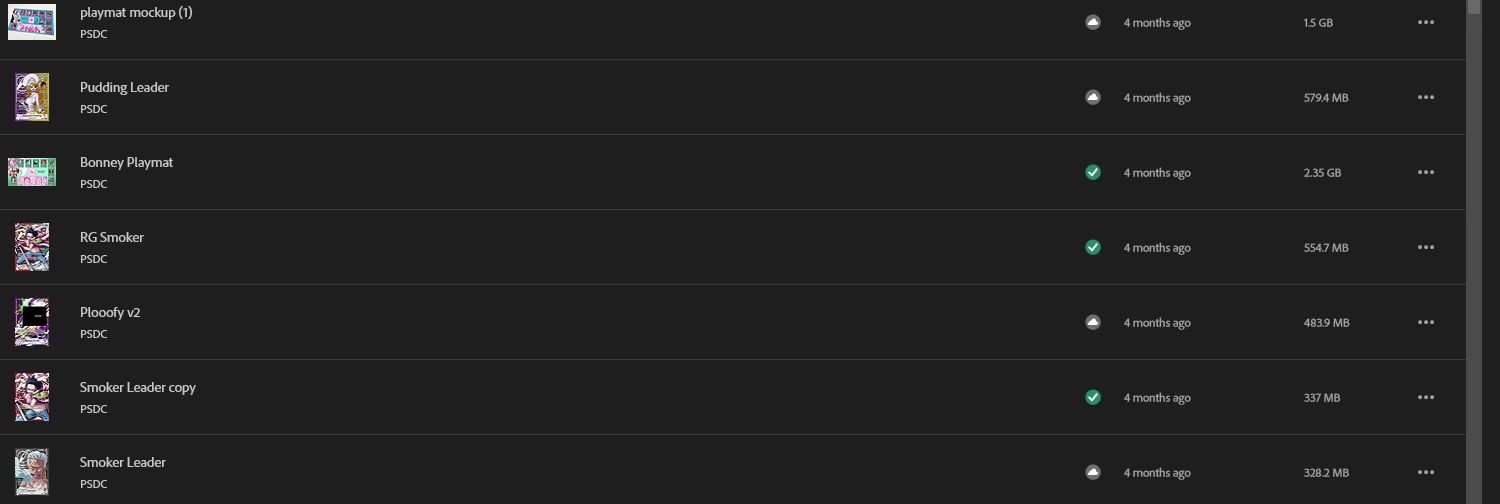
I have been trying to fix this issue for 6 hours to access some documents I need, I cannot get the library to fix itself, I cannot get it to work across 3 different devices (2 windows and a macbook) I've tried to fix things locally, Signed out, signed in, uninstall, reinstall, refresh preferences, deleted temp files, removed other files that were suggested, cc cleaner tool, removed old libraries I hadn't used

Nothing is making any of them work.. please help 


6 replies

kglad
Community Expert
Community Expert
June 1, 2025

in the future, to find the best place to post your message, use the list here, https://community.adobe.com/

p.s. i don't think the adobe website, and forums in particular, are easy to navigate, so don't spend a lot of time searching that forum list. do your best and we'll move the post (like this one has already been moved) if it helps you get responses.


<"moved from cc desktop bugs">
kglad
Community Expert
Community Expert
June 1, 2025

use a web browser and download one of the problematic files.


navigate to the following locations. at each location there are several folders/link to check.:


https://assets.adobe.com

https://lightroom.adobe.com

https://documentcloud.adobe.com

https://spark.adobe.com


then open the problematic file in ps.  any problem?


QKayosAuthor
Participating Frequently
June 1, 2025

I think I tried this earlier as well, I left it open for ages and forgot about it but nothing ever downloaded either from there

It's just been like this for 10minutes so far (I've got gigabit nbn internet too) so it doing nothing is really strange 

kglad
Community Expert
Community Expert
June 1, 2025

Sorry not sure what that means, but even files I was just using a few days ago were fine, I've just got a bunch of random ones even recent ones that just aren't working from today but were fine like 2 days ago, I can't get the library to sync anymore, so I am hoping or thinking its adobes end or something.. 

Firefox has the same thing, just stuck on the same bar 0 of 1 at the same spot. Even downloading ones that I know do work, just sit there too which is also incredibly strange


1.  with all cloud services (not just adobe's) save all files locally.  for adobe files, then sync if you want to share with others or yourself on other devices.


2.  periodically try to download using a file browser like firefox.

QKayosAuthor
Participating Frequently
June 1, 2025

Don't believe so unless I misunderstand what that means, but I only saved them to the cloud, I didnt save them locally 

kglad
Community Expert
Community Expert
June 1, 2025

are they all locally stored?

QKayosAuthor
Participating Frequently
June 1, 2025

Nope, as is the last picture, some randomly work, some don't, they're all PSDC though 

kglad
Community Expert
Community Expert
June 1, 2025

are all psdc documents problematic?