
CEPHtmlEngine.exe process causing Illustrator performance issues
Hi David,
I am happy to report that with the latest update to the Creative Cloud App my problem of perpetual cloud syncs has been fixed. Everything is now working normally. I am truly happy that the engineers addressed the problem and where able to fix it.
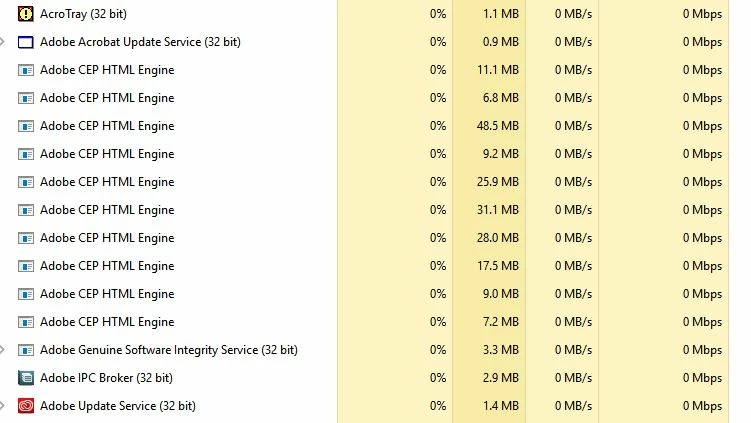
As to your question, my problem with Illustrator is that certain background processes (it seems it is CEPHtmlEngine.exe) is loading multiple times in the background causing a CPU overload (loading 20 times or more). The issue has been around now for over a year. It is known to Adobe and a fix has been promised, but I am still having the issue. The issue is so bad, I can only use Illustrator for a short time until it becomes unusable and needs to be terminated. Again, it’s all that cloud stuff which I really don’t need. I need to be able to work locally on my machine and reliably so.
The thread dealing with the issue is here: What is the "Adobe CEP HTML Engine"? It`s using too much from my processor. There are many threads pertaining to just that issue, and obviously it still has not be adressed proberly in any of the many updates. At least any fixes dont work for me...
Should I post the issue in the Illustrator forum?
Thanks to the team for getting my syncing issue fixed!!
Cheers, Walter
 AdChoices