
Svenningsens
Participating Frequently
April 8, 2015
Question

Creative Cloud desktop app sync

  • April 8, 2015
  • 2 replies
  • 1054 views

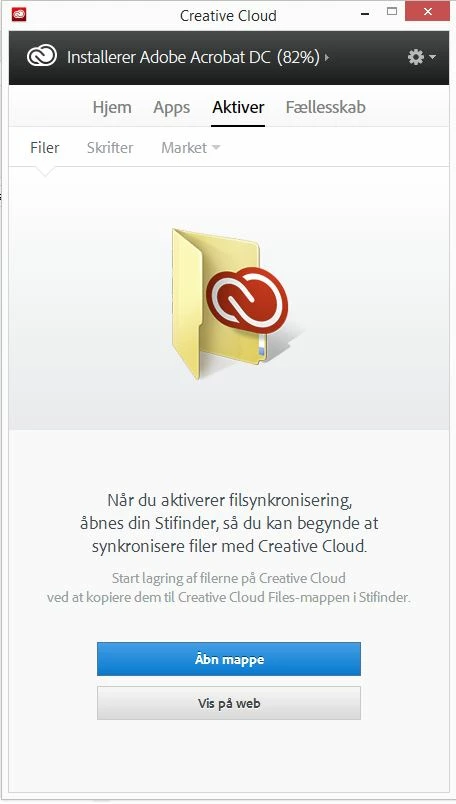
just updated the Creative Cloud desktop app and now it wont sync my files.

I tried to delete the whole package and re-install, but with no luck. And i tried to rename the CoreSync folder and delte the .db in \AppData\Local\Adobe\OOBE

I'm on win8.1 - DK

What to do??
This topic has been closed for replies.

2 replies

Svenningsens
Participating Frequently
April 13, 2015

Hi,

i already re-installed twice. No luck..

wharress
Participating Frequently
April 13, 2015

Did you "Uninstall" before trying to reinstall? In your first post you mention that you deleted the whole package?, this is not the correct uninstall method. Can you confirm what you have done to uninstall?

wharress
Participating Frequently
April 15, 2015

Hi,

Do you have the capacity to install and use Creative Cloud on a different Windows machine to rule out environment related issue with you current Windows computer?. I will also run this past an development engineer to help you get unblocked.

Thanks

Warner


Hi,

I looked into your issue with an engineer yesterday and found the following information.

Looking closely at the Microsoft documentation there are 7 causes for this error, 6 of which are certificate related. The only non certificate related issue is an internal WinHTTP error. these are all user environment related.


Are you certain you do not have any proxy configurations on your network? Are you fully up to date with Windows Updates? Have you tried Creative Cloud on another Windows environment?.


Thanks

Warner

Sheena Kaul
Legend
April 8, 2015

Hi Nicolai,

Please refer to the help document below:

Error: "Unable to sync files"

Regards,

Sheena

Svenningsens
Participating Frequently
April 8, 2015

Hi Sheena,

Already tried that.. I Dont have the "Creative cloud" when i right-click..

And i all worked before the update.

wharress
Participating Frequently
April 9, 2015

Hi,

This sounds like you need to uninstall Creative Cloud and start again with a fresh install. I don't recommend removing folder such as OOBE or renaming db files, this could have contributed to the issue your seeing.

Thanks

Warner