johnw11453588
Participant
March 15, 2017
Answered

Download Assets from Library

  • March 15, 2017
  • 19 replies
  • 39623 views

Is it possible to download a file rather than just view it from the online portal of assets.adobe.com.

I want to be able to share my assets but these are the only options:
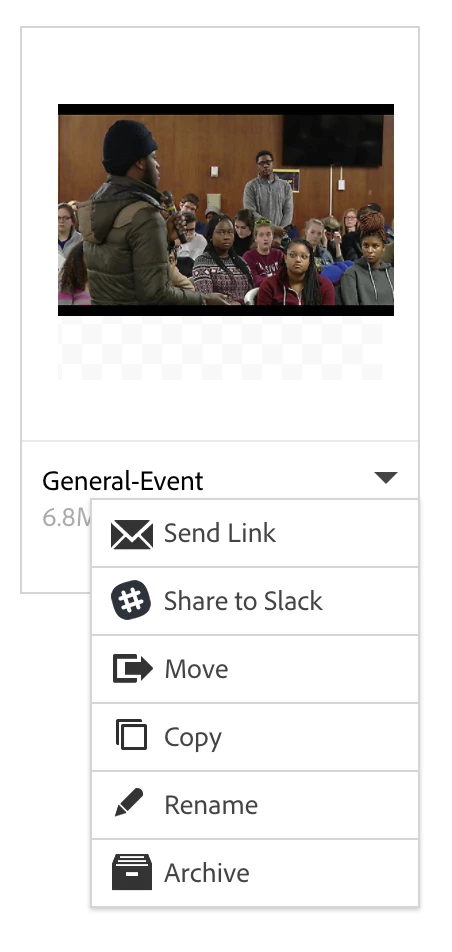
Correct answer David__B

For context, this is an asset in a library not in the "files" part of my creative cloud. I have the download option available when I am in the files. This is why I am so confused because it doesn't show up in libraries. This is in a library that I created and added this image to.


I was looking at this Share Adobe Creative Cloud files, libraries, and more and doing some testing myself. It doesn't look like there is an easy way to download an asset once it was been added to a library. I think you'd have to go through the Library panel in one of the products. If I double-clicked on a graphic asset in Photoshop in the Library panel it opened it as a document which could then be saved. That seemed like the closest option I could find.

I'd recommend not using Libraries if the download option is a requirement and go through files instead.

Adobe Creative Cloud

I agree it would be a useful to have the option and will pass on feedback to our developers.

19 replies

Participant
February 19, 2019

+1
Still no download option for library assets via the web portal. Why is there a share link with a page showing all of the assets but no ability to download them?

There's absolutely no reason for "Files" to have download and not Libraries.

Participant
February 13, 2019

You can download on Essential Graphics in Premiere Pro

They get saved on "C:\Users\USERNAME\AppData\Roaming\Adobe\Common\Motion Graphics Templates"

Participant
November 24, 2018

Absolutely unacceptable

Participant
October 10, 2018

Absolutely unacceptable to not have this capability-- period.

Participant
October 2, 2018

This is ridiculous. I took over an InDesign file from someone else to make some edits for the owners, and all of the links are broken. I have wasted hours trying to find the images, get the links to work or to download the images. I have never used the cloud-based Adobe Assets system before and definitely never will again; we just save our files to our own server and access them that way at my office. Unbelievable that you can't download your own image files from the cloud.

The only workaround I have been able to figure out from this debacle is to painstakingly relink within the InDesign file each of the images with their location in the Assets folder. Then within InDesign, I choose the File > Package feature, and it will basically download all of the image files (and fonts, which also have broken links) and allow me to store them locally to my own hard drive or server. I hope this helps others.

Participant
August 26, 2018

ahaha is this real life?? Really? No download button??? Years of complaints in this matter. Years of research with this creative cloud thing and no one. Yes... no one yet, had the idea to place a download button so the creatives could download an item from their OWN Library.

Participant
August 23, 2018

Need the download option!

Participant
August 22, 2018

Any updates on this? We have used libraries to store and quickly use our logos and branding assets which has worked well in the past, However, today the files are no longer linked, the folder we share with vendors uses those links and there is no way to get the original artwork from the links through downloading? Please help Adobe

David__B
Adobe Employee
Adobe Employee
March 15, 2017

Hi John,

You might try clicking on the thumbnail and viewing that item only/full screen. Then check under the Actions menu in the top right to see if the Download option is available. I think it appears there if available.

Hope that helps,

- Dave

johnw11453588
Participant
March 15, 2017

Unfortunately it is still not there. How/Why would it be available or not available? I am trying to share files with my team and this is a huge pain point.

Participant
June 28, 2018

Agreed. If libraries arent just links, they should be able to be downloaded from anywhere since a copy of the file exist in the cloud in the library. And to help you out, slack is just the new school way of using forums. just think of AOL chat rooms but better and it's just you and the ppl you invite for a specific purpose, like talking about all the inconsistencies of Adobe CC products. It's very useful app. And I've tried sharing to Slack to see if it would send the actual file so i could download it, but it's just a link back to the file for preview on the web for you to preview the file, which I think is ridiculous. If i'm trying to share a file, why would I not allow them to download it??

To the developers, it's been about year and I don't see why we still can't download items from our libraries. If the file exists in the cloud and is in our account, why are we denied from downloading it? What sense does that make? You guys giveaway a few gigs to let us store our files in our CC Cloud Files folder so why not let us store those library assets in that space? During that same year, Dropbox, OneDrive, and even Box have improved there file sharing capabilities to allow sharing, and downloading, a folder, or a file in a folder. We love your products, just make them user friendly and practical.


This is a complete and utter joke. How can Creative Cloud have these files in the cloud but not let you download them. You would think that's the most BASIC feature of a cloud library/storage feature. I'm at work and I need to download some assets that are on my laptop but in my CC library and I can't. How awful is that?
