Exit
  • Global community
    • Language:
      • Deutsch
      • English
      • Español
      • Français
      • Português
  • 日本語コミュニティ
  • 한국 커뮤니티
3

File collaboration not working

Community Beginner ,
Apr 09, 2015 Apr 09, 2015

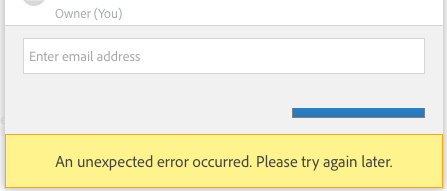
This is still an issue for me and has been for over a week. Latest Safari and the latest Chrome, different emails, they all produce the same result for me.

Sounds like the same issue that @Quaetapo reported.

Mac OS X 10.10.3

Screen Shot 2015-04-09 at 4.36.32 PM.png

TOPICS
File sync
735
Translate
Report
Community guidelines
Be kind and respectful, give credit to the original source of content, and search for duplicates before posting. Learn more
community guidelines
Community Beginner ,
Apr 09, 2015 Apr 09, 2015

I realized a difference, I get this error when trying to collaborate files, not libraries. Not sure if I should start a new discussion for this now.

Translate
Report
Community guidelines
Be kind and respectful, give credit to the original source of content, and search for duplicates before posting. Learn more
community guidelines
Adobe Employee ,
Apr 09, 2015 Apr 09, 2015

I have forked the discussion (from Library collaboration not working to a new forum thread and updated the topic to File collaboration not working.

Two things to try:

  • Clear the browser cache and cookies and see if the error goes away.
  • Open the browser's Developer Tools and go to the Network tab. Do you see any 4xx or 5xx errors (usually the call will be colored red).
Translate
Report
Community guidelines
Be kind and respectful, give credit to the original source of content, and search for duplicates before posting. Learn more
community guidelines
Community Beginner ,
Apr 10, 2015 Apr 10, 2015

Hi Ken,

Thanks for your help.

Clearing cache and cookies didn't resolve the issue.

Here is the item that comes up in the developer tools network tab when the error displays.

Screen Shot 2015-04-10 at 9.08.04 AM.png

Translate
Report
Community guidelines
Be kind and respectful, give credit to the original source of content, and search for duplicates before posting. Learn more
community guidelines
Community Beginner ,
Apr 28, 2015 Apr 28, 2015

Month two and still no luck still. Did you at least confirm and log the bug? (Or am I supposed to do that?) Let me know. Thanks.

Translate
Report
Community guidelines
Be kind and respectful, give credit to the original source of content, and search for duplicates before posting. Learn more
community guidelines
Community Beginner ,
Jun 19, 2015 Jun 19, 2015

File Collaboration is still broken, even after the Adobe CC 2015 updates. Although, the error that used to make that clear no longer displays; it just fails and doesn't tell you.

Translate
Report
Community guidelines
Be kind and respectful, give credit to the original source of content, and search for duplicates before posting. Learn more
community guidelines
Adobe Employee ,
Sep 29, 2015 Sep 29, 2015
LATEST

Just received word that the issue should now be fixed.

The problem was with handling collaborations with a folder containing many subfolders and files - 2860 subfolders and 26254 files.

Translate
Report
Community guidelines
Be kind and respectful, give credit to the original source of content, and search for duplicates before posting. Learn more
community guidelines