

kmurray_1
Inspiring
October 1, 2024
Answered

How to make logo bigger on portfolio

  • October 1, 2024
  • 1 reply
  • 2585 views

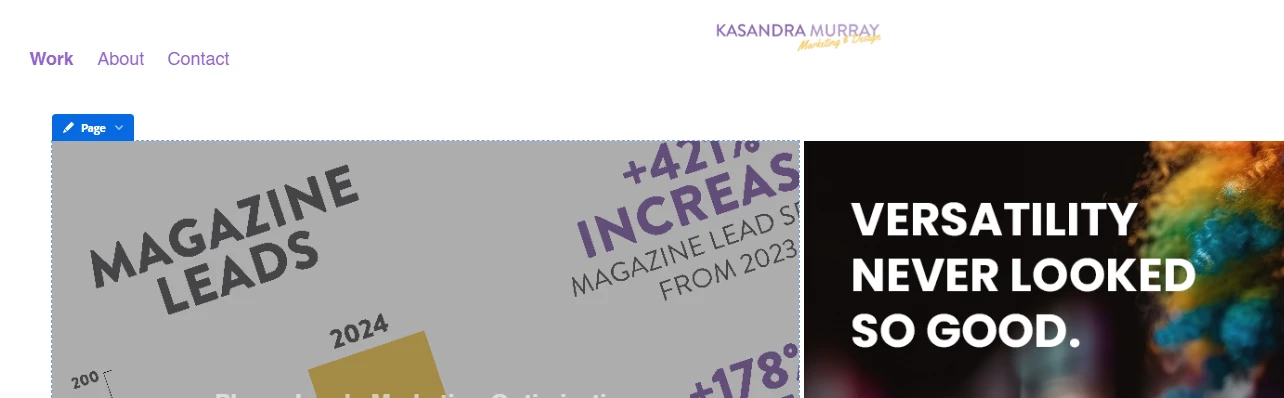
The Adobe Portfolio site is scaling my logo down to a tiny size. I looked through all the settings and can't find a way to make it bigger and legible. My logo is 1700px wide so, I can't imagine my file is the issue.

How can I make the logo bigger?
 

This topic has been closed for replies.
Correct answer kmurray_1

Ok, so Adobe doesn't provide recommendations for the logo image size. I updated the dimensions of my image to 375px x 50 px, which has helped make it much more prominent on the website.

It's unfortunate because that is a very awkward size for a horizontal logo, so I ended up just making the logo my name and taking out the iconography.

1 reply

kglad
Community Expert
Community Expert
October 1, 2024

resize to 1/10 that size.

kmurray_1
kmurray_1Author
Inspiring
October 2, 2024

This did not solve my issue. I'm unsure how the smaller logo will make it larger on the website.

kglad
Community Expert
Community Expert
October 2, 2024