
LuMags
Inspiring
December 14, 2023
Question

Is Adobe CC login system down / faulty? 14/12/2023 11:25 GMT

  • December 14, 2023
  • 2 replies
  • 392 views

Morning!

Had a bit of this last night having ti sign in and out loads of times only to be unceremoniously kicked out maybe 10 minutes later. Anyone else having this issue today / last 24hrs?

Got this today which is a first
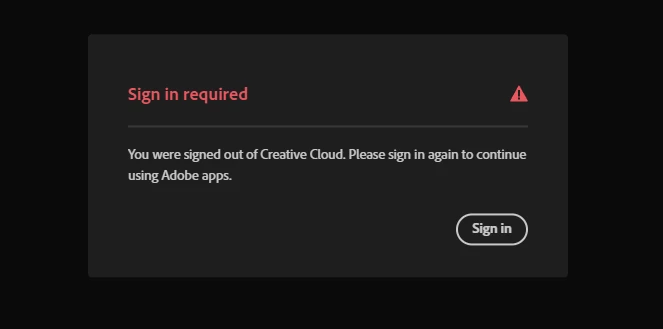
I'll reboot etc but this is incredibly frustrating. Just need to get on and work!!

This topic has been closed for replies.

2 replies

Tarun Saini
Community Manager
Community Manager
December 14, 2023

Hi @LuMags ,


We're sorry to hear about this.  I am following up on the issue you're seeing. Have you tried the steps suggested by @kglad? Are you still having login issues?


We're here to help, just need some info.


Regards,

Tarun

LuMags
LuMagsAuthor
Inspiring
December 15, 2023

Morning, I did send a reply but your mailbox is full, whoops!

Of course I logged out and in again. And rebooted. And still the problem persisted.

Is there a firewall or antivirus setting I need to add whatever executable runs the Adobe CC sign-in system to allow full un-filtered traffic & access through?

kglad
Community Expert
Community Expert
December 15, 2023

@LuMags 


reset the cc desktop app by making sure it's in the foreground, then press:

Win: Ctrl + Alt + R
Mac: Cmd + Opt + R


if that fails, repair per https://helpx.adobe.com/download-install/kb/creative-cloud-install-stuck.html


if that fails and you have windows, open your control panel > add/remove programs > cc desktop app > repair

if that fails, uninstall using the correct uninstaller from https://helpx.adobe.com/creative-cloud/help/uninstall-creative-cloud-desktop-app.html#sa_src=web-messaging and then reinstall using*


if that fails, do a clean cc install carefully following each applicable step:

uninstall every cc app including preferences per https://helpx.adobe.com/creative-cloud/help/uninstall-remove-app.html

then uninstall the cc desktop app, again using the correct uninstaller per https://helpx.adobe.com/creative-cloud/help/uninstall-creative-cloud-desktop-app.html#sa_src=web-messaging

clean your computer of cc files per http://www.adobe.com/support/contact/cscleanertool.html

check for, and if available, update your os

if windows is your os, repair all ms visual c++ versions that can be repaired (use google if you don't know how to do this)

if windows is your os update your ms visual c++, if it can be updated (use google if you don't know how to do this)

restart your computer (don't skip this)

reinstall the cc desktop app using the "alternative download links" at the bottom of the page at https://helpx.adobe.com/download-install/kb/creative-cloud-desktop-app-download.html

use the desktop app to install your cc programs/trials

NOTE: win 11 users that have trouble with the latest win 10 installer often have success with the older win 10 installer.

kglad
Community Expert
Community Expert
December 14, 2023