Participant
February 2, 2024
Answered

Remove Creative Cloud Files Personal Account folder

  • February 2, 2024
  • 2 replies
  • 14374 views

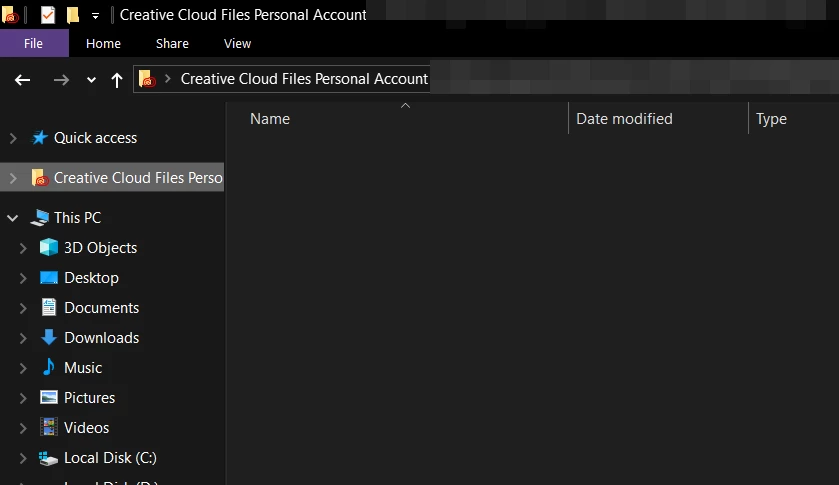
Why is this "Creative Cloud Files Personal Account" folder showing up on the windows explorer and how do I remove it? It just appeared on its own. I don't use the creative cloud stuff.

 

Correct answer kglad

I dont get it can you explain what i have to do? Talk to me in Lamens terms please.


mac:

copy any important file to another folder and then delete Creative Cloud Files + <account type> + <profile_name> + <email> + <GUID> (for example: Creative Cloud Files Personal Account email@abc.com ####@AdobeID).


default location, Mac HD/Users/<Username>/Creative Cloud Files


windows:

Open the registry editor (regedit.exe) & naviagate to: HKEY_CURRENT_USER\Software\Microsoft\Windows\CurrentVersion\Explorer\Desktop\NameSpace You'll probably have two sub-keys. OneDrive's sub-key will be nameed '{018D5C66-4533-4307-9B53-224DE2ED1FE6}' Delete the other one, that will be Creative Cloud.

2 replies

Participant
August 1, 2024

The Adobe Support sucks. There is this folder and if you click on it there is an error message. Dear Adobe TEAM, please tell me how I can delete this folder without changing the registry

kglad
Community Expert
Community Expert
August 1, 2024

these are user forums.

kglad
Community Expert
Community Expert
February 2, 2024

removing requires an regedit app (from adobe) and needs to be repeated with cc desktop app updates.


https://helpx.adobe.com/creative-cloud/kb/remove-cc-files-folder-shortcut-navigation-panel.html

Participant
February 2, 2024

Wow, adobe sucks.


You're certainly right about removing registries, as that does work, but that is no a sufficient solution. I never asked for this, there should be a setting to disable it.

For anyone who wants to regedit, find a key with the folder name in here and delete the entry:

\HKEY_CURRENT_USER\SOFTWARE\Microsoft\Windows\CurrentVersion\Explorer\Desktop\NameSpace\

kglad
Community Expert
Community Expert
April 29, 2024

I even had a long chat with Adobe staff at "The Photography Show" the other month who were shocked to see this issue, they could not understand why this shows up especially as they announced there "Discontinuation of Creative Cloud Synced files" from 1st Feb 2024. They were even more surprised about the fact this has been ongoing in one form or another since about 2015. I’m personally so annoyed by Adobe's total lack of respect to paying users over this if I knew how to permanently stop this by hacking the programs I would!!


and who's disallowing your posts?