
Inspiring
May 18, 2019
Answered

Replacing/Updating My ACC Files on a Mac

  • May 18, 2019
  • 2 replies
  • 2546 views

Hi:

I'm on an iMac that's now running Mojave. I see that in my Finder folder for Creative Cloud Files that the files in it have not been updated. Is there a preference setting that automatically updates my created CC files?

If not, would it be wise for me to delete all of the files and load all the current files? If so, how do I load CC folders and their files? Where do I find that collection of folders/files?

I've attached a screenshot of my CC Files pane that shows that I have lots of room remaining in that folder.

Please suggest what I should do next to update my CC files to that MacFinder folder. Thank you very much!

Warren

_______
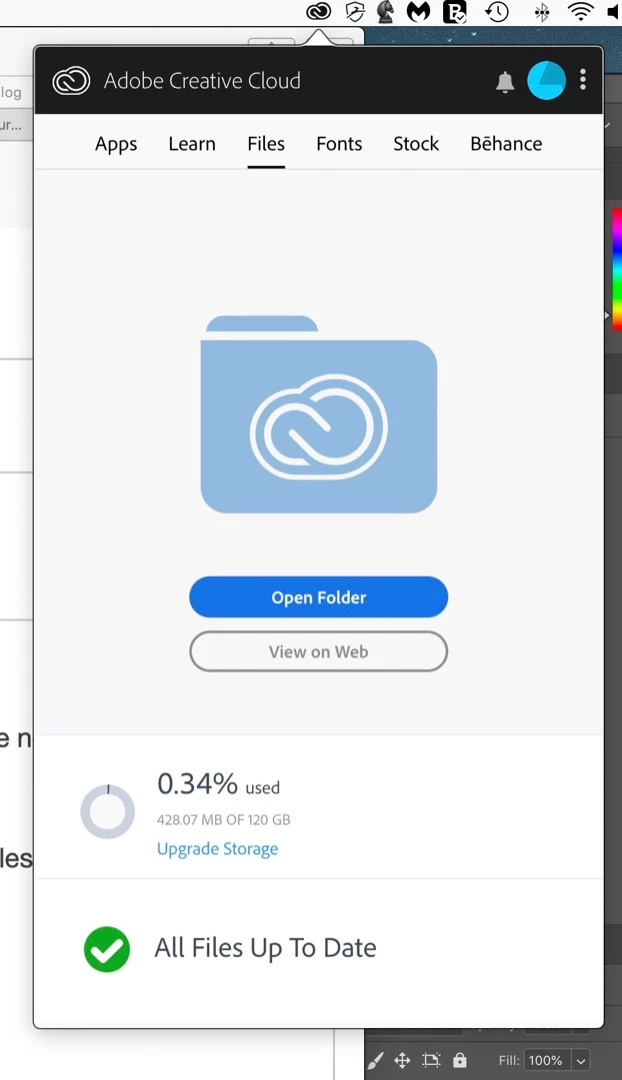
This topic has been closed for replies.
Correct answer Abambo

Actually, that specific process worked successfully twice for me, once in April and once this month.

1.  For my support with Dreamweaver CC, in April, Harshika Verma emailed me privately to request contact data from me and good times to call me. At the proposed time, I received a call from a technician who used screen-share to correct the problem.

2.  For my support with Photoshop CC, in mid-May, Sahil Chawla emailed me privately to request contact data from me and good times to call me. I did so and a helpful technician corrected that problem within six minutes.

As Harshika and Sahil made the effort to send me an emailed contact data request, can you do similarly?

If not, what exactly am I to do to get ACC to work cooperatively with my iMac? I hope you can assist me in this regard.

Sincerely,

Warren


I strongly advice using Customer Care: Contact Customer Care

Anyway, I will not contact you and do remote maintenance, because of 3 reasons:

  1. I'm not Adobe, I'm a user like you.
  2. I'm not in the remote assistance business.
  3. The MacOS is not my field of competence.

2 replies

Abambo
Community Expert
Community Expert
May 18, 2019

wcamp  wrote

If not, would it be wise for me to delete all of the files and load all the current files?

Exit the CC app. Rename the original file to something like "old.cc.files". Restart the CC app.

CC wil start synchronizing again. when all is ok, you can delete the "old.cc.files".

ABAMBO | Hard- and Software Engineer | Photographer
wcampAuthor
Inspiring
May 20, 2019

Thank you, Abambo, for your prompt e-reply.

I believe that I did as you recommended. ACC began to create synched filed. After a few minutes, the process ended. Alas, no new synched files were loaded inside the new Creative Cloud Files folder in Finder.

My first two screenshots show the old and new folders in Finder. Both show the same number of files, as well as the same creation/modification dates of "Oct. 2017." No "2018" or "2019" files were loaded!

".old" folder:

Newly created folder:

Finder folder showing only the ".old" folder!

I hope you (or someone else) can suggest why the new files don't get loaded, and what's needed to get ACC to cooperate with Mac OS 10.14.

Thanks, in advance.

Warren

_______

Abambo
Community Expert
AbamboCommunity ExpertCorrect answer
Community Expert
May 22, 2019

Actually, that specific process worked successfully twice for me, once in April and once this month.

1.  For my support with Dreamweaver CC, in April, Harshika Verma emailed me privately to request contact data from me and good times to call me. At the proposed time, I received a call from a technician who used screen-share to correct the problem.

2.  For my support with Photoshop CC, in mid-May, Sahil Chawla emailed me privately to request contact data from me and good times to call me. I did so and a helpful technician corrected that problem within six minutes.

As Harshika and Sahil made the effort to send me an emailed contact data request, can you do similarly?

If not, what exactly am I to do to get ACC to work cooperatively with my iMac? I hope you can assist me in this regard.

Sincerely,

Warren


I strongly advice using Customer Care: Contact Customer Care

Anyway, I will not contact you and do remote maintenance, because of 3 reasons:

  1. I'm not Adobe, I'm a user like you.
  2. I'm not in the remote assistance business.
  3. The MacOS is not my field of competence.
ABAMBO | Hard- and Software Engineer | Photographer
kglad
Community Expert
Community Expert
May 18, 2019
wcampAuthor
Inspiring
May 18, 2019

Thank you, kglad, for controlling the pathway of my inquiry. Much appreciated.

I await receipt of informed suggestions on what to do next.

(  ; - )

Warren

_______