Answered
Unable to create the creative cloud files folder.
I get this message when I try to sync files to Creative Cloud folder:
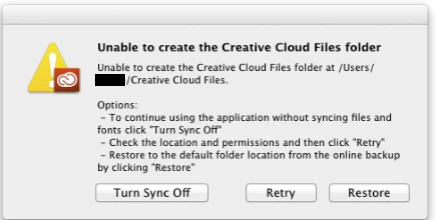
I have tried the options, and to close the program and restart the computer, but no luck.

I get this message when I try to sync files to Creative Cloud folder:
I have tried the options, and to close the program and restart the computer, but no luck.
I have got the same issue.  SOLVED
Looking at the CoreSync-YYYY-MM-DD.log lines, I remarked messages about .db corruption in the CoreSync directory.
I solved renaming
C:\Users\<user>\AppData\Roaming\Adobe\CoreSync
into
C:\Users\<user>\AppData\Roaming\Adobe\CoreSync.old
Before to rename you have to be sure that the Creative Cloud application is not running.
So, unset the option 'Start at login' in the preferences, then longin again.
After login, rename, and then start the Creative Cloud Application manually.
The application creates a new CoreSync directory and it begins synchronizing !!!
If this work for you too, then you can remove safely the CoreSync.old directory.
Ivano.
------------------------------------------------------------------------------------------------------------------------
Window 8.1
Creative Cloud version 2.1.3.121
Photoshop CC 2015
Already have an account? Login
Enter your E-mail address. We'll send you an e-mail with instructions to reset your password.
 AdChoices