Exit
  • Global community
    • Language:
      • Deutsch
      • English
      • Español
      • Français
      • Português
  • 日本語コミュニティ
  • 한국 커뮤니티
0

unable to sync due to server error

Contributor ,
Dec 11, 2015 Dec 11, 2015

Anyone know how to resolve this issue?

The folder doesn't exist on my local drive or on the web version of CC, so I seem stuck with this syncing issue...

I'm on Mac OSX 10.10.5 with the latest CC.
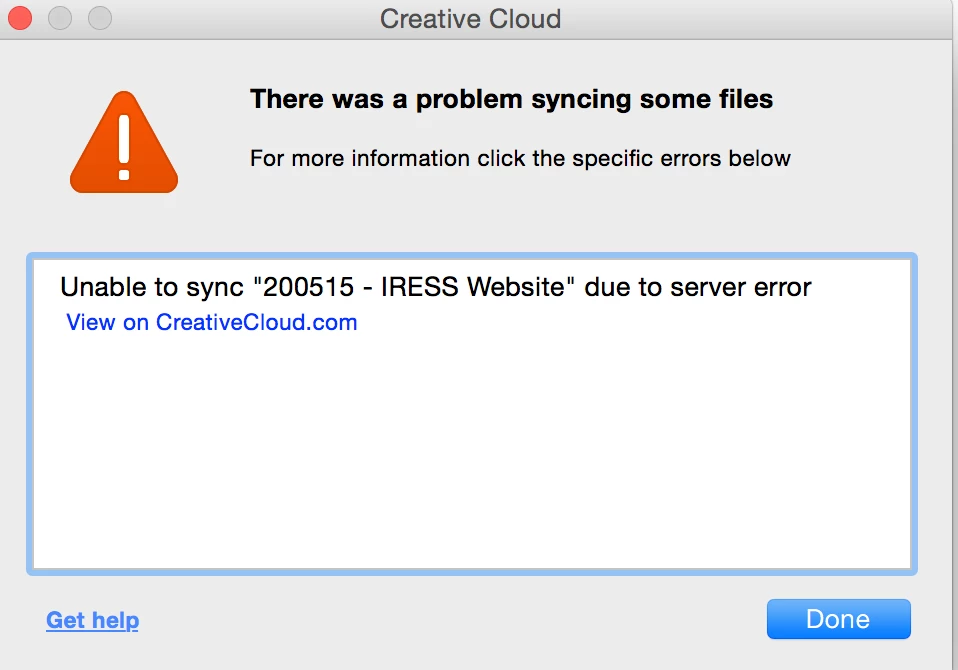
Screen Shot 2015-12-11 at 10.15.35.png

TOPICS
File sync
767
Translate
Report
Community guidelines
Be kind and respectful, give credit to the original source of content, and search for duplicates before posting. Learn more
community guidelines
Contributor ,
Dec 11, 2015 Dec 11, 2015

I sorted it by doing this:

2) Navigate to:

MAC: <Mac Hard Drive>/Users/<username>/Library/Application Support/Adobe/CoreSync on Mac OS X

Note: The Users Library user folder is hidden on starting with 10.7 or later, see http://helpx.adobe.com/x-productkb/global/access-hidden-user-library-files.html

WIN: C:\Users\<username>\AppData\Roaming\CoreSync on Windows

Note: The AppData folder is hidden by default this doc shows how to show it if needed, http://helpx.adobe.com/x-productkb/global/show-hidden-files-folders-extensions.html

3) Then delete any file that end in .db,.db-shm or db.wal, and re start Creative Cloud (There should be 3 or 4 files, but could be more if you have multiple accounts signing into CreativeCloud)

Translate
Report
Community guidelines
Be kind and respectful, give credit to the original source of content, and search for duplicates before posting. Learn more
community guidelines
Community Beginner ,
Apr 01, 2016 Apr 01, 2016
LATEST

Thanks so much! Your directions worked when nothing else had.

Translate
Report
Community guidelines
Be kind and respectful, give credit to the original source of content, and search for duplicates before posting. Learn more
community guidelines
