

Walter_H
Legend
April 18, 2021
質問

Unable To Sync With Error Code 184

  • April 18, 2021
  • 返信数 2.
  • 3615 ビュー

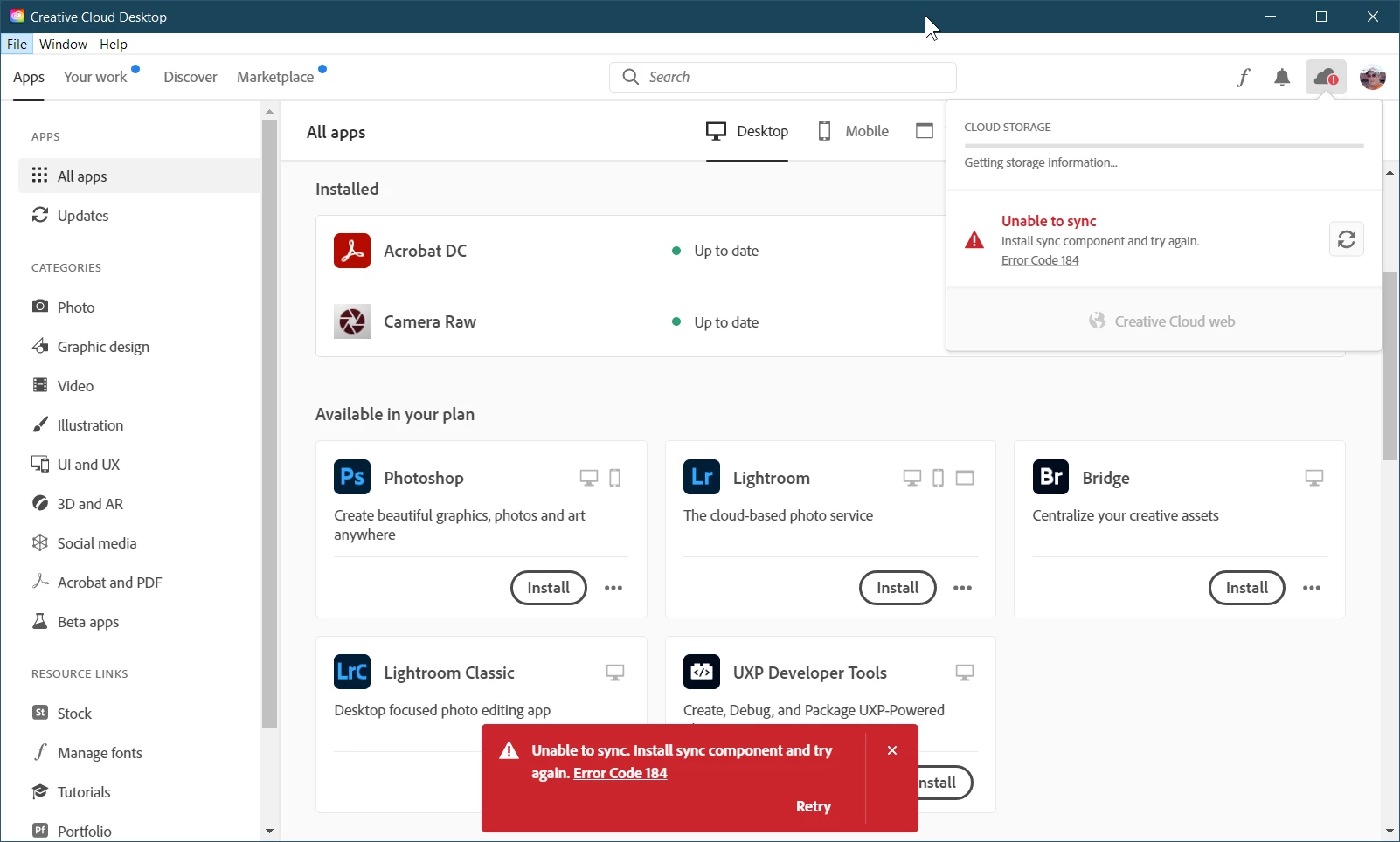
I have started to get the "Unable to sync. Install sync component and try again" message from the CC desktop app on my Win 10 laptop. It also shows "error code 184". When I click "Retry" it attempts to install something but that shows the same message.


This started right after I installed Photoshop on my Win 10 desktop PC. I do NOT get these messages from the CC desktop app on my Desktop PC.


How do I fix this?


このトピックへの返信は締め切られました。

返信数 2

Walter_H
Walter_H作成者
Legend
July 7, 2022

It's been 15 months since this problem started and it still exists! The laptop that has this problem is not my main PC and it doesn't get used often. I recently wanted to install my Photoshop Elements 2022 on the laptop. The Elements install failed at the 90% point with an Error Code 184. I retried the install and got an Error code 183.


I used the Windows Control Panel to uninstall ALL of my Adobe programs -- Acrobat Pro DC, Photoshop v23.4.1, Photoshop Elements 2020, and Creative Cloud desktop app. I did a system restart between each uninstall.


Next, I used the Creative Cloud Cleaner app to clean up any leftover pieces - there were a few. I ran the CC Cleaner again and it showed zero Adobe apps on the laptop.


After another restart, I installed the Creative Cloud desktop app. At this point, the Creative Cloud desktop app is the ONLY Adobe app installed on the laptop. I opened Creative Cloud and logged in to my account. I could tell that the little "cloud" icon in the upper-right corner was busy with something, so I waited. After a few minutes, the damn Error Code 184 pops up again. A retry gets the same exact result!


How do I find this damn locked file that seems to be causing this problem? Will the Log Collector show this locked file? I could use some help, Please!

--Walter in Davie, FL
kglad
Community Expert
Community Expert
July 7, 2022

why are you installing the cc desktop app?

Walter_H
Walter_H作成者
Legend
July 8, 2022

@kglad, so that I can access my Adobe subscriptions and assets.

--Walter in Davie, FL
kglad
Community Expert
Community Expert
April 19, 2021

there's a locked file (probably open in some program) that's unable to sync.


generally, if it's not obvious what's causing the problem (and how to solve the problem), restarting your computer is the quickest fix.

Participant
July 30, 2021

Have the identical issue with no resolution with suggestions given. Any idea how to locate the locked file?

kglad
Community Expert
Community Expert
July 30, 2021

no.


if restarting fails, suspend av, antimalware and other programs that oversee the files on your computer.


if that fails, you can use task manager (win) or activity monitor (mac) to terminate, at least, temporarily unneeded processes.