
Known Participant
July 7, 2020
Question

Updating global styles in Adobe Portfolio doesn't change anything

  • July 7, 2020
  • 3 replies
  • 10244 views

I'm using the Thomas theme and I'm having an issue where if I try updating global styles for the heading font nothing changes.


Here's an example:
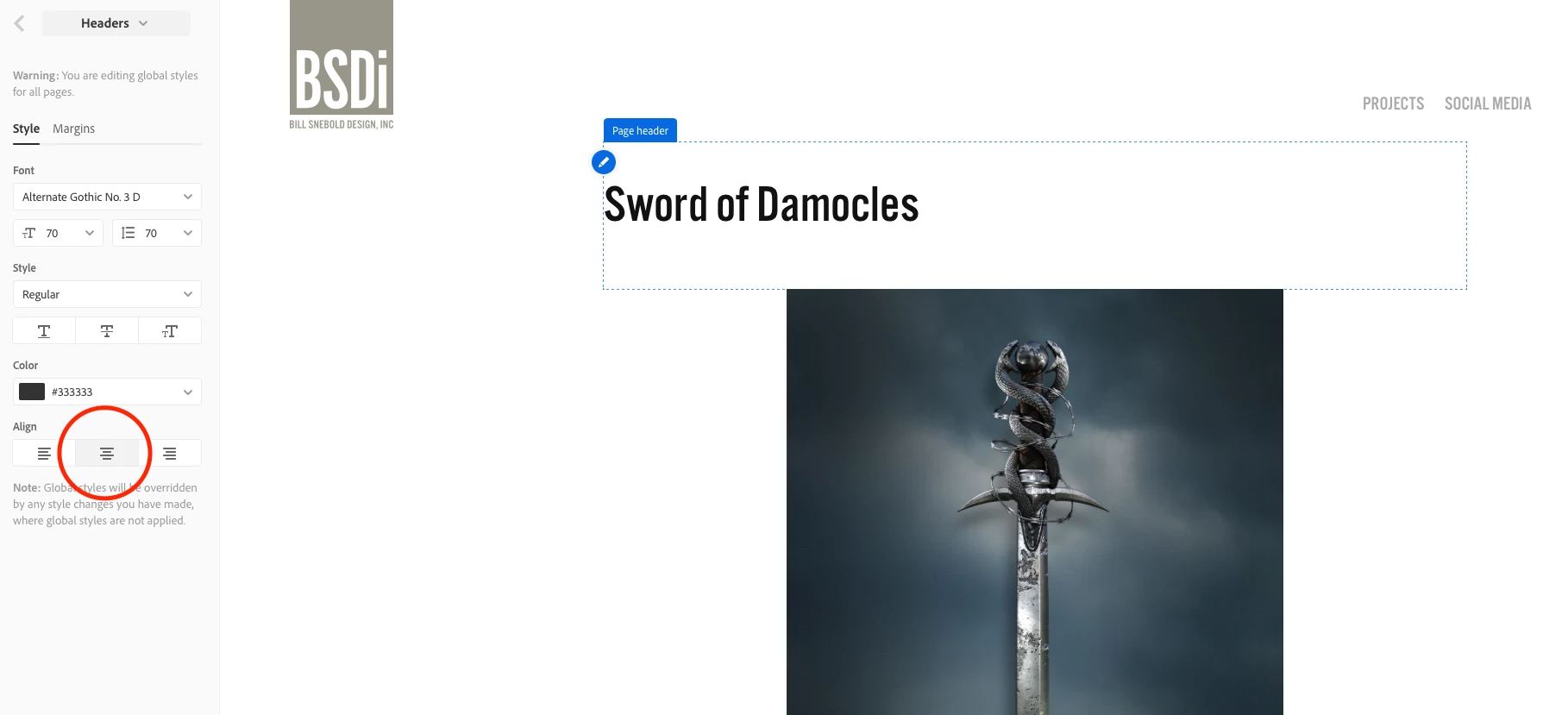
 

Notice that I've made sure that the text alignment for the headers are centered, but as you can see the header text is clearly aligned left. I've tried switching back and forth between the global setting for the header, but it has no effect. If I try adjusting the header settings on the page itself, all it does is shift the alignment of the entire header block within the page as opposed to changing the text alignment of the text within the header block. Even if it did what I wanted, I wouldn't want to go through and make that change to each and every page.


Has anyone else had this issue and found a solution?

    3 replies

    Inspiring
    October 29, 2025

    Very late response, but hopefully it helps someone! I recently switched to Thomas and ran into the same issue. The fix I found is to change "Page header" under the "All Pages" section at the bottom (NOT "Site-wide" as I was attempting..) the page header section in all pages contains the width and max width I was looking for and fixed the alignment issue I had that kept resetting when applying global commands. 

    kglad
    Community Expert
    Community Expert
    October 29, 2025

    thanks @Rachilli 

    Nancy OShea
    Community Expert
    Community Expert
    July 8, 2020

    You should have no trouble doing this.  If you do, try using a different browser. 

    Global Page Styles

         Page Header

              Page Title

              Align: Center. 

              Publish Site and refresh browser.


    Nancy O'Shea— Product User & Community Expert
    Participant
    March 15, 2022

    I've used different browsers. Same results. Nothing happens. I have to edit each text container individually. 


    Please help


    Participant
    September 7, 2023

    This is what I mean by overcomplicated.  The Theme you started with has a global stylesheet applied.  It works just fine on it's own.   Problems ensue when people try to micro-manage it by needlessly adding custom styled text boxes everywhere and then wonder why it doesn't work as expected.   As with most software, the more you use it, the easier it gets. 😁


    is it possible to customize "global styles"