Exit
  • Global community
    • Language:
      • Deutsch
      • English
      • Español
      • Français
      • Português
  • 日本語コミュニティ
  • 한국 커뮤니티
0

Video uploads to creative cloud but cannot open it? And says zero bytes

New Here ,
Apr 13, 2016 Apr 13, 2016

‌Video uploads to creative cloud but cannot open it? And says zero bytes

TOPICS
File sync
797
Translate
Report
Community guidelines
Be kind and respectful, give credit to the original source of content, and search for duplicates before posting. Learn more
community guidelines

correct answers 1 Correct answer

Adobe Employee , Apr 14, 2016 Apr 14, 2016

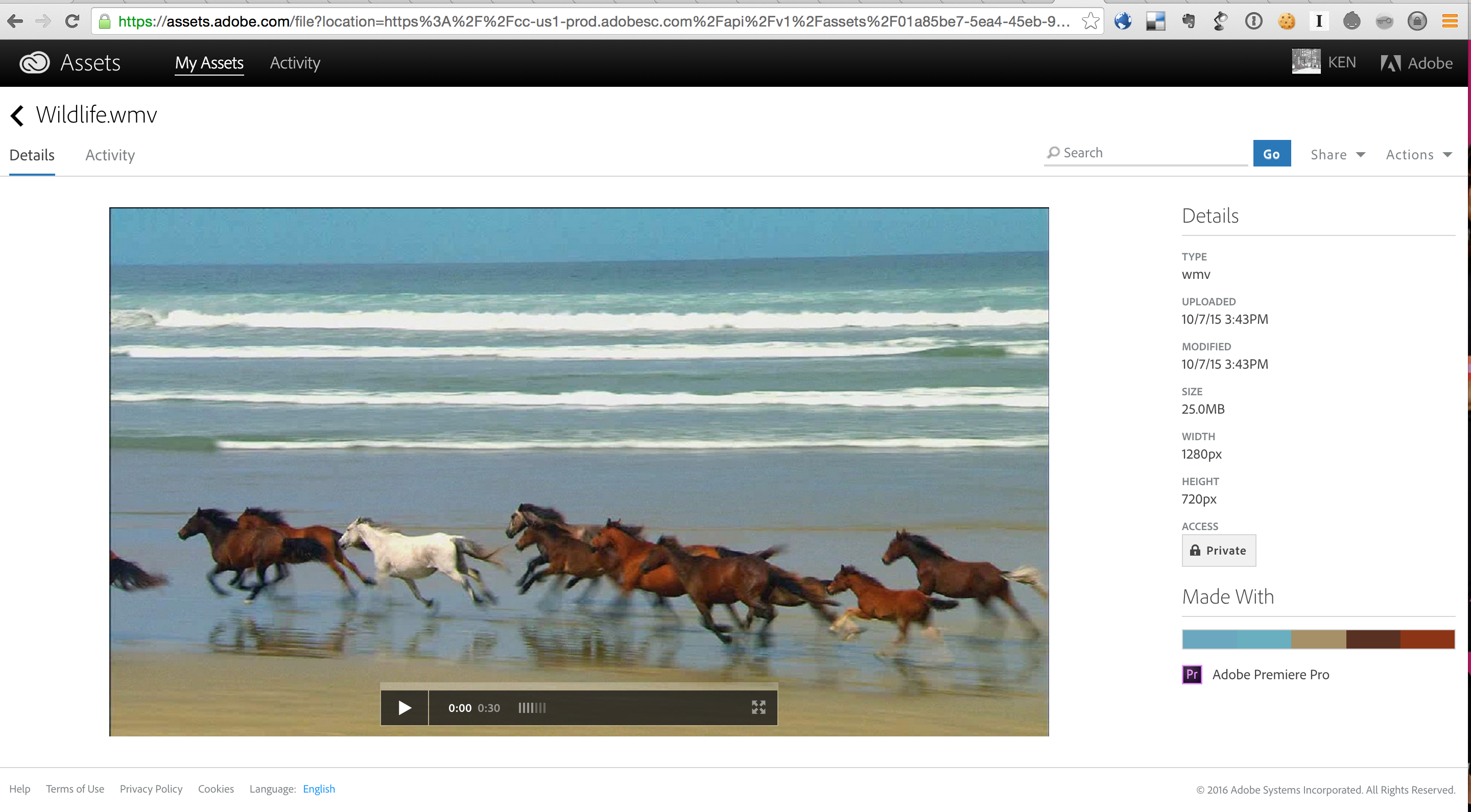
Are you uploading the file using file syncing or using the CC Assets site at https://assets.adobe.com? What is the Details panel showing? It should show the Size.

For example:

Screenshot 2016-04-14 17.05.22.png

Translate
Adobe Employee ,
Apr 14, 2016 Apr 14, 2016

Are you uploading the file using file syncing or using the CC Assets site at https://assets.adobe.com? What is the Details panel showing? It should show the Size.

For example:

Screenshot 2016-04-14 17.05.22.png

Translate
Report
Community guidelines
Be kind and respectful, give credit to the original source of content, and search for duplicates before posting. Learn more
community guidelines
New Here ,
Apr 14, 2016 Apr 14, 2016

It does not say the size, here are two screenshots of what it says when you look at assets and click on it. It is the.MOV file

Translate
Report
Community guidelines
Be kind and respectful, give credit to the original source of content, and search for duplicates before posting. Learn more
community guidelines
Adobe Employee ,
Apr 15, 2016 Apr 15, 2016
LATEST

No screenshots attached to your post.

Translate
Report
Community guidelines
Be kind and respectful, give credit to the original source of content, and search for duplicates before posting. Learn more
community guidelines