


Participant
Jun 9, 2021 12:23 PM UTC
Answered

Adobe portfolio site not loading how it should.

Hello, I am currently updating my portfolio site as I am looking for jobs, but my website isn't loading properly now since I last updated it. In the preview and editor, it looks fine, but the actual website is formatted completely wrong in the browser.
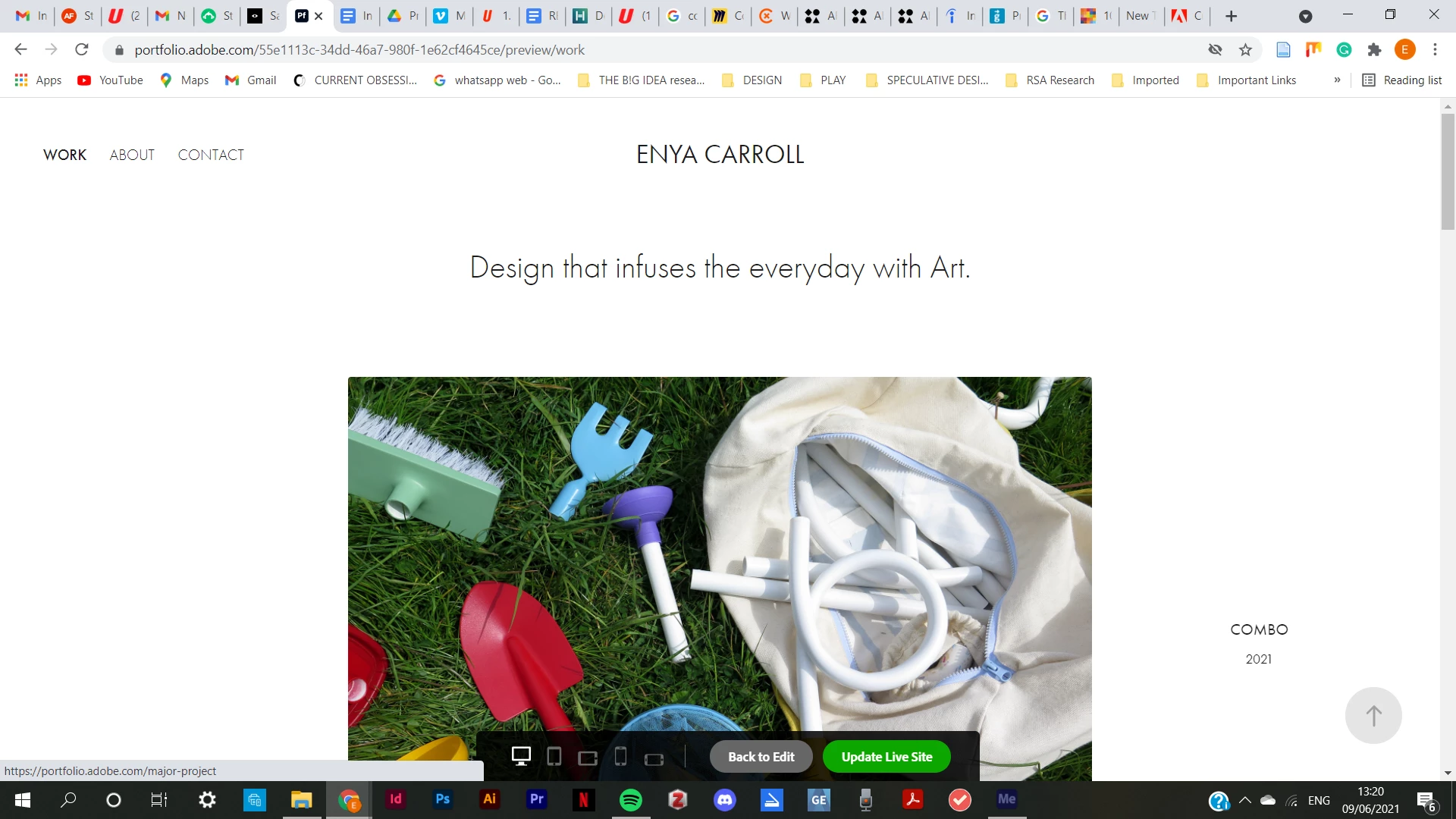
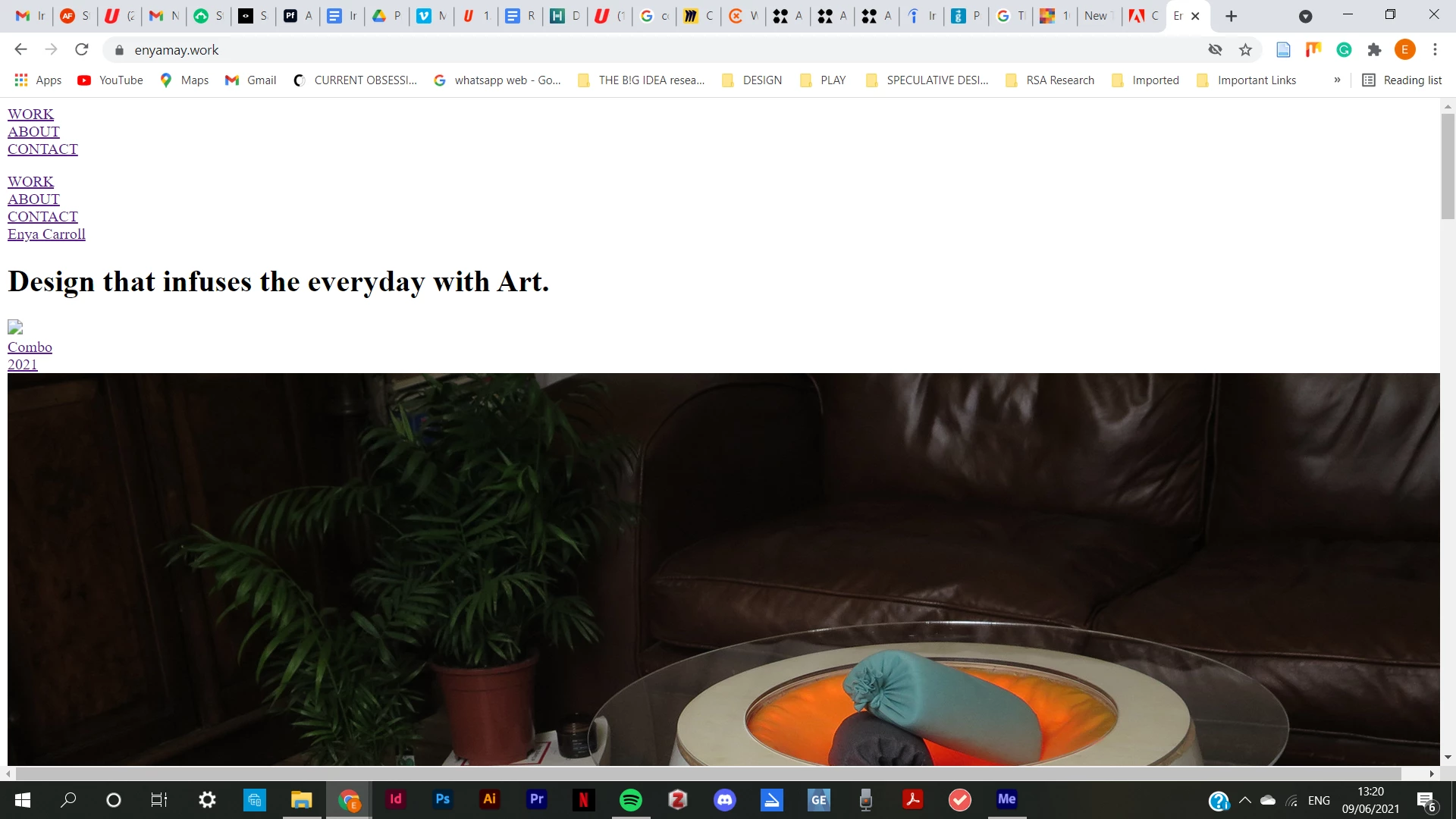
 

Does anyone know what the issue could be?

This topic is closed to new replies. Start a new post to keep the conversation going.
Nancy OShea
Nancy OSheaCorrect answer
Community Expert
Jun 10, 2021 12:58 AM UTC

Hi @enya5EDE and everyone,

S h * t  happens!   Adobe uses AWS to store global assets.   When Amazon goes down, everything is effected.  My commercial sites were also effected for a few hours.  


Next time you have a technical problem for which you can find no solution in the Portfolio FAQ & Knowledgebase, submit a ticket directly to the Portfolio Support Team.  Although candidly, there's not much anyone can do when a whole region of servers goes offline except to wait it out.

https://help.myportfolio.com/hc/en-us/requests/new?ticket_form_id=177168


For bug reports & feature requests, use Adobe Portfolio's User Voice.

https://helpx.adobe.com/x-productkb/global/how-to-user-voice.html 


Hope that helps. 🙂


Nancy O'Shea— Product User & Community Expert

8 replies

Nancy OShea
Community Expert
Nancy OSheaCommunity ExpertCorrect answer
Community Expert
Jun 10, 2021 12:58 AM UTC

Hi @enya5EDE and everyone,

S h * t  happens!   Adobe uses AWS to store global assets.   When Amazon goes down, everything is effected.  My commercial sites were also effected for a few hours.  


Next time you have a technical problem for which you can find no solution in the Portfolio FAQ & Knowledgebase, submit a ticket directly to the Portfolio Support Team.  Although candidly, there's not much anyone can do when a whole region of servers goes offline except to wait it out.

https://help.myportfolio.com/hc/en-us/requests/new?ticket_form_id=177168


For bug reports & feature requests, use Adobe Portfolio's User Voice.

https://helpx.adobe.com/x-productkb/global/how-to-user-voice.html 


Hope that helps. 🙂


Translate
Nancy O'Shea— Product User & Community Expert
Paweł Witkowski
Participant
Jun 9, 2021 1:08 PM UTC

It seems it works properly now thank god 🙂

Translate
Participant
Jun 9, 2021 1:05 PM UTC

The issue is the same as more than half online services have experience yesterday when Fastly went down for an hour. Amazon, Adobe, governement websites went down as well. Adobe Portfolio issue is probably the same. It will take time to recover. Its really annoying tho

Translate
Michael Dunlap
Participating Frequently
Jun 9, 2021 12:42 PM UTC

Yes, I checked on multiple browsers and cleared my history in Chrome. Also, I noticed that some Adobe images even in my Outlook box aren't showing up... which could be related?

Translate
enya5EDEAuthor
Participant
Jun 10, 2021 10:56 AM UTC

Yeah, I think it was adobe, it's annoying you cleared your history and everything! I think it's back running regularly again, I hope it is for you too!

Translate
Michael Dunlap
Participating Frequently
Jun 9, 2021 12:39 PM UTC

It appears to be an issue on Adobe's side. Thank you for posting! I didn't know where to go. There isn't an Adobe Portfolio Support Community that I could find.

Translate
Paweł Witkowski
Participant
Jun 9, 2021 12:30 PM UTC

Same here. It seems there are some biger problem at Adobe. Mine site now looks like that:


https://portfolio.witkowskipawel.pl

Translate
Paweł Witkowski
Participant
Jun 9, 2021 12:30 PM UTC

No images, no CSS, everything looks very broken 😞

Translate