

Question
Creative Cloud: green check marks for sync not showing on mac desktop
Since I last logged on I can no longer see any green check marks on my local files in Finder. Files are updating properly as I've checked them on the Creative Cloud web page. I've tried
• logging out and back in to Creative Cloud
• uninstalling and reinstalling Creative Cloud
• I've tried the solution at this post, checking that Core Sync is checked in System Preferences > Extensions > Finder Extensions, but I don't have a Core Sync check box to check
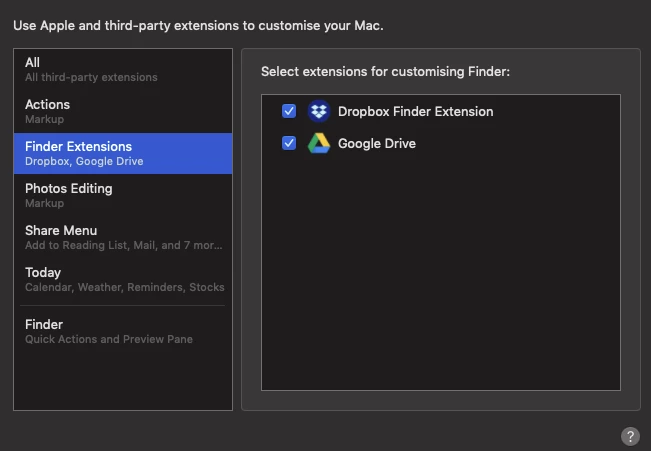
Does this mean Core Sync is not loading the extension somehow? any solution to this (or other solution)?
thanks in advance
Chris
---
Mac OS Mojave 10.14.6 on a Late 2014 Mac Mini


 AdChoices