F.Quill
Inspiring
March 2, 2021
Answered

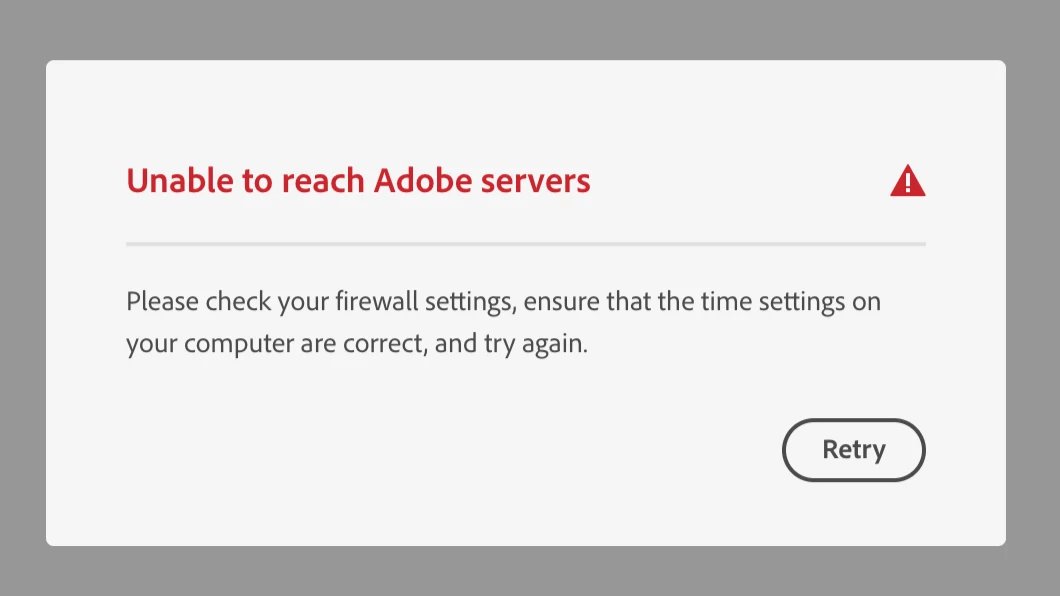
Why is Adobe CC "Unable to reach Adobe servers"

  • March 2, 2021
  • 1 reply
  • 2031 views

Just started doing this, tonight.   ... ? for no reason ...  Weirdly suspicious, and ex-annoying.

"Unable to reach Adobe servers"  (see screencap below)

Firewall settings are not changed, and I have no idea what it means about time settings?  

And I was able to get the CC window to pop-up for a second and when I clicked on the community it crashed again.

Signed in from my browser - to Adobe and their Adobe Creative Cloud "contact" button for support does not work, on their page, either.

My account is in good standing.

What is best action recommended?


macOS Catalina, v10.15.7  Adobe CC Member 4 years approx.


    This topic has been closed for replies.
    Correct answer kglad

    Thank-you, kglad!

    Timing is everything!  The Creative Cloud is updated, now, to V 5.4.1.534 (did it in the bg) and all apps seem to be working off-line and on-line.


    There is an issue with the time-zone on my OS (maybe because of Daylight-Savings-Time (DST), here).  Am going to ignore that, for now.  It will go away in a few weeks when our clocks change. (DST is a complete WASTE of time and energy at every level but some silly folks where I live want it to be on forever - it should be OFF forever.)


    Also there is an issue with the 'syncing' that is paused, now.  Still cannot find any place where I can disallow or stop the sync process.  That is a new, odd, and undesired behaviour.  Will explore and learn more about as it applies with the Apps I use most, later.  Suspect it may have to do with some Presets.  That is a different topic, tho.


    Thank-you for the link to the network issue page!  Excellent resource that I will study, today.  At a glance, there are a few topics there that need my attention to learn more.


    But I think I am good to go, for now.  So thanks, again, for your valued input.  Adobe Community Pros are my heros!  


    Have a wonderful day!


    sync pause is the same as stop.  it should remain "paused" with computer restarts and adobe cc app updates.


    the only thing that should cause sync to unpause/restart would be if you manually click "resume syncing" in the preferences>syncing panel


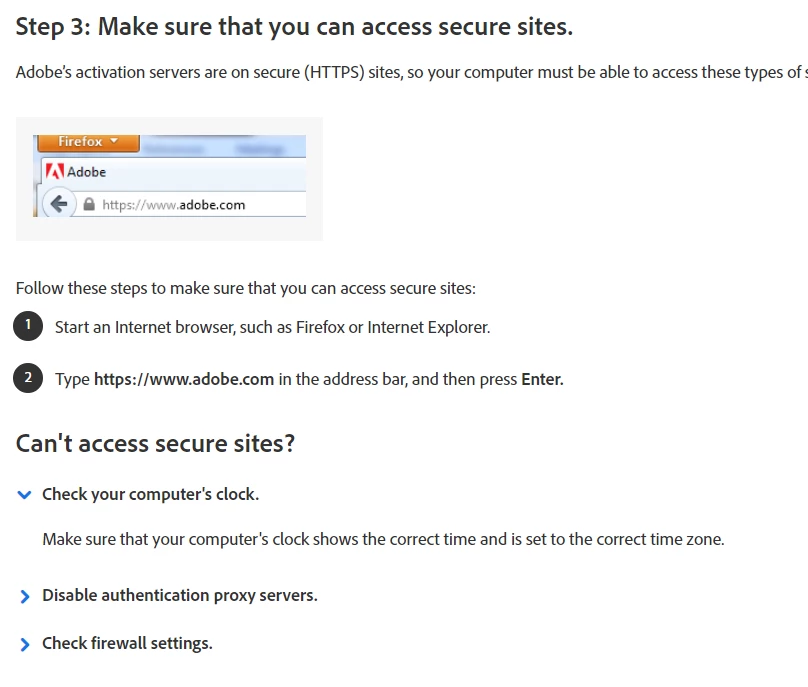
    your system clock can be an issue causing connection problems.  i have no idea why that should be so, but check step3, #2 on the network issue link:


    1 reply

    kglad
    Community Expert
    Community Expert
    March 2, 2021

    adobe's website is having problems.  many of us are seeing issues with signing-in, accessing cloud files etc.


    what are you doing that triggers that message?

    F.Quill
    F.QuillAuthor
    Inspiring
    March 3, 2021

    Just did another check to see if I could use any applications off-line and discovered that there was some "syncing" activated with the Creative Cloud.  (Pretty sure I have never activated that, to date, but saw that the  "cloud" icon was on top of the application bar for PS and ID.  

    Then, I went back on-line, opened CC, and paused the "syncing".  

    That seemed to work, but now there is a "pause" symbol on the "cloud" on my bar.  (I don't need to sync anything, at this time, and probably won't want to if it means that I can never get work done when off-line.)


    At least I can now use the Adobe applications, off-line, and the pop-ups about subscriptions and servers stopped.  

    What would cause a syncing error, and why would it tell me that there is a server or subscription error, instead?

    Am still looking for answers as to why this has happened and how to prevent this new and bad behaviour from recurring.

    Thank-you, in advance, for any suggestions.


    F.Quill
    F.QuillAuthor
    Inspiring
    March 3, 2021

    The little pause is activated manually if you don't want anything to automatically sync.


    The only thing that I have experienced like this has to do with your CreativeCloud App.  The one that runs the whole dealio.  Make sure that CreativeCloud Desktop app is up to date.  When the app "calls home" to verify the license, if it's not a current version, it used to cause problems.


    Thank-you KoMaruyama!

    There is no prompt or notice that CC is not up-to-date.  

    I saved this note for restart instruction, just in case something like this happened.  Not the same issue in this case but wonder if I should try it out?

    I tend to be cautious with re-launching but what's the worst that could happen?

     Late last night, while on chat with Adobe, the advisor was going to try to talk me thru a process but  it was really late (too tired) so I told them I could not - that I would call back (but too busy all day, today).

    This is a screen-cap of what they were asking me to do - on my system... but none of these things were open at the time, in Finder, anyway, so I thought that was an odd place to start. (Of course they for permission to come on to my computer to do this - I did that once years ago and learned to not ever do that again, ever.)  That is when I decided I was probably too tired to deal with it, last night.  

     There are not ... (dots) on anywhere on the CC window, for an update.  I looked in all the account settings, etc.,  but see nothing about CC updates - although I do recall setting a preference sometime back to keep Adobe Creative Cloud up-to-date.

    But I do not allow automatic up-dates on the Apps - those, I prefer to know when, and choose when I am ready to update those.  Truth is, am waiting to up-date PS and LR because of my macOS and that there are a number of issues between these Adobe apps and my OS that are not resolved, yet.  But I did up-date InDesign and Illustrator - haven't had time to test-drive them, yet but also, don't have much projects invested in those at the moment so they are not as important, anyway.


    Again, it is very late, tonight, for me, so I will try again, tomorrow.

    Thanks, again!