
ee9950094
Participating Frequently
July 15, 2016
Question

Cannot uninstall Adobe Digital Editions 4.5 from Mac.

  • July 15, 2016
  • 4 replies
  • 12670 views

Hi folks. I am on a Macbook Pro running Yosemite OS version 10.10.5.

I cannot uninstall Adobe Digital Editions 4.5 from my Mac.

Things I have tried that do not work:

- dragging the application (with all associated folders) into the trash and emptying the trash

- pressing the "eject" button on ADE in the finder, then dragging application into trash and emptying trash

- downloading and running CC cleaner

- searching for all related files on computer and deleting

- re-downloading Adobe Digital Editions 4.5, deleting the application, and emptying the trash

- force quitting and re-launching Finder

- hiding ADE from Finder sidebar

- ejecting ADE (it just comes back)

Although the application is presumably "deleted," it continues to show up like this in EVERY SINGLE FILE FOLDER on my computer.
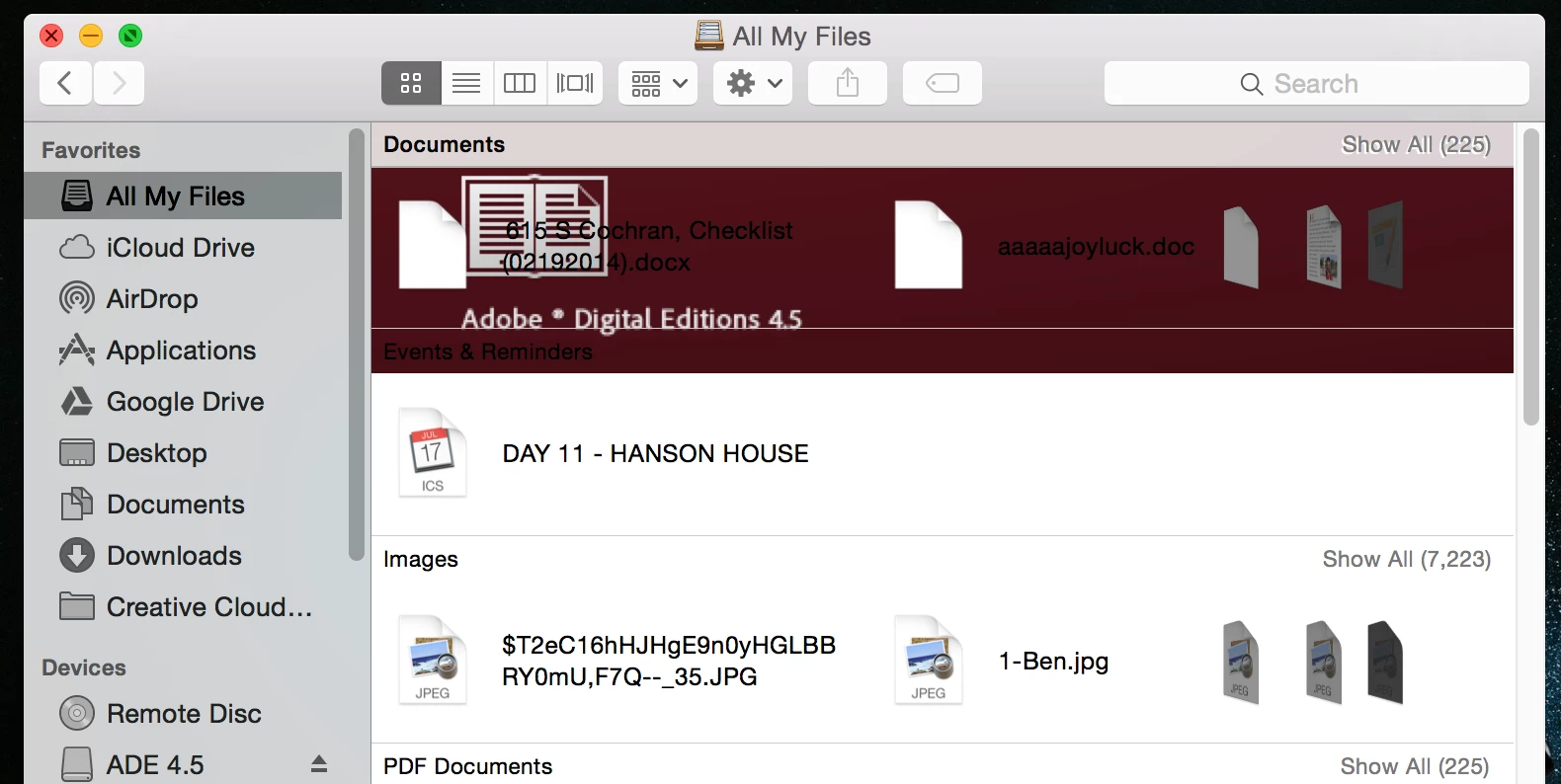
The only remaining trace of this program on my computer exists here, but it refuses to allow me to delete it:
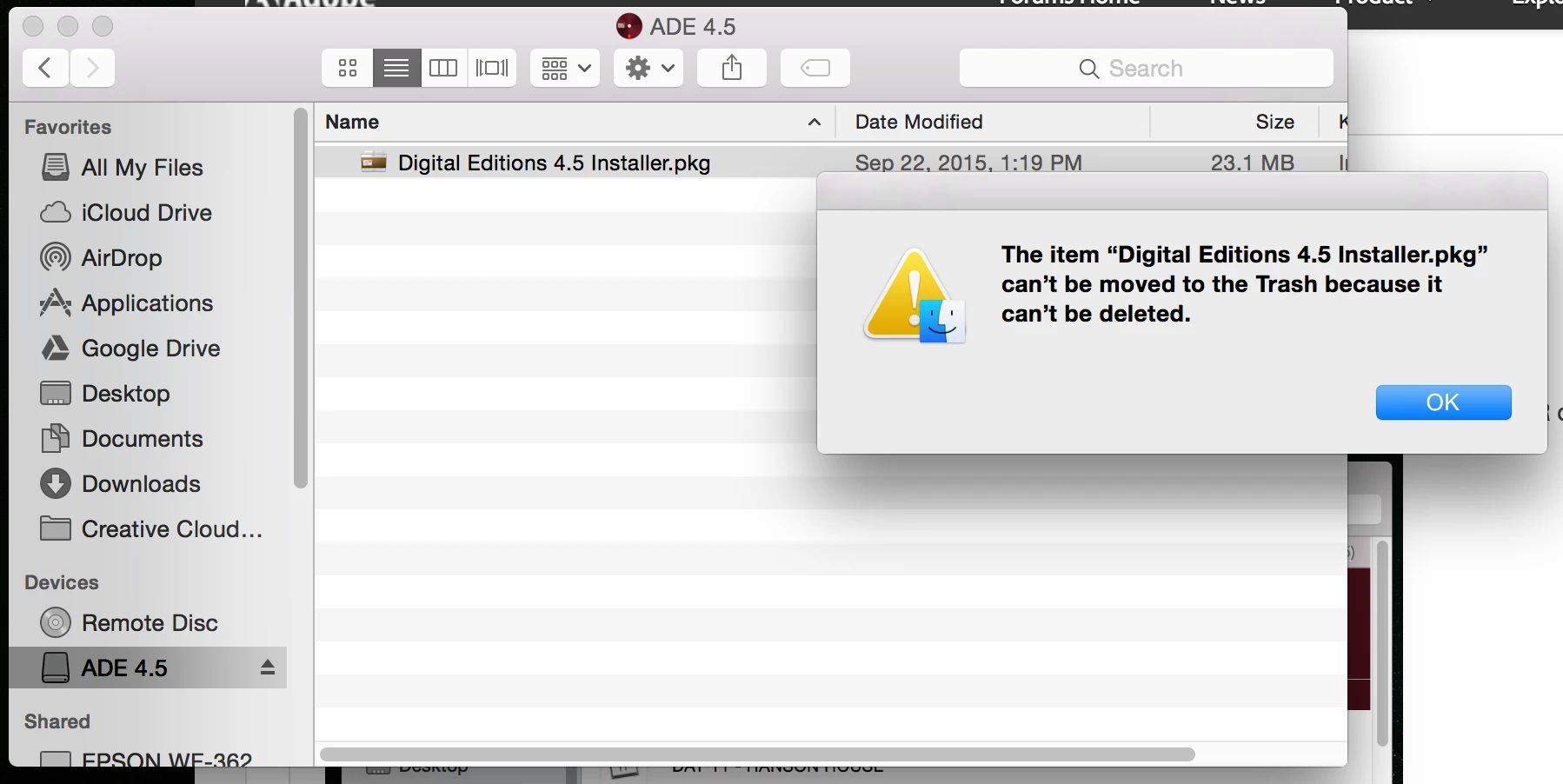
When I click to open Digital Editions 4.5 Installer.pkg, it simply makes me reinstall again.

I would greatly appreciate any suggestions for getting this terrible program off my computer. Thank you.

    This topic has been closed for replies.

    4 replies

    ee9950094
    ee9950094Author
    Participating Frequently
    May 24, 2017

    OP reporting in, for anyone still suffering from this problem. After a year of living with this trash software haunting my computer, I finally made it to an Apple Genius Bar. Within five minutes the guy completely freed my computer of this junk.

    A few things he did:

    - ran malwareBytes Adwcleaner, deleted a couple files that come up after the scan and restarted the computer

    - went into the Library and deleted ADE files

    - completely cleared the cache

    - emptied the trash (where the ADE installer was lurking, forever running and refusing to be closed or deleted)

    Voila. Like magic, gone. So give this sequence a try, and if all else fails ask an apple genius. Good luck and godspeed.

    Participant
    April 17, 2018

    Adobe Digital Editions is indeed a horrible app - a piece of junk, and deserving of every negative rating it's received (and there's quite a few of those!). I wound up here after searching for uninstall information on ADE, after first checking that there was no 'uninstaller' provided (a$$hulls!) . After reading comments here, I was prepared for the worst.

    All that said, I've just completed the uninstall manually, and (fingers crossed) don 't seem to have any issues. Here's what I did for the benefit of others who wind up here:

    1. Installed a copy of MalwareBytes

         [altho' it didn't seem to be necessary in this case, I think it's good to have it]

    2. Did a search in 'Finder' for "Adobe Digital Edition" (in quotes, inside Finder's search bar, just as shown)

         [it found an .xml file in my "Documents" folder, which led me to a nest of ADE-related folders, and containing the single book that was the reason for installing ADE in the first place]

    3. I made sure that ADE was not running by checking 'Activity Monitor'

    4. In the Applications folder, I "Trashed" two ".app" files with ADE in their name

         [one was a small file of only a few hundred bytes... no idea what its purpose was, but guaranteed not for the user's benefit]

    5. Deleted/Trashed ADE-related folders

         [one in my Library/Application Support/Adobe/Adobe Digital Edition, one in my "Documents" folder as mentioned above]

    6. Emptied the Trash

    Hope that helps

    ee9950094
    ee9950094Author
    Participating Frequently
    April 7, 2017

    bump! Revisiting because I still have this problem!! I hate you Adobe Digital Editions!

    Participant
    November 12, 2016

    have you found a solution??

    i have the same issue.

    Adobe can't provide my any uninstaller and keep telling to search the answer through forums ....

    Nanaky
    Participating Frequently
    July 15, 2016

    Has you also try to uninstall Digital Edition over the uninstall file?

    ee9950094
    ee9950094Author
    Participating Frequently
    July 15, 2016

    Hi Nanaky, can you elaborate. What do you mean by "uninstall Digital Edition over the uinstall file"?

    ee9950094
    ee9950094Author
    Participating Frequently
    July 18, 2016

    Go to the folder of Digital Edition. In this should found a file for uninstall the software.


    Hi Nanaky, I trashed all Digital Editions files on my computer but am still experiencing this issue (ADE graphic shows up in every single file viewer).

    I decided to re-download the program so that I could search for the uninstall file, which you explain is located in the files for Adobe Digital Editions.

    Here are the available files in the ADE contents.

    Here are the expanded files. I could not locate any uninstall file.

    I searched for an uninstall file in the ADE contents. These are the results, and the message I received when clicking on the results.

    In conclusion, it appears that there is no uninstall file located in the ADE contents.