
Participant
January 17, 2017
Question

Error Message: Error getting License. License Server Communication Problem: E_AUTH_BAD_DEVICE_KEY_OR_PKCS12

  • January 17, 2017
  • 2 replies
  • 1955 views

Hello, I've been trying to download an ebook from a trusted online source recommended by my post-secondary professors.

I've been following the instructions below:

(I am using a Macbook Air)
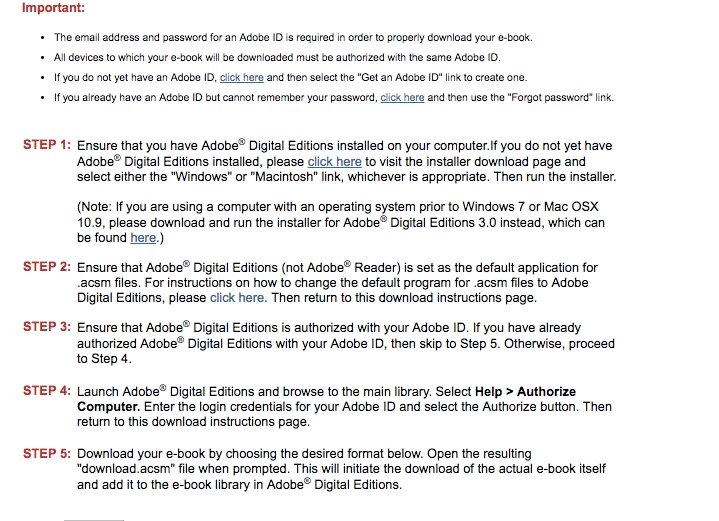
After following all of the steps in the above image, I still was given an error message (multiple times):

Error getting License. License Server Communication Problem:

E_AUTH_BAD_DEVICE_KEY_OR_PKCS12

What can I do to resolve this issue?

This topic has been closed for replies.

2 replies

Participant
June 15, 2018

Hi

I am working on Windows 7

I am trying to download an ebook from google play books. It gave and ACSM file which required Adobe digital edition  to open and download the ebook. On trying to open the E book, I am getting the above shown error.

Error getting License. License server communication problem. E_AUTH_BAD_DEVICE_KEY_OR_PKCS12

What should I do ? and How can I resolve the error.

Please let me know. Adobe Digital Editions

regards

Pushkal Singh

email : pushkalsingh@gmail.com

Nanaky
Participating Frequently
January 17, 2017

Closed Digital Edition.

In the Finder, choose Go > Go to Folder.

In the Go To Folder dialog box, type ~/Library

Click Go.

Go in the folder Application Support > Adobe > Digital Editions and drag the activation.dat file to the trash.

Empty the Trash.

Restart the Digital Editon and authorze again.

ThatveganAuthor
Participant
January 17, 2017

I did that, then this message occurred:

Error getting License. License Server Communication Problem:

E_ADEPT_REQUEST_EXPIRED

Nanaky
Participating Frequently
January 18, 2017

Check your Time, Date and Timezone.