
September 22, 2015
Question

Vendor login ID?

  • September 22, 2015
  • 3 replies
  • 3335 views

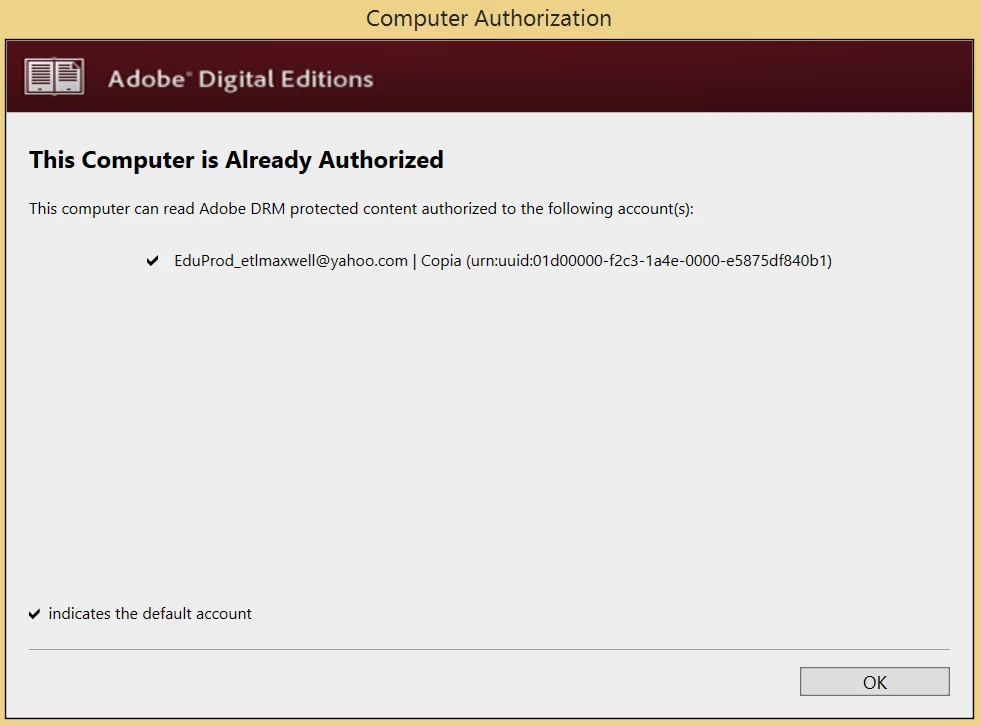
A few months ago I had a different e-book reader for a summer class. It was the Copia reader program and I uninstalled it once the class was over. However, I downloaded Adobe Digital Editions to read an e-book for a different class. When I first downloaded it I was not ever prompted to authorize with an Adobe ID. ADE automatically picked up my Copia account for authorization.

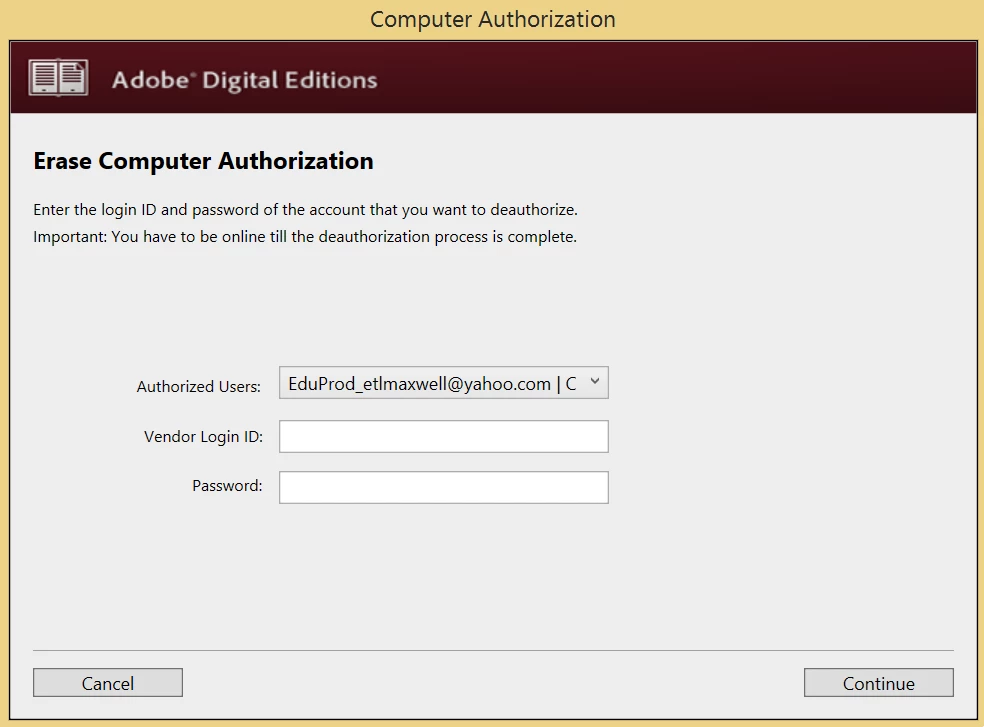
The issue is that I cannot open the book for my current class because the authorization is not for the right account. When I try erasing the authorization, it asks for a vendor login ID and I have no idea what I need to put there. I've tried my account for Copia, I've tried the company name and the company of the textbook but I can't figure out what I need to put to erase the authorization.

I'm just wondering if anyone happens to know what the vendor login ID is.

Here is a picture of the authorization that I currently have.
And here is the picture of the whole vendor login ID window.
This topic has been closed for replies.

3 replies

Participant
July 22, 2018

My Adobe ID Activation is not working

If you have authorized multiple eReaders and computers with Adobe Digital Editions using your Adobe ID, you may get an error message saying "Too Many Activations" when you try to authorize again. This is because Adobe puts a limit on the number of times you can use an Adobe ID to authorize a computer or eReader.

You can, however, request additional authorizations. Here's how to request more authorizations:

  • Go to http://www.adobe.com/go/supportportal
  • Sign in with your Adobe ID and password.
  • Under "Get Support," in the "Technical Support" tab: Under "Choose issue type" select "Using a product or service."
  • Under "Choose product," first select "Additional Products," then select "Adobe Digital Editions."
  • Fill in the online form, describing the problem and asking for additional authorizations. You should get an e-mail from Adobe in a couple of days letting you know that they've reset your authorizations. You can then re-authorize your eReader in Adobe Digital Editions.

How do I deauthorize my computer with Adobe Digital Editions?

If you are no longer using a computer or wish to change your Adobe ID you may need to deauthorize Adobe Digital Editions. To do this, click the Library View icon in ADE then press Ctrl+Shift+D (or Cmd+Shift+D for Macintosh).

Source: Help - Ebooks FAQ

benb86814048
Participant
January 18, 2019

Still didn't answer the question.  What is the vendor ID and password?  It isn't my ADE ID and PW.

Participant
November 15, 2021

I'm looking for same info!!!cant find any help for this question

karenk28145846
Participant
April 13, 2017

THIS IS THE SAME ISSUE I AM HAVING.  WHERE IS ADOBE SUPPORT FOR THIS ISSUE!!!!

Participant
November 12, 2016

looks like there is no one to answer this since it's been over a year. is there really any "experts" on this forum?