pwillener
Legend
July 24, 2012
Question

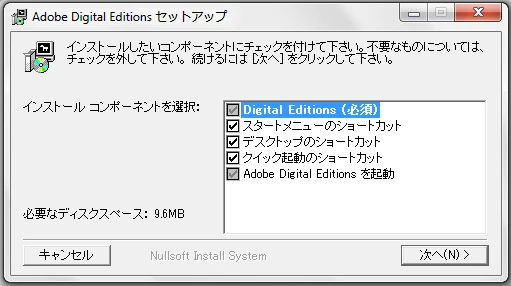
Why is the download panel in Japanese?

  • July 24, 2012
  • 1 reply
  • 880 views

Windows 7 Pro x64 (English version), Waterfox 13, as well as IE9.

Tried to download Digital Editions today in order to reproduce a problem someone else was having.

  1. went to http://www.adobe.com/products/digitaleditions/

  2. click on Download now
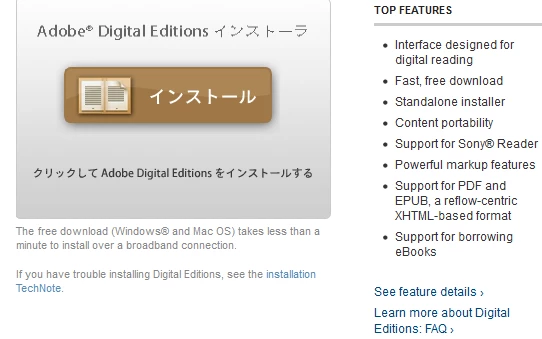
  3. click on インストール
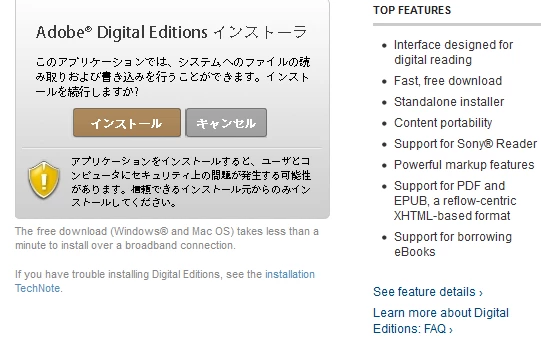
  4. click on インストール again
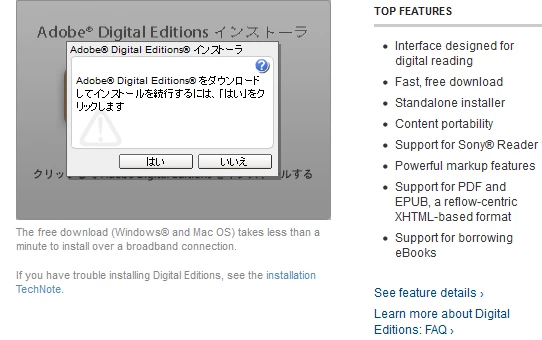
  5. click on はい
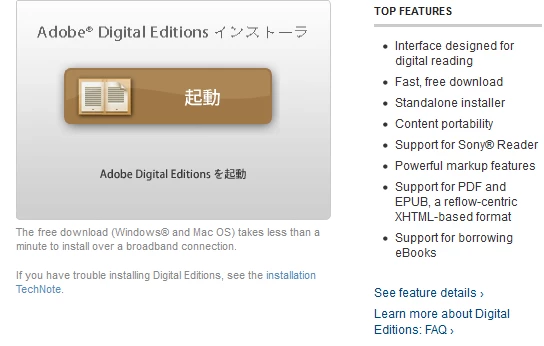
  6. now this panel opens

Now I really don't know how to continue; my Japanese is not good enough.

Why does the installation have to be in Japanese?

How can I change it to English?

P.S. and an additional question: if I continue the installation here with the default values, will the installed product UI also be in Japanese?

    This topic has been closed for replies.

    1 reply

    pwillener
    pwillenerAuthor
    Legend
    July 24, 2012

    Pat Willener wrote:

    if I continue the installation here with the default values, will the installed product UI also be in Japanese?

    I just completed the installation; to answer my own question:

    Participating Frequently
    July 24, 2012

    When asked for the installation language, your computer is answering japanese - are you running a J version of Windows?

    pwillener
    pwillenerAuthor
    Legend
    July 24, 2012

    English language Windows.

    Some Regional Settings are set to Japanese, for certain Japanese programs to display correctly.

    But all other Adobe download and install panels display correctly in English.