tysonc17062278
Participant
February 26, 2018
Answered

AAM Updates Notifier Application has stopped working

  • February 26, 2018
  • 1 reply
  • 4984 views

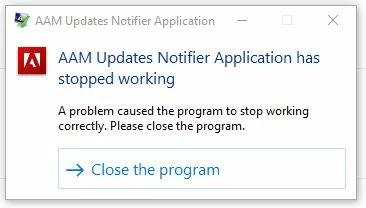
I keep getting this notification on my Windows 10 pc that "AAM Updates Notifier Application has stopped working" and to close the program (See attached screenshot).

I have Adobe Creative Cloud (every app is up to date). I'm not sure what AAM is, but after googling it, it looks like it might be "Adobe Audience Manager" which I do not have installed or even see as an option to install. My pc is on an enterprise network with my employer. So that does add some complexities in terms of user group permissions and administrator rights. This notification just started popping up in the last week or so, it comes up multiple times. I'd like to know how to either fix it, or kill it entirely. Anyone have any ideas?
This topic has been closed for replies.
Correct answer jayants33240872

Hi,

Follow the steps mentioned below.

I windows you have to delete the Adobe application manager, AAM updater, AAMupdater inventory from the three loactions.

     a) Local C>program files(x86)>common files>Adobe

     b)Local C>program data>common files>Adobe

     C)open run command and type APPDATA>Local>adobe

3. After this you need to download the application manager from the below mentioned link.

for Windows:- Adobe - Adobe Application Manager : For Windows : Adobe Application Manager

After this run the application again and you will be able to use application again.

It will resolve your issue.

Good luck.

1 reply

jayants33240872
jayants33240872Correct answer
Inspiring
February 26, 2018

Hi,

Follow the steps mentioned below.

I windows you have to delete the Adobe application manager, AAM updater, AAMupdater inventory from the three loactions.

     a) Local C>program files(x86)>common files>Adobe

     b)Local C>program data>common files>Adobe

     C)open run command and type APPDATA>Local>adobe

3. After this you need to download the application manager from the below mentioned link.

for Windows:- Adobe - Adobe Application Manager : For Windows : Adobe Application Manager

After this run the application again and you will be able to use application again.

It will resolve your issue.

Good luck.

DaveBleasdale
Inspiring
March 27, 2018

I have the same issue in Windows 10 - but even though I get the message I can see updates in the Creative Cloud Desktop app and I get notification of updates popping up.

Dave