
Participant
June 17, 2019
Question

Activation Limit Reached

  • June 17, 2019
  • 2 replies
  • 932 views

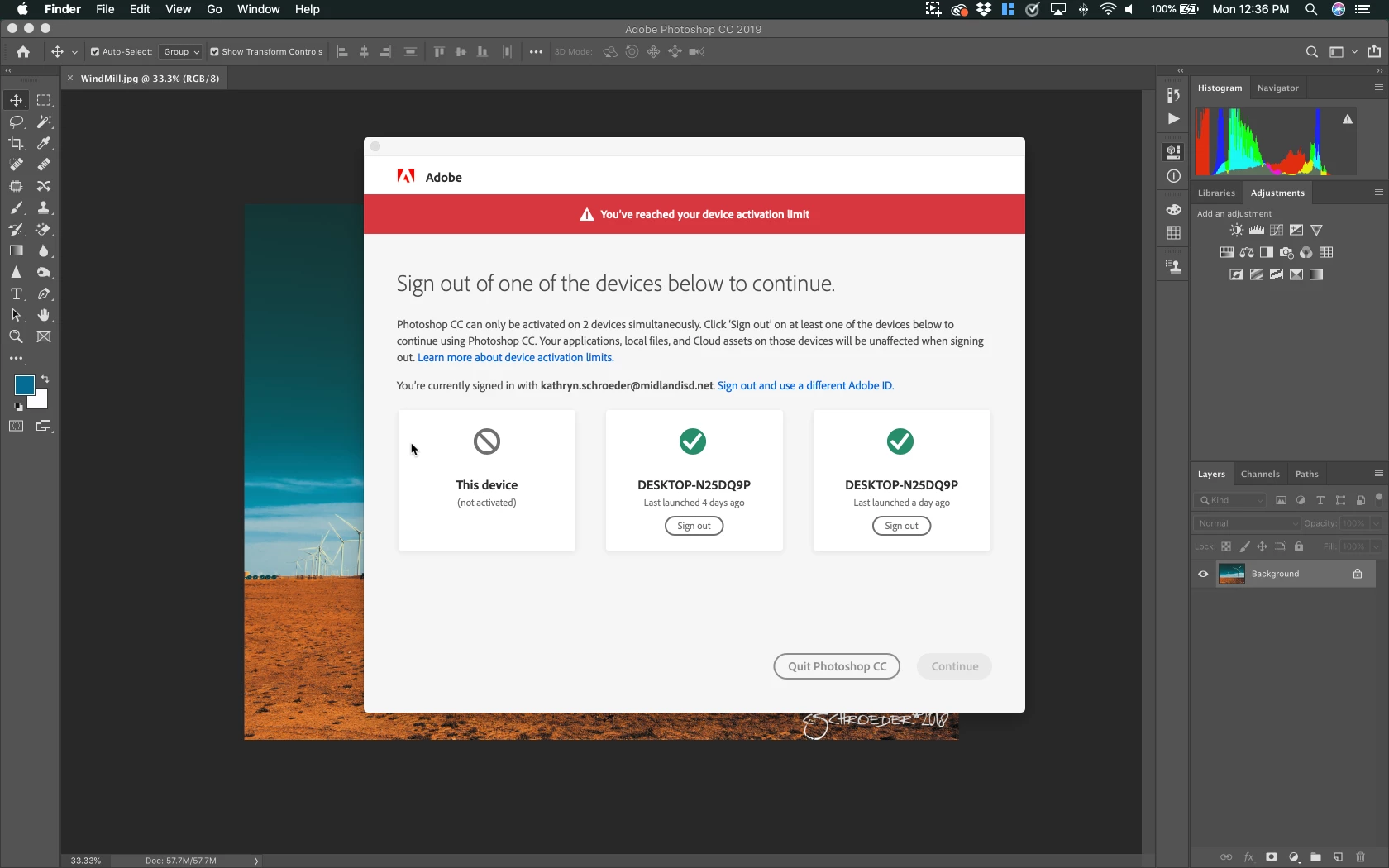
I am using a second computer a Mac Laptop my other device is a Desktop-N25DQ9P and keeps getting registered twice for some reason, causing a loop that makes me have to bump the desktop over and over. Please help! This isn't how I need to spend my day logging in over and over again.
This topic has been closed for replies.

2 replies

Jeffrey_A_Wright
Community Manager
Community Manager
June 17, 2019

HaveTechWillTravel, in addition to the steps offered by Kglad, on how to manage your activations in post #1, I would recommend you review the settings of any installed security, system utility, or back up software that is installed on both computers.

I reviewed the activation history for the e-mail address you used to post to this public discussion forum, and I do see a large number of daily requests from both computers.  Any software that can modify or affect files on the computer is a suspect.

You are also welcome to work directly with our support team at Contact Customer Care to see if any other steps can be implemented.

Participant
June 28, 2019

Hi Jeff,

I get this same issue, and I've logged 2 (or 3) cases with Adobe support about this. It seems there is a bug somewhere that's registering computers multiple times.

The workaround it just sign out of the same computer that I'm using, to let it sign me back in, but for the price I'm paying for the software it's pretty annoying.

Is there anyway this can be looked into as a bug and fixed?

Jeffrey_A_Wright
Community Manager
Community Manager
July 16, 2019

Hi Jeff,

I'm not sure what you can see from your end, but I can only see part of the ticket. ADB-5296071-L3L1 for instance as in the attached screenshot.

Below that, there is a list of images I attached, all related to "over activation"


Noblemonkey, I am sorry, but case ADB-5296071-L3L1 was closed after we did not receive a response from you on 1/29/2019.

Any difficulties you are facing managing your activations will not be solved in a public discussion forum.  Please contact our support team at Contact Customer Care so a new case can be opened to resolve the current errors you are facing, Noblemonkey.