
Participant
November 6, 2019
Answered

Adobe 2020 Products not replacing 2019

  • November 6, 2019
  • 3 replies
  • 1290 views

After being prompted to update my adobe products through Creative Cloud, I now have both the 2020 versions and 2019 versions of the multiple applications. (see photo below)
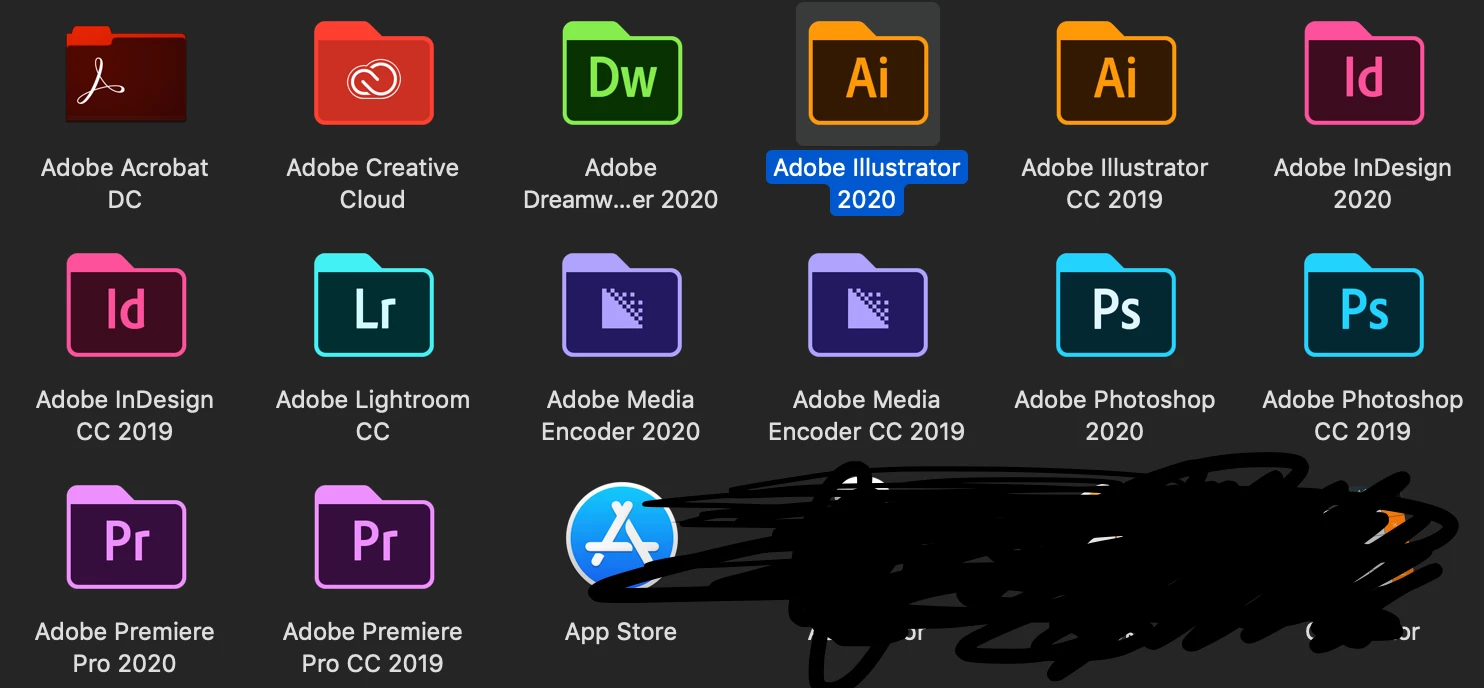


The newer versions doesn't have "CC", does that mean its not in my creative cloud?


Which version should I remove?

This topic has been closed for replies.
Correct answer Test Screen Name

Keeping the old ones for a bit is the safe option, unless you are really brave - and confident the new version will be perfect for you right away.

3 replies

Known Participant
December 15, 2020

Creative Cloud doesn't work like say Office with regards to updates. Each app is essentially a brand new version. Creative Cloud App is more like a glorified installer that just happens to a a resource hog.

Participant
January 15, 2020

I have the same problem and I don't like it.  Is it up to the user to uninstall the old versions?  Any adobe moderator help?


[EDIT] So both versions will appear in Creative Cloud app.  You can decide to keep or uninstall there (incl. reinstalling if you want the old version back).

Legend
December 15, 2020

I'm not sure how you want a moderator to help. Moderators make sure forum rules are followed, remove spam, and so forth. They aren't technical specialists (unless they also happen to be one) and they don't work for Adobe (unless they happen to). It's very rude, you know, to ask to speak to someone else because you don't like the facts. We were quite capable of answering your questions, but I don't think I'll bother now. Have a nice day.

Test Screen NameCorrect answer
Legend
November 6, 2019

Keeping the old ones for a bit is the safe option, unless you are really brave - and confident the new version will be perfect for you right away.