
Known Participant
May 31, 2013
Question

adobe application manager - download error. please contact customer support

  • May 31, 2013
  • 1 reply
  • 4350 views

trying to download cc apps to my laptop (my second computer) - mac os 10.8.3 - safari browser (failed w/ firefox too)

been having this issue for a couple months... want to clear it up befor the new cc releases

so I just uninstalled and removed all adobe apps from my computer - including the adobe application manager

restarted my computer (shut down my desktop) - downloaded the 'new' adobe application manager

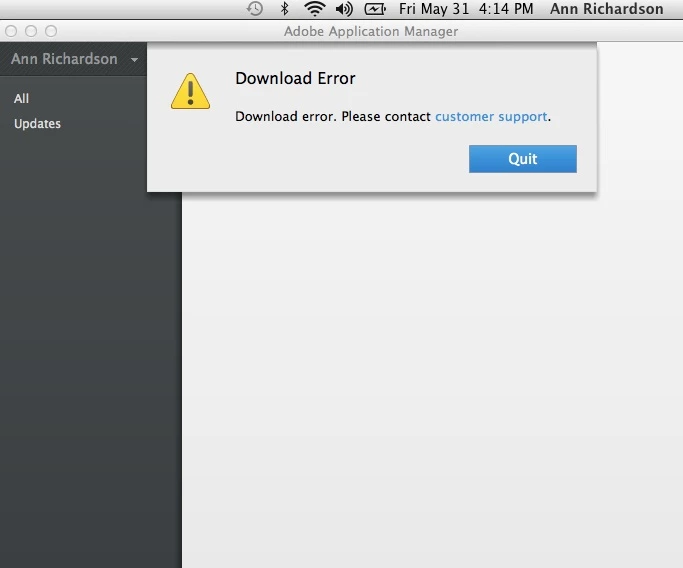
tried to log in and got the following error (same error I have been getting for months)

adobe application manager - download error. please contact customer support
This topic has been closed for replies.

1 reply

baljeet_singhj75820470
Adobe Employee
Adobe Employee
May 31, 2013

Hi h2oonstone,

Pleae try these steps and see if it helps :

  • Rename OOBE folder to OOBE_old located at  : Mac OS X : Macintosh HD>Library>Applciation support>Adobe>
  • Delete opm.db file located at <yourusername>/Library/Application Support/Adobe

Then try to lauch AAM

Known Participant
May 31, 2013

I renamed the OOBE folder to OOBE_old

but I cannot find the opm.db file -

I do not seem to have a library in my user h2oonstone folder...

I did search the HD for the opm.db file - says nothing found


baljeet_singhj75820470
Adobe Employee
Adobe Employee
May 31, 2013

opm.db file is present in your user library.

This library is hidden from MAC 10.7 onwards.

So in order to locate that,

  • Click on Go at the top
  • Select Go to folder
  • type ~/library/
  • This will take you to the library folder and then you can locate opm.db file at Application Support/Adobe

Delete this opm.db file and then launch AAM.