
Participant
December 17, 2021
Question

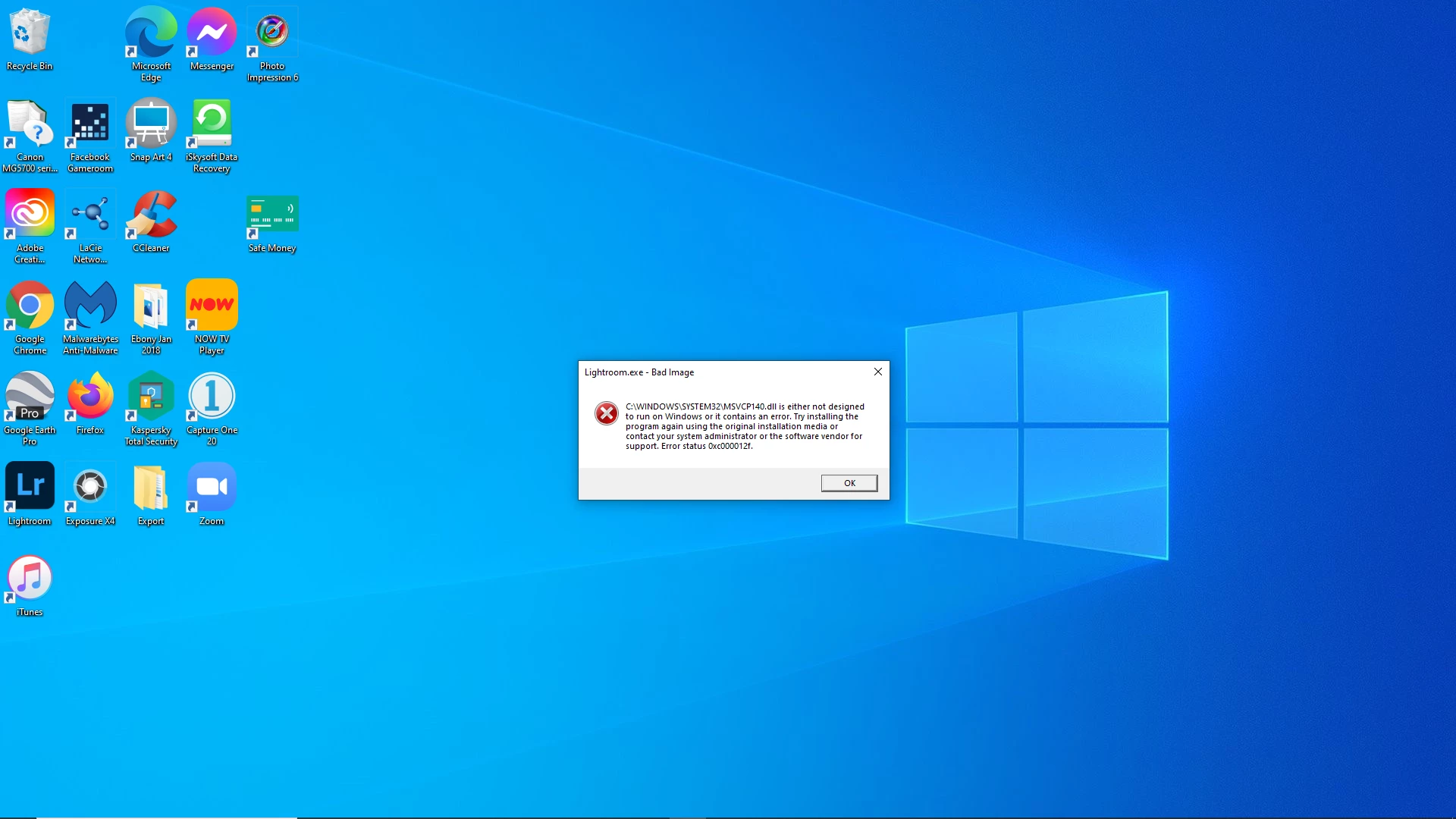
Adobe apps not opening on Windows PC
  • December 17, 2021
  • 2 replies
  • 228 views

Hi anyone know how to fix this issue?  Whenever I try opening any adobe apps I get this, followed by similar error messages.  I have tried to uninstall adobe to try the reinstall method, however none of the adobe apps will uninstall!!

    This topic has been closed for replies.

    2 replies

    AxelMatt
    Community Expert
    Community Expert
    December 17, 2021

    That seems to be a Microsoft problem... Go to the Search bar at the top of http://www.microsoft.com/en-us/default.aspx to find and re-install the C runtime, or for ALL Windows help 
    -or direct to https://support.microsoft.com/en-us/help/2977003/the-latest-supported-visual-c-downloads 


    My System: Intel i7-8700K - 64GB RAM - NVidia Geforce RTX 3060 - Windows 11 Pro 25H2 -- LR-Classic 15 - Photoshop 27 - Nik Collection 8 - PureRAW 5 - Topaz Photo
    Peter Grainge
    Community Expert
    Community Expert
    December 17, 2021

    You have posted in the RoboHelp forum which is an Adobe product not part of the Creative Cloud suite of products that you appear to be trying to install/uninstall. I will move this post to a more appropriate forum.


    Use the menu (bottom right) to mark the Best Answer or Highlight particularly useful replies. Found the answer elsewhere? Share it here.