
Adobe Creative Cloud Desktop Not installing or running properly.
Hi, Yesterday I purchased the Photographic plan, I'm using a PC with the latest version of Windows 10 I tried to install CCDesktop, but during the installation the window just closes before reaching 100%, when I try to open the CC app installed it takes some time loading and then this message shows up.
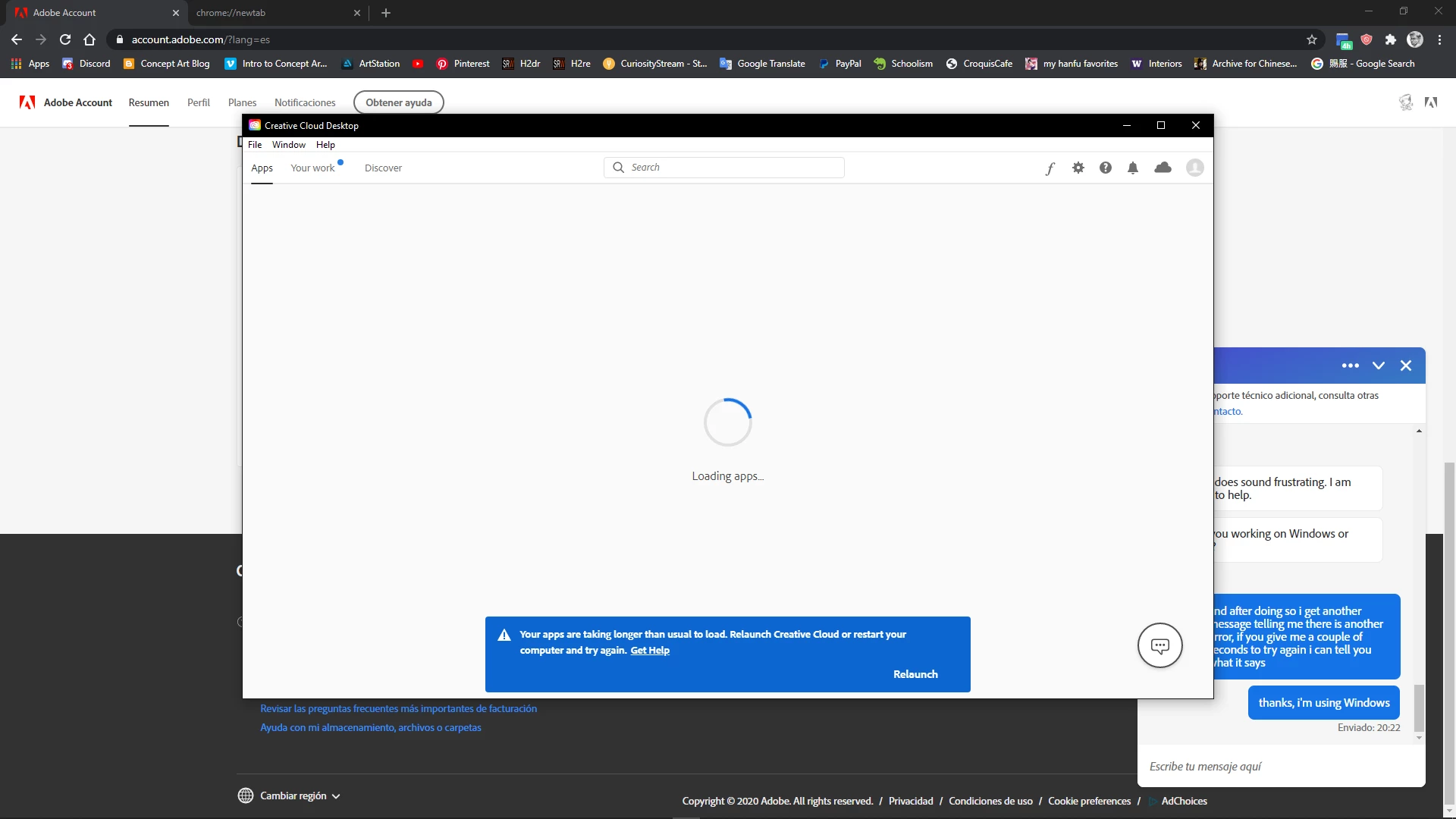
if I restart the computer I still have the same issue and if I click Relaunch it tries to load for a few seconds more and then it gives me this error.
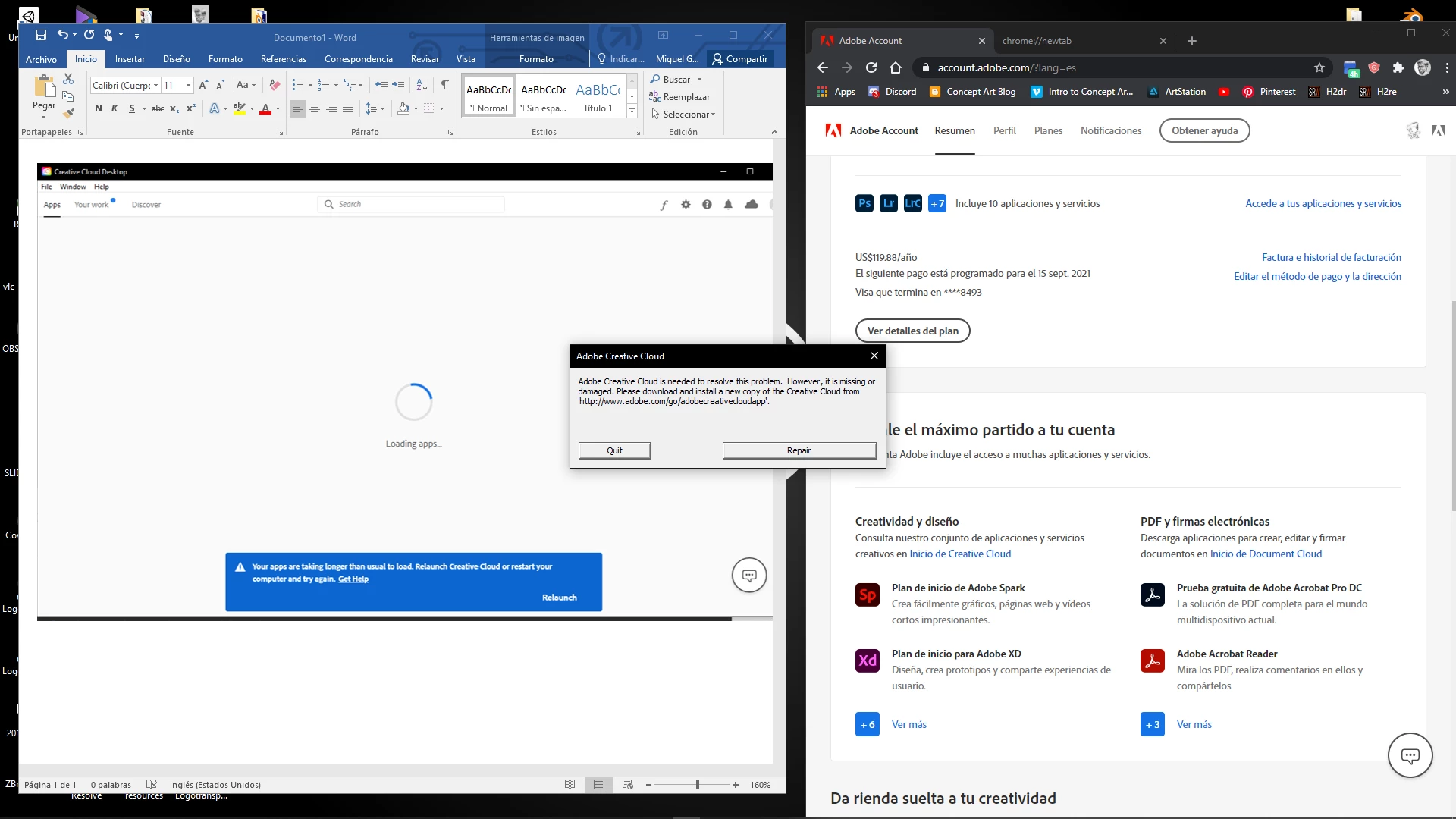
if I restart my computer without uninstalling CC this window will pop up even if i don't try to run the program.
If I click on "repair" it does its thing but the same thing happens next time I try to run the program.
When I use the CC uninstaller I get the message that it has been uninstalled “with errors” so I used the CC Cleaner tool and restarting but I still have the same problem, I tried both option 1” all” and 6”CC only” while using the Cleaner tool but none seem to work.
I already tried theese with no effect:
https://helpx.adobe.com/creative-cloud/kb/creative-cloud-app-doesnt-open.html
https://helpx.adobe.com/creative-cloud/help/uninstall-creative-cloud-desktop-app.html
https://helpx.adobe.com/creative-cloud/kb/cc-cleaner-tool-installation-problems.html
I also tried deleting several files from my Adobe folders located in (C:) as per the instructions of an Adobe tech support agent yesterday with the same results.
I've also tried to make a Local Windows account and try to install and run the program from there, when I tried this yesterday with the agent, CC prompted me to sign in but after entering my password it took me back to the sign in screen, when I try the same thing today I had the same problems as mention above where I get the relaunch and repair messages.
I really hope I'm doing something wrong and that this is not that big of a problem, I hope some of you can help me out with this.
.
 AdChoices