
Participant
July 14, 2018
Question

Adobe Creative Cloud needed to resolve the problem, is missing or damaged.

  • July 14, 2018
  • 2 replies
  • 966 views

Hi, I was interested in downloading Adobe's Creative Cloud to just try out the free trial before I buy it, however, every single time I try downloading I am greeted with the error that "Adobe Creative Cloud needed to resolve the problem, is missing or damaged"
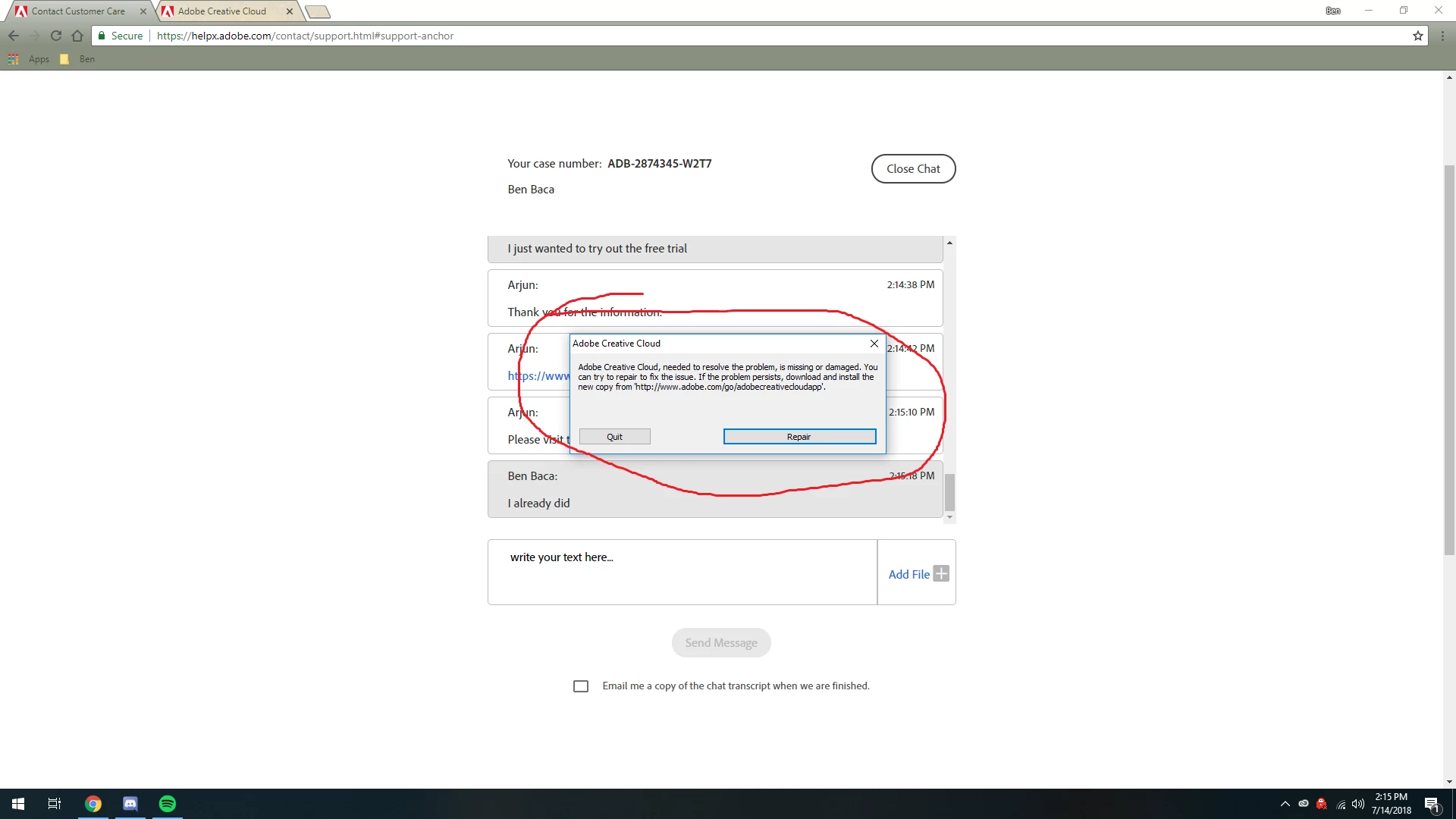
I have tried everything in the article here as well as running CC Cleaner, restarting, downloading from an Admin Account, disabling Windows Firewall, clearing any files, and every single time I try to download I get nothing. Any help at all would be appreciated because it feels like I've tried everything here.

This topic has been closed for replies.

2 replies

Govardhan.V
Participating Frequently
July 15, 2018

Follow below steps :

Uninstall Adobe Creative Cloud .

Creative Cloud Help | Uninstall the Creative Cloud desktop app

Disable Firewall Temporarily. [ Optional step ]

Step 1 :

Open C:drive and navigate to C:\Program Files (x86)\ " Common Files" \Adobe.

Open Adobe folder and delete folders named Adobe Application Manager and OOBE.

Step 2:

Navigate to C:\Program Files (x86)\Adobe.

Open Adobe folder and if present delete Adobe Creative Cloud folder. [**important]

Unable to delete??? rename it to Adobe Creative Cloud-old.

Step 3 :

Press Windows button (located between Ctrl and Alt buttons) along with R button together at a time , you will get a run command window.

Type in below command and hit 'Enter' key.

appdata

Then navigate to Local>Adobe.

Open Adobe folder and delete folders named AAMUpdater and OOBE.

Step 4 :

Make sure Adobe Creative Cloud is not listed under Control Panel > Program and Features. list.

Click on the below link and download Adobe Application manager and install the same :

http://download.adobe.com/pub/adobe/creativesuite/cc/win/ApplicationManager10.0_all.exe

Once the installation process is completed, locate Adobe Application Manager launch icon on Desktop and double click on it .

It will start update process.

once it is completed,

it shud launch Adobe Creative Cloud app.

Still same ?? let us know.

Participant
July 15, 2018

I did everything above, and when the Adobe Application Manager finished, it didn't launch the Creative Cloud App. Re downloading the Creative Cloud App brings back the same "Missing or Damaged" error

Govardhan.V
Participating Frequently
July 18, 2018

Have you installed any other Adobe cc apps like Photoshop , Illustrator...etc?

Participant
July 14, 2018

Went through the support system, instead of letting me submit a ticket or email someone, it just dropped me here. Nobody on these suggested forums is having the same issue @_@