
Participant
January 31, 2018
Answered

Adobe Creative Cloud won't load apps

  • January 31, 2018
  • 1 reply
  • 4349 views

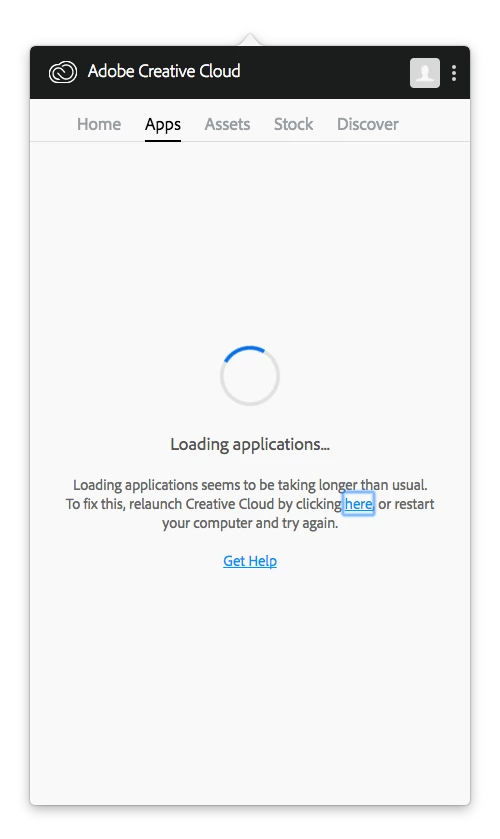
A little background info here: I was having some trouble with InDesign and so I tried to uninstall and reinstall to see if that would correct the issue. It froze my computer and then I noticed that my CC apps would not load.

I have restarted several times but the result is still the same. I attempted to uninstall the applications and start fresh, but I couldn't get any of the uninstalls to open since they needed to open through the CC app. I downloaded the uninstaller for CC and also the cleaner, but both programs seem unresponsive when I try to run them.

How can I get everything working?
This topic has been closed for replies.
Correct answer Kanikas

Hi,

As I understand you are getting a spinning wheel under the apps folder, please see this link and follow the steps shared: Adobe Creative Cloud desktop app doesn't open or shows a spinning progress wheel.

Hope this helps! Feel free to update the thread for more questions.

Thanks

Kanika

1 reply

Kanikas
KanikasCorrect answer
Legend
January 31, 2018

Hi,

As I understand you are getting a spinning wheel under the apps folder, please see this link and follow the steps shared: Adobe Creative Cloud desktop app doesn't open or shows a spinning progress wheel.

Hope this helps! Feel free to update the thread for more questions.

Thanks

Kanika